





Core Web Vitals are three field metrics, Largest Contentful Paint, Interaction to Next Paint, and Cumulative Layout Shift, that quantify how real visitors experience your page’s loading speed, responsiveness, and visual stability. Pull your data from Search Console or the Chrome User Experience Report before touching any code, then fix whichever metric is failing on your highest-traffic pages first. Everything else in this guide builds on that one move.
TL;DR:
- Improving Largest Contentful Paint involves reducing server response times, preloading LCP elements, and optimizing media size and formats to ensure a 2,500 ms threshold.
- Addressing Interaction to Next Paint requires breaking up long JavaScript tasks, offloading heavy computations, and auditing third-party scripts to boost responsiveness within a 200 ms window.
- Fixing Cumulative Layout Shift primarily involves setting explicit size attributes on images and videos and reserving space for asynchronously loaded elements to maintain visual stability.
- Prioritize field data from real user experiences over lab results for accurate assessment and focus on fixing the highest-traffic, lowest-performing pages first.
- Consistent monitoring and rechecking are essential, with ongoing fixes based on real-world data to maintain Core Web Vitals above the good threshold for 75 percent of visits.
Table of Contents
- What LCP, INP and CLS Measure and What “Good” Looks Like
- How Are Core Web Vitals Measured: Field Data vs. Lab Tests?
- High-Impact Tactics to Improve LCP
- Practical Strategies to Lower INP (Page Responsiveness)
- How to Diagnose and Prevent CLS (Visual Stability)
- Audit and Prioritization Workflow: An Ordered Checklist
- How WWS Integrates Core Web Vitals Work Into Local Business Projects
- Why Most Teams Get Core Web Vitals Backward
- Get Expert Help Fixing Your Site’s Core Web Vitals
- Sources
- FAQ
What LCP, INP and CLS Measure and What “Good” Looks Like
Each Core Web Vital isolates a different frustration point in a visitor’s experience, and Google grades all three using the same statistical rule: the 75th percentile of visits.
Largest Contentful Paint (LCP) tracks how long it takes the biggest visible element, usually a hero image, a video poster frame, or a block of heading text, to render on screen. A page scores “good” at 2,500 milliseconds or faster.
Interaction to Next Paint (INP) measures how quickly your page responds to clicks, taps, and key presses across the entire visit, not just the first one. INP replaced First Input Delay as an official Core Web Vital on March 12, 2024, because FID only measured the delay before the browser started processing the first interaction, missing everything that happened afterward. The “good” threshold means responsiveness is fast, with interactions responding in a fraction of a second.
Cumulative Layout Shift (CLS) calculates unexpected movement of visible elements, weighted by how much of the viewport shifts and how far it travels. A score that is low counts as good, indicating minimal unexpected layout shifts.
Here’s how the three tiers break down:
- Good: LCP ≤ 2,500 ms, INP ≤ 200 ms, CLS ≤ 0.1
- Needs improvement: LCP 2,500 to 4,000 ms, INP 200 to 500 ms, CLS 0.1 to 0.25
- Poor: LCP over 4,000 ms, INP over 500 ms, CLS over 0.25
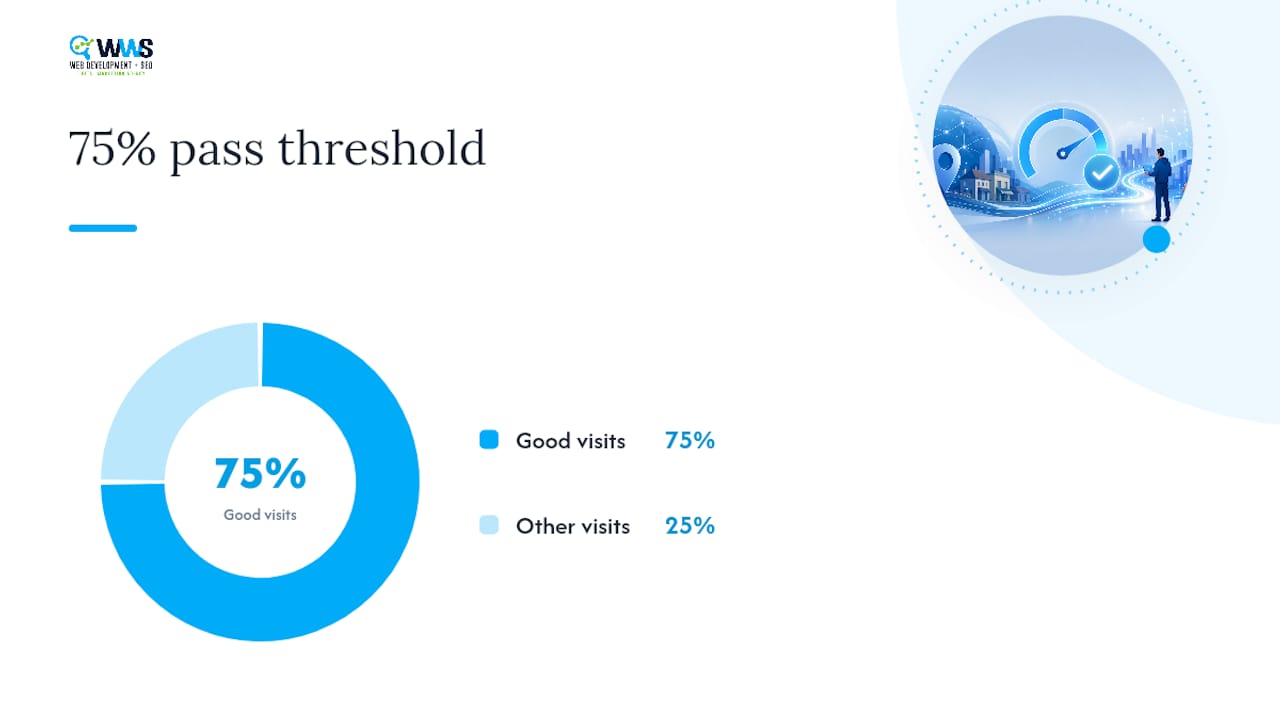
A page only passes when at least 75% of its visits fall in the “good” range for all three metrics simultaneously. Google chose that 75th-percentile cutoff by balancing real user-experience research against what’s actually achievable across the open web, so one bad connection on one visit won’t tank your entire assessment.
How Are Core Web Vitals Measured: Field Data vs. Lab Tests?
Two very different data sources feed into your Core Web Vitals score, and confusing them wastes more developer hours than almost any other performance mistake.
Field data comes from the Chrome User Experience Report, an anonymized dataset built from real Chrome users who opted into usage reporting. This is what populates your Search Console Core Web Vitals report, and it’s the only data source Google actually uses for the page experience assessment. If your field data shows a failing LCP, that’s a real problem real visitors are experiencing.
Lab data comes from controlled, synthetic tests, run once, on a fixed connection, with no other visitors influencing the result. PageSpeed Insights and Lighthouse both generate lab data, and both are diagnostic tools, not scoring tools. When lab and field results disagree, trust the field number for ranking decisions and use the lab run to reproduce and debug the issue.
Here’s when to reach for each tool:
- PageSpeed Insights: quick check that surfaces both field and lab data side by side for any public URL.
- Lighthouse (built into Chrome DevTools): deep diagnostic audit with a prioritized list of fixes, best run locally during development.
- web-vitals JavaScript library: install this when you need real user monitoring at the individual-page level, since CrUX doesn’t always have enough traffic to report on every URL.
- WebPageTest: filmstrip and network-level detail for tracking down exactly which request or render step is stalling your LCP.
High-Impact Tactics to Improve LCP
Most LCP problems trace back to one of four bottlenecks, and they respond well to a fixed order of attack.
- Cut server response time first. A slow Time to First Byte delays everything downstream. Add caching, put a CDN in front of your origin, and use edge caching for anything that doesn’t change per request.
- Strip out render-blocking resources. Inline your critical CSS, defer JavaScript that isn’t needed for the initial paint, and preload fonts and stylesheets the browser needs immediately.
- Compress and modernize your media. Convert hero images to WebP or AVIF, resize them to their actual display dimensions, and lazy-load everything below the fold.
- Preload the LCP element itself. A
<link rel="preload">tag on your hero image or font file tells the browser to fetch it before it discovers it naturally in the render path. - Re-test against field data. Confirm the fix moved your 75th-percentile score in PageSpeed Insights and, a few weeks later, in CrUX.
These tactics show up repeatedly across Google’s own optimization guidance because they address root causes rather than symptoms.
Pro Tip: Never lazy-load your actual LCP image. Lazy-loading delays the fetch until the browser scrolls it into view, which is the opposite of what you want for the largest visible element on load.
Practical Strategies to Lower INP (Page Responsiveness)
INP punishes sluggishness anywhere in a visit, not just at first load, so a page can post a fast LCP and still fail on responsiveness the moment a visitor opens a menu or submits a form.
The fix usually isn’t an asset swap. It’s architectural. Industry guidance on optimizing INP points to breaking up long JavaScript tasks so the main thread stays free to respond to input, rather than simply shrinking a file.
- Split long tasks into smaller chunks using
setTimeoutor the scheduler API so the browser can interrupt them for user input. - Move heavy computation, like data parsing or sorting, into a web worker off the main thread.
- Audit every third-party script, chat widgets, ad tags, analytics pixels, and set a performance budget that caps how much execution time they’re allowed.
- Simplify event handlers so click and input listeners do the minimum work needed before yielding control back to the browser.
Measure the result with the web-vitals JS library in production or with PageSpeed Insights during development, since Lighthouse alone can’t fully simulate real interaction timing.
Pro Tip: If your INP is fine on desktop but poor on mobile, check your third-party script load first. Slower mobile processors expose main-thread congestion that desktop chips can hide.
How to Diagnose and Prevent CLS (Visual Stability)
CLS almost always comes down to elements that don’t have a reserved footprint before they render.
Open Chrome DevTools’ Performance panel or a Lighthouse trace and look for the layout shift markers, they’ll point directly at the offending element. From there, most fixes are structural:
- Set explicit
widthandheightattributes, or a CSSaspect-ratio, on every image, video, and embedded iframe. - Never inject banners, cookie notices, or promotional content above content a visitor is already reading.
- Reserve space with a placeholder or skeleton element for anything that loads asynchronously, like ads or embedded widgets.
- Use
font-display: optionalor preload your web fonts to avoid the text reflow that happens when a fallback font swaps to the final one.
Fixing CLS is usually the fastest win of the three metrics because the causes are visible and the fixes are small, targeted CSS changes rather than architectural rework.
Audit and Prioritization Workflow: An Ordered Checklist
A Core Web Vitals audit only pays off when it ends in a ranked list of fixes, not a pile of Lighthouse warnings nobody acts on.
- Pull field data first. Start in Search Console’s Core Web Vitals report and CrUX to see which URL groups are actually failing for real visitors.
- Run diagnostics on the failing groups. Use PageSpeed Insights and Lighthouse to identify the specific render-blocking resources, oversized images, or long tasks behind each failure.
- Go deeper with WebPageTest when you need filmstrip or network-waterfall detail that Lighthouse doesn’t surface.
- Rank fixes by impact times traffic times conversion value. A homepage getting 40% of your organic sessions outranks a low-traffic landing page every time, even if the landing page’s score is worse.
- Set a 75th-percentile target for each metric and a recheck cadence, most teams verify weekly for the first month after a fix ships.
- Install web-vitals JS or a RUM provider so you catch regressions before they show up in a monthly CrUX pull.
Google’s own threshold research was built around the 75th-percentile rule specifically because it filters out one bad session from tanking a page’s overall grade, which is exactly the logic your prioritization should follow too.
How WWS Integrates Core Web Vitals Work Into Local Business Projects
As a certified Google and Meta Partner with an entirely in-house team, WWS – Web Development + SEO runs Core Web Vitals audits the same way for every one of its 200-plus client partnerships: pull field data, rank fixes by traffic and conversion impact, ship the fixes, then monitor. That workflow shows up directly in projects like the HomeBuild case study, where site performance work was paired with local SEO to move the needle on both rankings and calls. Because design, development, and SEO all sit under one roof at WWS, a layout shift caught in an audit gets fixed by the same team that built the page, with no handoff delay between diagnosis and code.
Why Most Teams Get Core Web Vitals Backward
The biggest mistake we see isn’t technical, it’s sequencing. Teams chase a perfect Lighthouse score in a local dev environment, ship it, and then wonder why Search Console still shows a failing INP three weeks later. Lab scores measure a single simulated visit. Field data measures thousands of real ones on real networks and real devices, and that’s the number Google actually uses to assess your page.
The second mistake is treating Core Web Vitals as an SEO checkbox instead of a user experience problem that happens to affect SEO, and why it is crucial to boost SEO and conversions with faster website speed. Google itself has said content relevance still carries far more ranking weight than a perfect vitals score. That doesn’t mean performance doesn’t matter, it means the payoff isn’t just rankings. A visitor who doesn’t abandon your contact form because it didn’t jump around while loading is worth more to a local business than a fractional ranking bump.
Our take: audit field data monthly, fix the metric failing on your highest-converting page first, and stop treating a “good” Lighthouse score as proof you’re done.
— Online Marketing Experts
Get Expert Help Fixing Your Site’s Core Web Vitals
Diagnosing a failing LCP is one thing. Rebuilding a template’s render path, restructuring third-party scripts, and reserving layout space across an entire site is a different job, and it’s the job WWS – Web Development + SEO does in-house for Chicago-area businesses every week. Unlike a freelancer patching individual pages, their experts handle the design, the development, and the SEO strategy under one roof, so a Core Web Vitals fix doesn’t get lost between different vendors.

If your Search Console report is flagging failing URLs, that’s exactly the kind of technical debt our Website SEO team resolves as part of an ongoing engagement, and if the underlying template needs a rebuild, our website design work is built around passing thresholds from day one, not retrofitted after launch. Contact WWS – Web Development + SEO in Des Plaines for a look at what your field data is actually telling you, and what fixing it would take.
Sources
FAQ
What Are the Core Web Vitals?
Core Web Vitals are three metrics Google uses to measure real-user experience: Largest Contentful Paint (loading speed), Interaction to Next Paint (responsiveness), and Cumulative Layout Shift (visual stability). Google evaluates all three using field data from real Chrome users, assessed at the 75th percentile.
Are Core Web Vitals Still Relevant?
Yes, and the metrics themselves keep evolving, INP replaced First Input Delay as an official vital on March 12, 2024 to better capture responsiveness across an entire visit. They remain one input among many in Google’s ranking system, alongside content relevance, which still carries more weight.
What Is Considered a Good Core Web Vitals Score?
A “good” score means LCP at 2,500 milliseconds or faster, INP at 200 milliseconds or faster, and CLS at 0.1 or lower. A page needs at least 75% of visits to hit “good” on all three metrics to pass the overall assessment.
How Do I Pass the Core Web Vitals Assessment?
Start by pulling field data from Search Console or CrUX to find which URL groups are failing, then use PageSpeed Insights and Lighthouse to diagnose the specific cause. Fix the highest-traffic pages first, and confirm the improvement shows up in field data before moving to the next page group.
Does this agency handle Core Web Vitals audits?
Yes, Core Web Vitals audits and fixes are built into WWS – Web Development + SEO’s Website SEO and website design engagements for Chicago-area clients. Pricing is available on request through the site.