


Contractor Website Checklist: 40 Checks Before You Go Live
A contractor website checklist covering trust, service pages, calls, mobile speed, local visibility and lead tracking, so your site turns visitors into estimates.
 By WWS Team
13 min read

In this article14 sections
- Key takeaways
- How to use this checklist
- Section 1: First impression and trust
- Section 2: Make it easy to call or request an estimate
- Section 3: Service, location and project pages
- Section 4: Mobile usability, speed and accessibility
- Section 5: Local search visibility
- Section 6: Analytics and lead tracking
- Perspective: what we see on contractor sites
- Prioritizing the fixes
- Where we can help
- FAQ
- Sources
- Recommended
A good contractor website does five things: it shows homeowners who you are and where you work, proves you are qualified, makes calling or requesting an estimate take one tap, loads and reads well on a phone, and tells you which visits became leads. The checklist below walks through each of those areas in order, so you can audit an existing site or brief a new one in an afternoon.
Key takeaways
- Put a tap-to-call phone number at the top of every page and repeat it on the contact page and footer.
- Build one page per core service and one per town you actually serve, each with real project photos and proof.
- Show licenses, insurance, reviews and named projects where a homeowner decides, not only on an About page.
- Test the site on a real phone: tappable numbers, readable forms, descriptive image alt text, fast load.
- Track phone taps and form submissions in GA4, so you know which pages produce leads.
How to use this checklist
Go through it with your site open on your phone, not only on a desktop. Most homeowners with a leaking roof or a dead furnace are searching from a phone, and the problems that cost you calls show up there first.
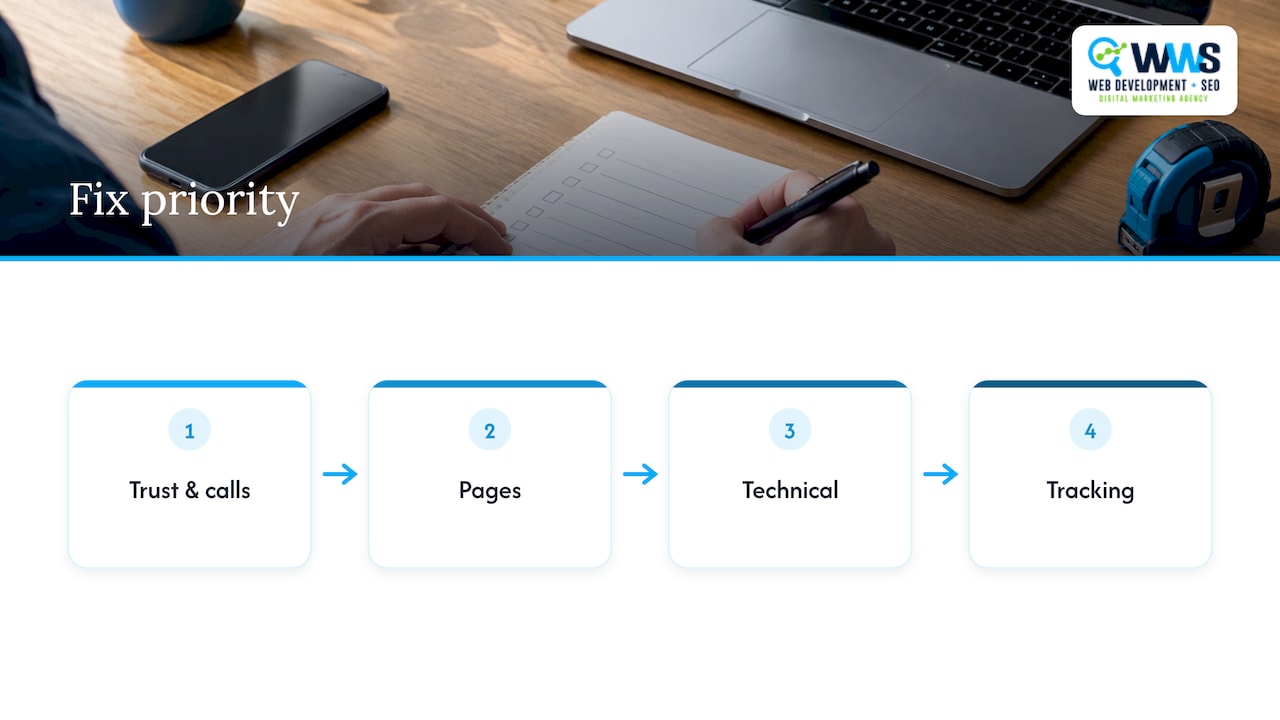
Mark each item pass, fail or not applicable. Fix the failures in the order of the sections: trust and calls first, because they affect every visitor, then pages, then technical work, then tracking. If a block of fixes is bigger than your team can handle, the last sections explain where outside help pays off.
Section 1: First impression and trust
A visitor decides within seconds whether you look like the right company for the job. These checks cover what they see before they scroll.
- [ ] The headline names the trade and the area, for example “Roof replacement in Naperville and DuPage County”, not a slogan.
- [ ] A real photo of your crew, truck or finished work sits in the top section, not a generic stock image of a smiling worker.
- [ ] Your phone number and one clear button (“Request an estimate”) are visible without scrolling.
- [ ] Your license number, where your state or city requires one, appears in the footer or on a credentials block.
- [ ] Insurance and bonding status are stated plainly if you carry them.
- [ ] Years in business, manufacturer certifications and association memberships are listed only if they are true and current.
- [ ] Two or three recent reviews appear on the homepage with the reviewer’s first name and town.
- [ ] Your legal business name, address or service area and email match what appears on your Google Business Profile.
If you hold manufacturer certifications or trade association memberships, show them as logos with a short line explaining what each means for the customer. A badge nobody understands does little.
Proof that homeowners look for
Proof is the part most contractor sites handle worst. Aim for specifics:
- Project photos with context. Show the town, the scope (“tear-off and full replacement of a 2,200 sq ft roof”) and the time it took, with before and after images when you have them.
- Reviews with detail. A review that names the work and the crew says more than five stars alone. Link to the full set on Google so visitors can verify them.
- Licenses and insurance. Requirements vary by trade and by municipality in Illinois, so check what your trade needs with the state or your city and publish only what applies to you.
- Process and warranty. Explain what happens between the first call and the final walkthrough, and state any warranty in the terms you actually offer.
Never post a review you wrote or paid for, and never claim a credential you cannot document. Those mistakes cost more than any lead they generate.
Section 2: Make it easy to call or request an estimate
This is where leads are won or lost. One contractor-focused guide recommends placing the phone number at the top of desktop pages and making it a tap-to-call link on mobile, then repeating it on the contact page and footer, with extra call prompts where a visitor is likely to want to talk.
- [ ] The phone number is a real
tel:link, so one tap starts a call on a phone. - [ ] The number is in a sticky header or a bottom bar on mobile, so it stays reachable as people scroll.
- [ ] The number appears in the header, hero, contact page and footer.
- [ ] Service pages carry a call prompt near the middle and at the end, not only at the top.
- [ ] Claims next to the number are ones you can honor. The same guidance warns against promising 24/7 service or instant response unless you deliver it.
- [ ] Business hours are listed, along with when homeowners can expect a callback on form requests.
The estimate form
Short forms collect more leads. Ask for name, phone, address or ZIP code, the type of work and a short description. Add an optional photo upload if your trade benefits from it. Every extra required field loses some people, and long qualification quizzes usually belong after the first conversation. We cover that trade-off in more depth in our piece on why simple contact forms beat complex funnels.
- [ ] The form has five or fewer required fields.
- [ ] Every field has a visible label, not only placeholder text that disappears.
- [ ] The submit button says what happens, such as “Request my estimate”.
- [ ] A confirmation message or thank-you page tells the visitor what happens next and when.
- [ ] Form notifications reach a person who answers the same day. Test it by submitting the form yourself.
- [ ] A call, text and form option are all offered, because customers differ in how they want to reach you.
For a deeper look at the page elements that move visitors from click to call, see our guide to contractor website design.
Section 3: Service, location and project pages
Google and homeowners both look for pages that match a specific need. A single “Services” page listing everything in one paragraph rarely ranks and rarely persuades.
Service pages
- [ ] Each core service has its own page: roof replacement, roof repair, window installation, kitchen remodeling and so on.
- [ ] Each page opens with who the service is for and the problem it solves.
- [ ] Each page includes the process, materials or brands you use, typical timeline, and a realistic explanation of what drives cost.
- [ ] Each page has two or three project photos from that service, with captions.
- [ ] Each page answers three to five questions customers ask on the phone.
- [ ] Each page ends with a call and estimate prompt.
- [ ] Pages link to each other where they relate, such as roofing to gutters.
Do not publish a page for a service you do not want to sell. Equally, do not stuff a city name into every sentence. Write for the reader first.
Service-area pages
If you travel to customers, you need pages that say where. One service-area resource describes a service area as the zone where a business is willing and able to dispatch crews, and notes that a page defining that zone answers the “do you serve my town?” question directly.
- [ ] Each major town or suburb you want work in has its own page, for example Schaumburg, Joliet or Evanston.
- [ ] Every page has content unique to that town: neighborhoods, local projects, housing types, permit or weather issues you really handle.
- [ ] No page is a copy of another with the town name swapped.
- [ ] Each page lists real jobs you completed in that area, with photos.
- [ ] You only create pages for areas you will actually drive to.
- [ ] Service-area pages link to the matching service pages and back.
Our service area pages guide explains how to structure these for businesses with no storefront, and our article on Google Business Profile service areas covers how the profile and the website should agree.
Project and portfolio pages
- [ ] A gallery or case-study section shows complete projects, not isolated pictures.
- [ ] Each project states the location, scope, duration and the customer’s problem.
- [ ] Images are compressed, but still sharp enough to show workmanship.
- [ ] Customer permission is obtained before you name them or show their home.
Section 4: Mobile usability, speed and accessibility
A site that looks good on a monitor but fails on a phone loses most of its visitors. Check these on at least one iPhone and one Android phone.
- [ ] Text is readable without zooming, and buttons are large enough to tap without hitting the wrong one.
- [ ] The menu is short: Services, Areas, Projects, About, Contact. Seven or more top-level items is too many.
- [ ] Pages load quickly on a cellular connection. Run a speed test and compress oversized photos first, since images are usually the biggest cause of slow pages.
- [ ] Pop-ups do not cover the phone number or the form on mobile.
- [ ] The site loads over HTTPS, with no browser warnings.
- [ ] Videos do not autoplay with sound and do not slow the first screen.
- [ ] Hosting is reliable enough that the site does not go down during storm season, when emergency leads spike.
Accessibility checks
Accessibility helps customers with disabilities and tends to improve usability for everyone. An accessibility guide for home-service contractors points out a common failure: emergency phone numbers embedded in images. The fix is to render the number as real text inside a tel: link, add descriptive alt text to graphical banners, and test with VoiceOver or TalkBack.
- [ ] The phone number is live text, not part of a graphic.
- [ ] Every meaningful image, including project gallery photos, has descriptive alt text.
- [ ] Form fields have visible labels, related fields are grouped, and error messages are clear and reachable by keyboard and screen reader.
- [ ] Text has enough contrast against the background, including text over photos.
- [ ] You can complete the whole contact process using only a keyboard.
Section 5: Local search visibility
Homeowners often find contractors through the map results first and the website second, so the two must support each other. Our local SEO checklist goes through the full list. For the website, check:
- [ ] Your business name, address or service area, and phone number are identical on the site, your Google Business Profile and major directories.
- [ ] Each page has a unique title and description that names the service and area.
- [ ] One H1 per page describes what the page is about.
- [ ] The homepage and contact page link to your Google Business Profile, and the profile links back to the site.
- [ ] Your profile categories match the services on your site.
- [ ] Your photos, services and hours are up to date, and you reply to reviews.
- [ ] A “Reviews” or testimonial page invites visitors to leave a review.
If your profile is still unclaimed or missing service areas, our guide to Google Business Profile setup for service areas shows the steps. For trade-specific tactics, see the general contractor SEO playbook and our article on SEO for contractors in Chicago.
Section 6: Analytics and lead tracking
Without tracking, you are guessing which pages and campaigns bring in work. Search Engine Land’s contractor SEO guide says leads and conversions should be tracked with Google Analytics events tied to lead actions such as form starts and form submissions.
A contractor-focused GA4 guide goes further and recommends five custom events tied to revenue actions: phone taps on tel: links, form submissions, booking widget opens, financing calculator use and 50% scroll depth on service pages. A roofing lead-tracking guide adds that you can send contact form events through Google Tag Manager and mark lead events as key events in GA4.
- [ ] GA4 is installed on every page.
- [ ] Phone taps and form submissions are recorded as separate events.
- [ ] Those events are marked as key events so they appear in conversion reports.
- [ ] Your thank-you page or form event fires only on a successful submission, not on page load.
- [ ] You submit a test lead and confirm it appears in GA4.
- [ ] Someone reviews the lead report monthly and compares it with the calls and estimates your office actually logged.
- [ ] You can see which pages and traffic sources produce leads.
Our guides to GA4 for local business and GA4 setup for small businesses explain the setup and common errors.
Perspective: what we see on contractor sites
We build and optimize sites for local service businesses in the Chicago area, and the pattern is consistent. Contractors rarely lose leads because their work is poor. They lose them because the website makes a stranger work too hard: a phone number buried in a graphic, a single services page, no proof of recent jobs, and no way to know what happened to a visit.
That is why we handle design, programming, SEO and local search under one roof. Our in-house team of Google and Meta certified specialists plans the page structure, the Google Business Profile and the tracking together, so the site, the map listing and the reports all describe the same business. Our approach is designed to put calls and estimate requests first, with measurable lead reporting behind them.
If you take only one thing from this checklist, make your next estimate request traceable from search result to signed job. Everything else on the list gets easier to prioritize once you can see what works.
Online Marketing Experts
Prioritizing the fixes
Not every failed item deserves equal attention. Use this order:
| Priority | What to fix | Why it comes first |
|---|---|---|
| 1 | Tap-to-call number, estimate button, short form | Affects every visitor and every lead |
| 2 | Proof: licenses, reviews, real project photos | Decides whether visitors trust you enough to call |
| 3 | Tracking for calls and forms | Shows whether other changes work |
| 4 | Service and service-area pages | Brings more of the right searches to the site |
| 5 | Speed, accessibility and navigation cleanup | Reduces drop-off and improves usability |
Most owners can handle items such as updating photos, writing project captions and collecting reviews themselves. Page architecture, technical fixes and tracking setup are where a specialist saves time.
Where we can help
If your audit turns up more failures than you can fix between jobs, we can take the work off your plate. We design and program contractor websites, set up hosting, optimize your Google Business Profile and run local SEO, all handled in-house by our own team. Start with website design and hosting if the site itself needs rebuilding, or local SEO if the site is sound but not showing up in your service area.
Tell us your trade and the towns you serve, and we will tell you which items on this checklist will make the biggest difference. You can reach us through wizerunekwsieci.com.
FAQ
How many pages does a contractor website need?
At minimum: a homepage, one page per core service, a page for each major town you serve, a projects page, an About page with credentials and a contact page. Smaller trades can start with five to ten pages and add area and project pages over time. Quality matters more than count, so each page should have unique, useful content.
Should a contractor website show prices?
You do not have to publish exact prices, but you should explain what drives cost, such as size, materials and access, and give a sense of the process for getting an estimate. That sets expectations and filters out poor-fit inquiries. Only publish figures you are ready to honor.
What is the most important element for getting calls?
A phone number that is easy to tap from any page on a phone. Place it in the header, the hero section, the contact page and the footer, and make it a real tel: link rather than an image.
How do I know if my contractor website is generating leads?
Set up GA4 to record phone taps and form submissions as separate events, then mark them as key events. Submit a test form and tap the number yourself to confirm both register, and compare monthly totals with the calls and estimates your office logged.
Sources
- Where to Put a Phone Number on a Contractor Website
- HVAC, Plumbing & Contractor Website Accessibility Guide
- Service area: definition and examples
- How to do SEO for contractors
- Essential GA4 Setup for Contractors
- SkyQuote Tracking in Google Analytics Using Google Tag Manager
Recommended
A Des Plaines, IL team helping local service businesses get found, get called and get booked since 2005: local SEO, Google Ads, conversion-focused websites and AI search optimization.
Meet the teamKeep reading
All articles
Keyword Rank Checker Website Guide: Stop Guessing Your Google Positions
Stop guessing your Google positions - use a keyword rank checker website to track SERP rankings, spot drops, and boost local SEO for Chicago small businesses.

SEO Pricing in Chicago: What to Expect and How to Budget
What SEO costs in the Chicago market: monthly retainers, hourly and project rates, what drives the price, and how Iowa businesses can compare proposals.

Local Content Ideas for Service Businesses in 2026
Local content ideas for contractors, restaurants and service businesses: what to publish, how to find topics, where to share it and how to measure leads.