





Start at Business and choose Sign Up. Have your Business ID documents ready before you begin, since verification depends on them, and plan to use a Managed Apple Account rather than a personal one for full access to brand, device, and employee management features. Most organizations receive verification after a typical processing period once the paperwork is accurate.
TL;DR:
- Ensure your Business ID documents match your legal business name exactly to avoid verification delays caused by mismatched information.
- Completing verification can take more than five business days, especially during high-volume periods, and may require checking your email and account notifications for additional requests.
- Using a Managed Apple Account is essential for full organization management, device control, and multi-user access, making it the recommended setup after initial verification.
- Updating your brand profile’s photos and attributes regularly, especially seasonally or after hours changes, significantly improves customer engagement and local search visibility.
- Working with an experienced agency can streamline verification and ongoing management processes, reducing delays caused by documentation errors or procedural missteps.
Table of Contents
- What Do You Need Before You Start Your Apple Business Connect Setup?
- How Do You Sign Up and Verify Your Organization on business.apple.com?
- How Do You Claim Your Brand Profile and Place Card?
- Should You Use a Managed Apple Account or Your Personal Apple ID?
- What’s the Best Way to Keep Your Showcase Content Fresh?
- Do You Need Device Management Through Apple Business?
- Why Is Your Verification Taking Longer Than Expected?
- How a Certified Local Agency Handles Apple Business Setup
- Let WWS Handle Your Apple Business Setup and Upkeep
- Sources
- FAQ
What Do You Need Before You Start Your Apple Business Connect Setup?
A little prep work before you touch the sign-up form saves you days of back-and-forth with Apple’s verification team. Gather these items first:
- An Apple ID or a plan to create a Managed Apple Account, plus a primary admin contact who will own the account.
- Business ID documents matching your entity type, such as a federal tax ID, a DUNS number, a business license or certificate, or a utility bill and lease showing your business address.
- Basic business details, including your website URL, domain ownership proof if Apple requests it, phone number, hours of operation, and the category that best describes what you do.
- A decision on who administers the account, and whether any part of ongoing management gets delegated to an outside partner or agency.
Pro Tip: Match the legal business name on your Business ID documents exactly to what appears on your utility bill or lease. A mismatched middle initial or an abbreviated “St.” versus “Street” is one of the most common reasons verification stalls.
How Do You Sign Up and Verify Your Organization on business.apple.com?
Apple has folded Apple Business Connect, Apple Business Manager, and Apple Business Essentials into a single platform called Apple Business, so business.apple.com is now the one door you need. Here’s the sequence:
- Go to business.apple.com and select Sign Up. You can start with a personal Apple ID, but Apple will ask you to formalize the account during verification.
- Enter your organization’s details and pick a Business ID type. Apple accepts several official identifiers, and the type you choose depends on whether you’re a corporation, an LLC, a sole proprietorship, or a nonprofit.
- Submit your verification values and supporting attachments. Once submitted, Apple Support’s own guidance sets expectations at a minimum of five business days for processing, and that window can stretch during high-volume periods around product launches or holidays.
- Assign an Administrator and add any additional users once verification clears, so the right people can manage brand profiles, devices, and employee accounts without waiting on you personally.
One migration detail catches people off guard. If you sign in to Apple Business using credentials tied to an old Apple Business Manager or Apple Business Connect account, your organization automatically migrates into the unified Apple Business platform, and you lose the ability to sign back into those older portals. That’s not a bug. It’s Apple’s intended cleanup, so treat any bookmarked link to the old Business Connect dashboard as temporary and update it to business.apple.com.
How Do You Claim Your Brand Profile and Place Card?
Your brand profile is what shoppers actually see in Apple Maps and Apple Business search results, so getting the fields right matters more than filling them in quickly. Navigate to Brands, then Brand Profiles, then Add a Brand, and you can set this up for a single location or multiple brands under one organization.
- Country or region and primary category determine which discovery filters your listing appears under.
- Website URL and ownership status (owned versus franchised) tell Apple how to treat the listing during review.
Apple’s own brand documentation walks through logo upload requirements and formatting for the business description field. - Send for Review whenever Apple flags a brand for additional verification, typically when the business category carries higher fraud risk, like financial services or healthcare.
Keep your business description under two or three sentences and lead with what you actually do, not a slogan. A locksmith listing that says “Fast, licensed locksmith serving Naperville, 24/7 emergency lockouts” outperforms vague branding copy every time, because Apple and searchers both respond to specificity.
Should You Use a Managed Apple Account or Your Personal Apple ID?
A personal Apple ID gets you into the sign-up flow, but it caps what your organization can do. A Managed Apple Account unlocks domain-linked email addresses, full device management, and multi-user access, which is why Apple recommends switching once you’re past initial verification.
- Administrator: usually the owner or the person legally accountable for the business, holding full control over billing, verification, and role assignment.
- Manager: a trusted employee or operations lead who can edit brand content and manage devices without touching account-level settings.
- Editor: limited to updating photos, hours, and attributes, ideal for a marketing coordinator or an outside partner.
Approved third-party partners, including marketing agencies, can be authorized directly inside the account to manage profiles on your behalf without ever holding your Administrator credentials.
Pro Tip: Switch to a Managed Apple Account before you add multiple users, not after. Retrofitting roles onto an account that started as a personal Apple ID often means redoing verification steps you already completed.
What’s the Best Way to Keep Your Showcase Content Fresh?
Photos and attributes do more to influence whether someone calls you than almost any other field in the platform. Update them with intention, not just once at setup.
- Upload images at least 1024 by 1024 pixels in JPEG or PNG format, favoring real photos of your storefront, team, or work over stock imagery.
- Prioritize attributes tied to decision-making, like hours of operation, accepted payment methods, and accessibility features, since these show up prominently in Apple Maps search cards.
- Expect a review cycle before changes go live in Maps and Search, so don’t panic if a new photo doesn’t appear instantly.
- Refresh showcase content seasonally or whenever hours change, rather than letting a listing sit untouched for a year.
Pairing this with a broader local SEO checklist keeps your Apple listing consistent with what you’re doing on Google Business Profile and other platforms, which matters because inconsistent hours or categories across platforms confuse both customers and search algorithms.
Do You Need Device Management Through Apple Business?
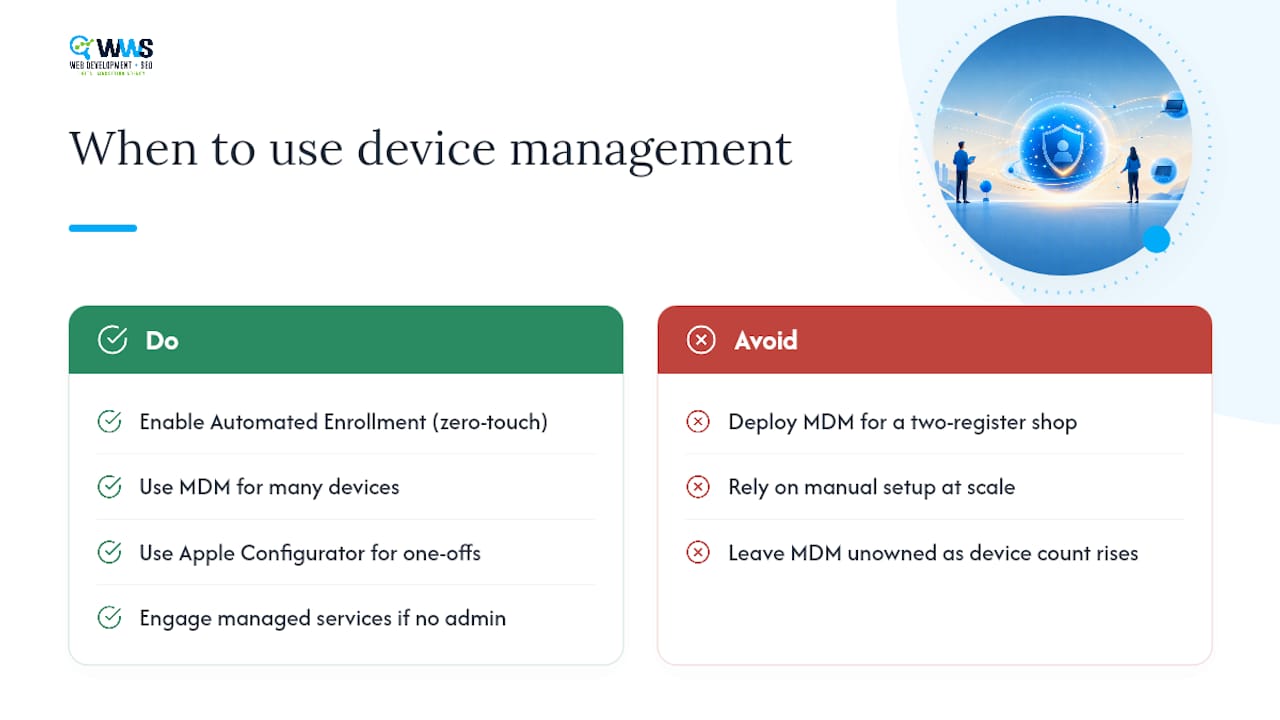
If you hand out iPhones, iPads, or Macs to employees, Apple Business includes automated device enrollment that lets new hardware configure itself with your apps, settings, and security policies the moment it’s turned on, no manual setup required. This is often called zero-touch provisioning, and it pairs with Apple Configurator for one-off manual setups and with third-party mobile device management platforms for ongoing policy enforcement.
A single-location retail shop with two registers probably doesn’t need this layer yet. A contracting business issuing tablets to ten field technicians almost certainly does. If your device count is climbing past a handful and no one internally owns MDM configuration, that’s usually the point where a managed services partner starts paying for itself.
Why Is Your Verification Taking Longer Than Expected?
Most delays trace back to a handful of fixable problems, and working through them in order saves time.
- Check for mismatched Business ID values first. A tax ID that doesn’t match your legal business name exactly, or an address on file that differs from your utility bill, is the single most common cause of a stalled review.
- If you’ve waited well past the five business day window Apple cites, check your account notifications and spam folder before assuming something’s wrong. Apple sometimes requests additional documentation that arrives as an easy-to-miss email.
- Prepare a support request with your organization name, submission date, and every document you uploaded if you need to escalate to Apple Business support directly.
- Keep copies of everything you submit. A simple folder with your Business ID documents, screenshots of your submission, and confirmation emails turns a frustrating support call into a five-minute fix.
Pro Tip: If your business recently changed its legal name, registered agent, or address, update those records with your state or with Dun & Bradstreet before you apply. Apple’s verification checks against official records, not against what’s printed on your storefront sign.
How a Certified Local Agency Handles Apple Business Setup
We’ve watched enough businesses stall out on Business ID mismatches to know verification is where most setups go sideways, not the account creation itself. A structured agency workflow, document collection, account creation, verification submission, then ongoing brand and showcase management, removes nearly all of that friction, because someone experienced is checking your paperwork before Apple does. As a certified Google and Meta Partner team with an entirely in-house team, WWS – Web Development + SEO applies the same discipline to Apple Business that it applies to Google Business Profile work: get the documentation right the first time, and verification stops being a bottleneck.
— Online Marketing Experts
Let WWS Handle Your Apple Business Setup and Upkeep
WWS – Web Development + SEO is is the alternative to piecing this together yourself between other tasks: we collect your documents, submit verification, build out your brand profile, and keep your showcase content current, so a task that could eat a week of your time gets handled correctly the first time.

Our in-house team, the same certified specialists who handle Google Business Profile optimization and local SEO for more than 200 Chicago-area clients, treats your Apple Business listing as part of a bigger local visibility strategy rather than a one-time checkbox. That matters because a place card that goes live but never gets updated loses ground to competitors who keep theirs current, highlighting why prioritizing local SEO benefits local businesses. If your business also needs a site rebuilt to match, our website design team works from the same playbook: accurate, consistent business data everywhere a customer might look. Reach out to WWS – Web Development + SEO today to get your Apple Business setup handled and your local listings working together instead of drifting apart.
Sources
FAQ
How Does Apple Business Connect Work?
You create a business profile through the unified Apple Business platform, verify your organization with official Business ID documents, then manage your brand’s Maps and Search presence, photos, and attributes from that account.
Is Apple Business Connect Worth It for a Small Business?
For any business that wants accurate hours, photos, and contact details showing up in Apple Maps and Siri search results, yes. It’s the only official way to control how your business appears across Apple’s ecosystem.
Is Apple Business Connect Free?
The core platform is free to claim locations, manage brand profiles, and set up employee device accounts, though some add-on services like AppleCare+ for Business carry separate costs.
How Do I Register with Apple Business Connect?
Go to business.apple.com and select Sign Up, then submit your organization details and Business ID documents. Processing typically takes at least five business days once everything is submitted correctly.