





Reinstating a suspended profile starts in one place: Google’s Business Profile appeals tool. File your appeal there, attach evidence that proves your business is legitimate, and resist the urge to create a second profile while you wait. Google states that duplicate profiles can complicate or disqualify a pending appeal, so patience matters as much as paperwork. Before you touch the appeals form, confirm your account status, write down the exact suspension reason Google gave you, and pull together your business documents.
TL;DR:
- Most suspensions stem from address or name issues, requiring exact matches to real-world signage and physical storefront verification.
- Gathering and organizing necessary documents, like business licenses and utility bills, before filing speeds up the appeal process and improves approval chances.
- Appeals must be submitted through Google’s tool using the same account associated with the profile, with no second profile creation or duplicate appeals during review.
- Appeal reviews take up to five working days, and reinstatement requires verifying profile details and avoiding sudden activity spikes immediately after restoration.
- Handling complex cases involving multiple locations or account restrictions often benefits from professional help to ensure evidence quality and faster resolution.
Table of Contents
- Why Google Suspends Business Profiles: Causes You Can Verify
- How Do I Check My Suspension Type in GBP?
- Prepare Your Evidence: A Checklist That Speeds Up Approval
- How Do I Submit a Google Business Profile Suspension Appeal?
- What Happens After You Submit: Timeline and Next Steps
- What to Do If Your Appeal Gets Denied
- How to Prevent Future Google Business Profile Suspensions
- When Should You Handle a GBP Appeal Yourself vs. Hire Help?
- Getting Back Online Faster With WWS – Web Development + SEO
- Sources
- FAQ
Why Google Suspends Business Profiles: Causes You Can Verify
Most suspensions trace back to one of four issues Google names directly in its guidelines for representing your business: policy violations, name or address problems, spam, or account-level restrictions. Policy violations usually involve prohibited content, like fake reviews, illegal services, or misleading claims about what your business does.
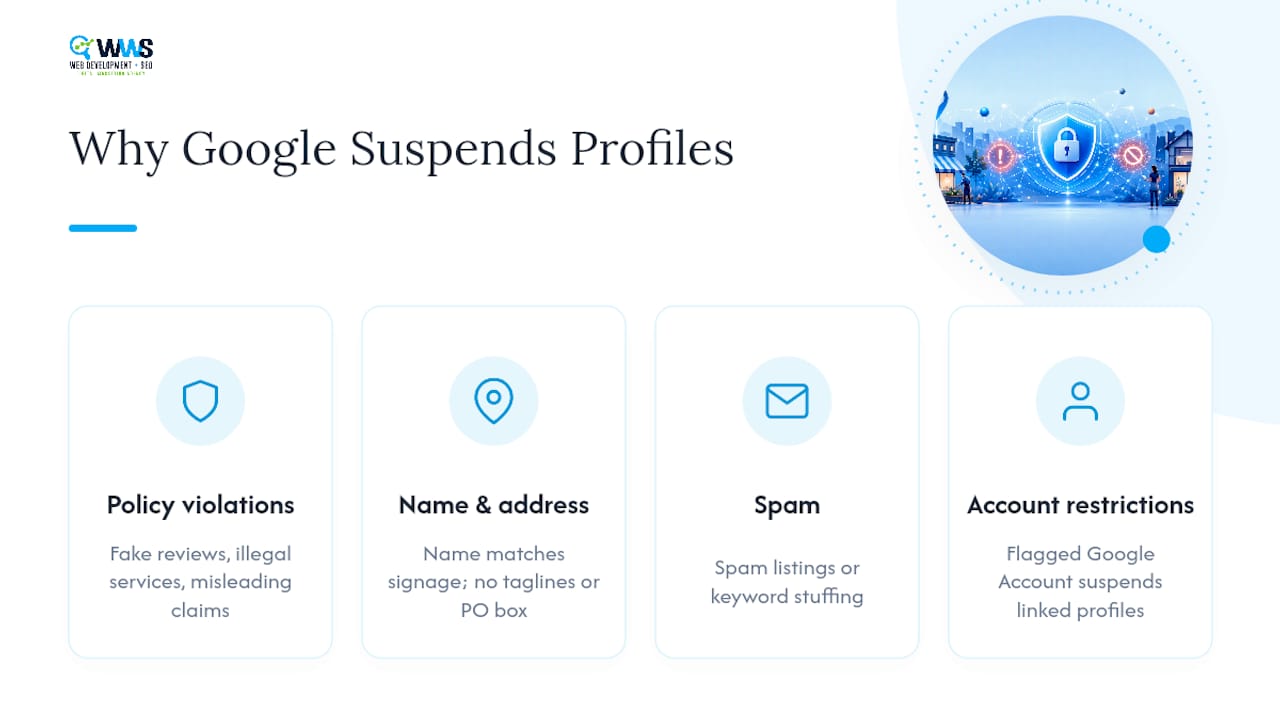
Address and name issues are the most common trigger for a first-time google business profile suspension. Google requires your listed name to match your real-world signage exactly, with no marketing taglines or keyword stuffing (like “Joe’s Plumbing – Best 24/7 Emergency Plumber Chicago”). A P.O. box in place of a physical storefront address will also get flagged, since a storefront-based business is required to show a verifiable street location.
Account restrictions are sneakier. If the Google Account tied to your profile gets flagged for unrelated reasons, every profile connected to it can go down with it. Check your dashboard for a banner or notification explaining the specific violation category. That message is your starting point for building the right appeal.
How Do I Check My Suspension Type in GBP?
Google Business Profile displays suspension and restriction notices directly on the profile dashboard, usually as a banner at the top of your business info screen. Click into it for the specific policy category Google cites.

Next, check whether the restriction sits on the profile itself or on the linked Google Account. An account-level restriction affects every profile tied to that login, which changes your fix strategy entirely. Log in to the account and look for a separate account-standing notice, distinct from the profile message.
While you’re in there, recheck two things: your verification status and your address formatting. A profile stuck in “pending verification” for months, or an address using informal abbreviations, sometimes explains a suspension that otherwise looks unrelated to anything you did.
Prepare Your Evidence: A Checklist That Speeds Up Approval
Google names specific documents that strengthen a reinstatement appeal. Gather these before you open the appeals form, not after:
- Business registration or articles of incorporation showing your legal name
- A current business license for your industry and municipality
- Tax filings or a tax certificate with your business name and address
- A utility bill (electric, water, phone, or internet) matching your listed address
Scan everything as PDFs or clear JPEGs, and name each file so a reviewer can identify it at a glance (“BusinessLicense_SmithHVAC.pdf” beats “scan001.pdf”). Confirm the name and address on every document match your Business Profile exactly. Small mismatches, like “St.” versus “Street,” give reviewers a reason to stall your case.
Pro Tip: Build a one-page cover index before you touch the appeals form. List each document and what it proves (“Document A: business license, shows legal name and address matching profile”). Reviewers work through a high volume of appeals, and a clear index gets your evidence noticed faster.
How Do I Submit a Google Business Profile Suspension Appeal?
Once your documents are ready, work through the appeals tool in this order:
- Sign in to the Google Account linked to your Business Profile. Use the same login you used to manage the listing, not a personal or unrelated account.
- Open the appeals tool and select the affected profile. Choose the specific moderation decision you’re contesting rather than submitting a generic complaint.
- Decide whether to attach evidence. If you open the evidence upload form, you have 60 minutes to submit your files, or they won’t attach to the appeal. Have every document scanned and named beforehand so you’re not scrambling once the clock starts.
- Submit once and track the result. Don’t file a second appeal for the same issue while the first is pending; duplicate submissions tend to slow review rather than speed it up. Check status in the appeals tool itself, and watch your email for Google’s decision notice.
What Happens After You Submit: Timeline and Next Steps
Google states that appeal reviews can take up to five working days. Filing a second appeal during that window rarely helps and can restart the clock.
Three outcomes are possible: reinstatement, denial, or a request for more evidence. If you’re reinstated, immediately verify every profile field for accuracy, correcting whatever triggered the original suspension. Resume posts, photos, and review responses gradually rather than all at once, since a sudden burst of activity right after reinstatement can look like the same pattern that got flagged before.
What to Do If Your Appeal Gets Denied
A denial isn’t the end of the road, but resubmitting the identical appeal rarely changes the outcome. Google allows an additional review when you have genuinely new evidence, something you didn’t include the first time, not a resend of the same files.
Before you reappeal, fix the underlying problem. If your suspension traces back to a restricted Google Account rather than the profile itself, that account issue has to be resolved first, or every future appeal will fail for the same reason. If you’re stuck after two attempts, Google’s support channels and community forums are worth trying, and at that point many owners bring in an agency that handles GBP reinstatement daily and knows which evidence gaps commonly stall a case.
How to Prevent Future Google Business Profile Suspensions
Prevention is cheaper than reinstatement, in both time and lost visibility. A few habits keep most profiles clear of trouble:
- Use your exact legal business name, no keywords or taglines appended
- List a real street address; P.O. boxes don’t satisfy Google’s storefront requirement
- Set service-area boundaries correctly if you don’t serve walk-in customers at a fixed location
- Keep your linked Google Account in good standing, since account problems can take every connected profile down with it
- Audit photos, posts, and profile fields quarterly for anything that could read as spam or outdated information
Businesses managing profiles across multiple locations benefit from a documented local SEO process, since inconsistent naming or address formatting across listings is one of the most common triggers for a repeat suspension. For a full walkthrough of profile setup done right, this local listings guide covers the setup fundamentals worth double-checking.
A suspended profile also means zero visibility in the local map pack while you wait on Google’s review, which can cost real calls and walk-ins during peak review windows.
When Should You Handle a GBP Appeal Yourself vs. Hire Help?
A single-location business with a clean policy violation, like an outdated address, can usually self-manage the appeal using the checklist above. Where WWS – Web Development + SEO’s certified team typically steps in is messier territory: account-level restrictions tangled across multiple products, multi-location brands needing several profiles restored in sync, or cases where a first appeal already failed and the evidence package needs rebuilding from scratch. In those situations, having someone who works inside Google Business Profile policy daily often shortens the back-and-forth and reduces the odds of a second denial.
— Online Marketing Experts
Getting Back Online Faster With WWS – Web Development + SEO
WWS – Web Development + SEO is the alternative to guessing your way through a Google appeal alone. As a certified Google Business Profile optimization team based in Des Plaines and serving the greater Chicago Area, we build evidence packages that match Google’s exact documentation requirements, submit appeals correctly the first time, and audit your profile afterward so the same issue doesn’t resurface.

Our in-house team, made up entirely of Google and Meta certified specialists, has handled reinstatement cases ranging from a single mislabeled address to multi-location accounts caught in a linked-account restriction. Once your profile is back online, we don’t just walk away. Ongoing local SEO management, review monitoring through tools like our free Google reviews app, and periodic profile audits keep small problems from becoming a second suspension. If your listing is down right now or you want a second set of eyes before you submit anything, book a Google Business Profile audit with our team and get a clear read on your fastest path back online.
FAQ
How Long Does a Google Business Profile Suspension Last?
There’s no fixed duration. It depends on how quickly you appeal and how strong your evidence is; Google states that appeal reviews can take up to five working days once submitted.
Can I Create a New Profile While My Appeal Is Pending?
No. Google explicitly warns against creating a duplicate profile while an appeal is under review, and doing so can complicate your case.
What Documents Prove My Business Is Legitimate for an Appeal?
Business registration paperwork, a current business license, tax filings, and a utility bill matching your profile’s name and address are the documents Google recommends for a reinstatement appeal.
Why Was My Profile Suspended With No Warning?
Common causes include an inaccurate business name or address, prohibited content, or a restriction on the Google Account linked to your profile, which can suspend every profile tied to that login.
Should I Hire an Agency to Handle My GBP Reinstatement?
If your case involves account restrictions, multiple locations, or a previously denied appeal, working with a team like WWS – Web Development + SEO that handles these cases regularly can improve your evidence quality and shorten the back-and-forth with Google.