


Redirect Strategy for SEO: 301, 302 and Canonical Rules
A practical redirect strategy for SEO: when to use 301 vs 302, when a canonical tag is better, how to avoid chains and loops, and how to verify the result.
 By WWS Team
14 min read
In this article17 sections
- TL;DR
- What a redirect does for SEO
- When you need a redirect
- 301 vs 302: which one to use
- Canonical tag vs redirect
- How to build a redirect map
- Avoiding chains, loops and broken destinations
- Server-side, meta refresh and JavaScript redirects
- Redirects by business scenario
- How to check that redirects work
- What to expect after the change
- Our perspective on redirects
- Let us handle the redirects
- Redirect checklist
- FAQ
- Sources
- Recommended
A good redirect strategy comes down to three decisions: use a server-side permanent redirect (301 or 308) when a page has moved for good, use a temporary redirect (302) only when the original URL will return, and use a canonical tag when both URLs must stay live. Then map every old URL to its single best destination, avoid chains, and verify the result after launch.
This guide is written for local business owners, contractors and the marketers who support them. Redirects are easy to get wrong during a redesign, a domain change or a cleanup of old service pages, and the mistakes cost real phone calls. Below you will find the rules, a decision table, a step-by-step setup process and a post-launch checklist.
TL;DR
- Use a permanent server-side redirect (301/308) when a URL has moved for good. Use a 302 only when the change is temporary or you are running a test.
- Use rel=canonical when several URLs need to stay accessible but one should be treated as the preferred version. A redirect sends visitors away, a canonical does not.
- Map each old URL one-to-one to the most relevant new page, point it directly at the final destination, and never leave chains or loops.
- Update internal links and sitemaps to the new URLs so you do not rely on redirects for your own navigation.
- After launch, check redirects in Google Search Console and a crawler, and expect short-term ranking movement while Google recrawls.
What a redirect does for SEO
A redirect resolves an existing URL to a different one. According to Google Search Central, it tells both visitors and Google Search that a page has a new location. For a business, that means a customer who bookmarked your old roof repair page, or a search result that still lists it, lands on the right page instead of an error.
For SEO, the value is continuity. Google says that 301 and other permanent redirects do not cause a loss in PageRank and recommends server-side permanent redirects for site moves. A redirect is therefore the way you carry the authority a page earned, from backlinks, reviews mentioned on other sites and years of engagement, to its replacement.
Redirects are not free in every sense. MDN notes that each redirect adds a small performance cost because of an extra round trip, which is why redirects should be kept to a minimum. That is the practical argument against chains and against redirecting pages that do not need it.
When you need a redirect
Google lists the situations where redirects belong: moving a site to a new domain, choosing a preferred URL among several, merging websites, or removing a page and sending users to a new one, according to its redirect documentation. In practice, for a local service business, that translates into a short list:
- Redesign or platform change where URL paths change, for example from /services/water-damage.html to /water-damage-restoration/.
- Domain change or rebrand, including a move from http to https or from a non-preferred hostname (with or without www) to your chosen one.
- Merged or retired pages, such as two overlapping kitchen remodeling pages combined into one stronger page.
- Discontinued services or locations where a close replacement exists.
- Temporary unavailability, where Google’s guidance is to use a temporary redirect when a service is temporarily unavailable.
Not every removed page needs a redirect. If nothing on your site is a genuine substitute, sending the visitor to the homepage rarely helps them. A page that matches the searcher’s intent is the standard to meet. When there is no match, a helpful error page is more honest than a forced redirect.
301 vs 302: which one to use
The difference is the signal each one sends. A 301 status code means a page has permanently moved, and Google’s indexing pipeline uses the redirect as a signal that the target should be canonical. A 302 says the move is temporary, so the original URL is the one to keep in the index.
Google’s own example for a 302 is testing. For an A/B test that sends users from the original URL to a variation, use a 302 redirect so search engines know the redirect is temporary and keep the original URL indexed. A 301 in that situation would tell Google the variation is the new permanent home, which is not what you want.
| Situation | Redirect type | Why |
|---|---|---|
| Site moved to a new domain | 301 (or 308) | Permanent move, new URL should become canonical |
| http to https, or non-preferred to preferred hostname | 301 (or 308) | Permanent consolidation onto one version |
| Two service pages merged into one | 301 (or 308) | Old page is gone for good |
| A/B test sending users to a variation | 302 | Original URL stays in the index |
| Service or page temporarily unavailable | 302 | The original URL will return |
| Seasonal offer page replaced for a few weeks | 302 | You plan to bring the original back |
The common error is leaving a 302 in place after a move that was meant to be permanent. If a redirect is permanent in your intent, make it permanent in your server response. The 308 status code is the permanent counterpart that preserves the request method, and Google treats it as a permanent redirect alongside 301. For a typical brochure or service site, 301 is the usual choice.
Canonical tag vs redirect
The canonical-versus-redirect question has a simple test: should visitors still be able to reach the other URL?
- If no, because the old page is retired, use a redirect.
- If yes, because the page still serves a purpose but duplicates or closely resembles another, use rel=canonical.
Google describes rel=canonical as a strong signal that the specified URL should become canonical. For tests that use multiple URLs, Google advises putting rel=canonical on alternate URLs to indicate the original is preferred, and using a 302 only if you redirect users to a variation.
For site moves, the guidance is different: server-side permanent redirects from old URLs to new ones are what Google recommends. A canonical tag on a page you have already retired cannot help a visitor who is still clicking an old link.
Typical local-business examples:
- Filtered or tracking URLs (such as the same page with campaign parameters): canonical to the clean URL.
- Printer-friendly or alternate versions of a page: canonical to the main version.
- A discontinued service page: 301 to the closest current service page.
- Two city pages with near-identical text: first improve each page so it is genuinely useful for its city. If you decide one must go, redirect it to the other.
If you are unsure which signals Google is choosing, Google’s canonicalization troubleshooting guide recommends checking for incorrect canonical elements and server misconfigurations.
How to build a redirect map
The redirect map is the document that decides whether a migration protects your rankings. Google’s advice for a site move is to map old URLs to their new destinations and use server-side permanent redirects to the final URLs.
- Crawl and export every current URL. Include pages that get organic traffic, pages with backlinks and pages customers reach by phone-number clicks or directions from your Google Business Profile listing.
- Decide each page’s fate. Keep, merge, retire or rewrite. The decision comes before the redirect.
- Match old to new by intent. A page about emergency water extraction should go to the page that handles emergency water extraction, not to a general services page.
- Point directly to the final URL. If the new URL itself will be redirected later, point to its final form now.
- Standardize the preferred version. Pick https, with or without www, trailing slash or not, and make all variants resolve in one hop.
- Record everything. Keep the map in a spreadsheet with columns for old URL, new URL, type of redirect and notes. It becomes your test script after launch.
If your new URL structure is part of the redesign, our guide to URL structure for SEO explains how to keep paths short and readable so you change them less often in the future. For a full launch plan, see our 90-day website migration SEO checklist.
Avoiding chains, loops and broken destinations
Three problems cause most redirect damage.

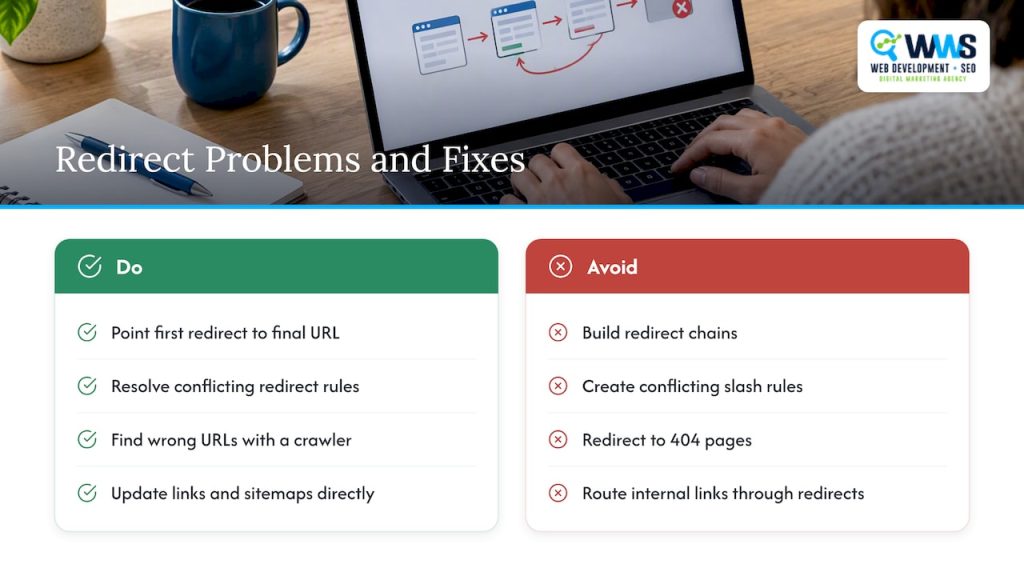
Chains. A chain happens when URL A redirects to B, which redirects to C. Google’s guidance is to avoid redirect chains. Chains build up when a site is redesigned several times and each round of redirects is added on top of the previous one. Fix them by editing the first redirect to point straight at the final URL.
Loops. A loop sends A to B and B back to A. Browsers show an error, and crawlers abandon the page. Loops often come from conflicting rules, such as one forcing a trailing slash and another removing it, or a plugin fighting with a server setting.
Broken destinations. A redirect to a 404 page is a dead end with extra steps. During a move, Search Console or a crawler such as Screaming Frog can help identify redirects pointing to wrong or non-existent URLs.
A fourth habit worth avoiding is relying on redirects for your own navigation. Google recommends updating internal links and sitemaps so they point directly to the new, canonical URLs. Your menu, footer, service lists and blog links should never pass through a redirect. Our internal linking strategy guide covers how to audit and update those links.
Server-side, meta refresh and JavaScript redirects
The method matters as much as the status code. Server-side redirects are the standard because they happen before the page loads, for visitors and crawlers alike. Google treats JavaScript redirects as a weaker alternative to be used only when standard methods such as 301/308 or meta refresh are not technically feasible.
For most local business sites, that means setting redirects at the server or hosting level, or through a redirect manager in the content management system, rather than through scripts in the page. If your site runs on a page builder, ask where its redirects are executed. A rule that fires in the browser after the page loads is not a server-side redirect.
Homepage redirects deserve special care. Sending every homepage visitor automatically to a random or location-specific page can confuse crawlers and hide your main page. Keep a stable, crawlable homepage and let visitors choose their location, especially if you serve several Illinois suburbs.

Redirects by business scenario
Redesigning a contractor website
Roofing, HVAC, remodeling and restoration sites usually have many service pages built over years. During a redesign, group them by service and city, keep the strongest URLs where possible, and redirect the rest one-to-one. Keep phone numbers, address details and schema consistent so your Google Business Profile and site agree. Our guide to contractor website design shows what the new pages should contain.
Changing domains or rebranding
A domain move is the clearest case for permanent redirects. Google recommends moving all URLs at once for smaller sites, using server-side permanent redirects, and updating internal links and sitemaps to point at the new addresses. Also update the website link in your Google Business Profile and in the directories where your business is listed, so citations point to the live domain.
Consolidating location pages
Multi-location businesses often accumulate thin city pages. When you merge two, redirect the retired one to the stronger, closest-matching page. For the bigger picture of how city pages should be structured, see our multi-location SEO guide.
Running a test
If you test a new landing page layout with a redirect, use a 302 so the original stays indexed, and remove the test redirect when the test ends.
How to check that redirects work
Test in three layers.
- Spot check with a browser and command-line tool. Request a handful of old URLs and confirm one hop, the right status code and the right destination. Google suggests testing redirects with the URL Inspection Tool, command-line tools or scripts.
- Run your redirect map through a crawler. Feed in the old URLs from your spreadsheet and flag anything that is not a single permanent redirect to a 200 page.
- Use Search Console. The URL Inspection tool shows a page’s last crawl date and status, any crawling or indexing errors, and the canonical URL. Compare the canonical Google selected with the one you intended.
Repeat the check a few weeks after launch, because new plugins, updates and content edits can add redirect rules that conflict with your map. Our technical SEO audit workflow fits redirect checks into a wider indexing review.
What to expect after the change
Rankings may move. Google expects fluctuations after a site change to be temporary while the system recrawls and reindexes content, and larger sites take longer to reflect changes than smaller ones. Do not undo a correct redirect map because of a short dip. Do investigate if key pages still show the wrong canonical or errors after several weeks.
Track the pages that matter most to revenue: your main service pages, your city pages and the pages that earn calls. A rank tracking tool helps you see which of them have recovered; our guide to website ranking checkers covers the options.
Our perspective on redirects
Most of the redirect problems we see on local service sites are not exotic. They are leftovers: a 302 that was supposed to be temporary, a chain created by three redesigns, a retired service page pointing to the homepage.
That is why we treat redirects as part of the website build, not an afterthought. Because design, programming and SEO are handled in-house by our team, the person planning the new URL structure is working with the people who write the server rules and the people who measure rankings. The redirect map is written once, tested against the old site’s crawl and checked again after launch.
For a contractor, restaurant or medical practice, the stakes are phone calls. Every old URL that still has links, reviews or search visibility is a path a customer may take. Our approach is to preserve those paths on purpose, point each to the closest relevant page, and keep internal links clean so the redirects are a safety net rather than the main route.
If your site is moving, changing structure or carrying years of patchwork rules, a redirect audit is one of the most efficient places to start.
Online Marketing Experts
Let us handle the redirects
If you are planning a redesign, a domain change or a cleanup of old pages, we plan the URL structure, build the redirect map and test it before and after launch. See our website design and hosting services, or ask about website SEO if your current site already has redirect issues you want fixed.

We serve local businesses in Des Plaines and across the Chicago area, and our local SEO work keeps your site and Google Business Profile pointing to the same, correct URLs.
Redirect checklist
Before launch:
- Full crawl of the current site exported.
- Every URL marked keep, merge, retire or rewrite.
- Redirect map written, one old URL to one best destination.
- Preferred version (https, hostname, slash style) chosen and applied.
- Redirects set server-side, 301/308 for permanent moves, 302 only for temporary ones.
- Internal links and XML sitemap updated to final URLs.
After launch:
- Old URLs tested for single hop and correct destination.
- No chains, loops or redirects to error pages.
- Canonical tags point to the intended URLs.
- Search Console checked for errors and selected canonicals.
- Business profile and directory listings updated to the live URLs.
- Temporary redirects removed when their purpose ends.
FAQ
Does a 301 redirect pass SEO value?
Yes. Google says that permanent redirects do not cause a loss in PageRank and recommends them for site moves. The destination should be a close match for the old page, since a redirect to an unrelated page does not serve the visitor.
Should I use a 302 or a 301?
Use a 301 when the move is permanent and a 302 when it is temporary. Google’s example for a 302 is an A/B test where users are redirected to a variation, so that the original URL stays in the index. If you intend the change to last, use a permanent redirect.
Should I use a canonical tag or a redirect?
Use a redirect when the old URL should no longer be reachable, such as after a site move. Use rel=canonical when several URLs stay accessible and you want to signal the preferred one. Google describes the canonical tag as a strong signal, not a command.
How many redirects are too many?
There is no number worth aiming for beyond keeping each old URL to one hop. Every extra step adds a round trip, and MDN advises keeping redirects to a minimum. Fix chains by pointing the first URL straight at the final destination.
Will my rankings drop after I add redirects?
They may fluctuate for a while. Google expects such movement to be temporary as pages are recrawled and reindexed, and smaller sites usually reflect changes sooner than large ones. A correct redirect map, updated internal links and a clean sitemap give the best chance of a short adjustment.
Sources
- Redirects and Google Search, Google Search Central
- How to move a site, Google Search Central
- Site Moves and Migrations, Google Search Central
- A/B Testing Best Practices for Search, Google Search Central
- How to Specify a Canonical with rel=canonical, Google Search Central
- Fix Canonicalization Issues, Google Search Central
- New URL inspection tool and more in Search Console, Google Search Central Blog
- Redirections in HTTP, MDN
Recommended
A Des Plaines, IL team helping local service businesses get found, get called and get booked since 2005: local SEO, Google Ads, conversion-focused websites and AI search optimization.
Meet the teamKeep reading
All articles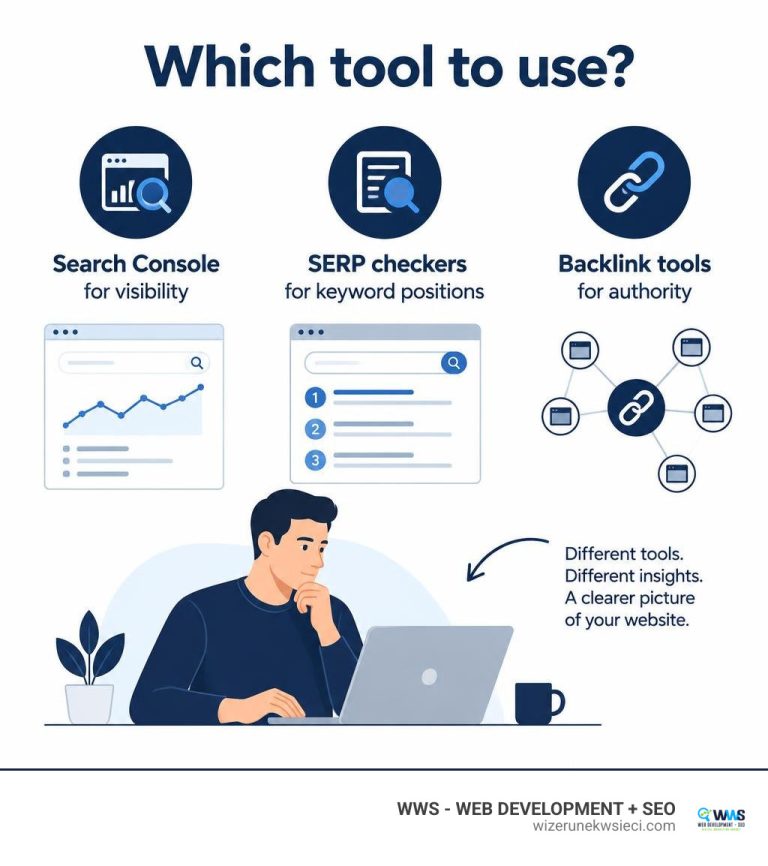
The Best Page Rank Checker Online Tools for Modern SEOs
Use a page rank checker online to audit link equity, track SERP positions, and boost organic visibility with modern SEO authority metrics.
The Best Page Rank Checker Online Tools for Modern SEOs
Use a page rank checker online to audit link equity, track SERP positions, and boost organic visibility with modern SEO authority metrics.

AI Overviews SEO: How Chicago Businesses Stay Visible
AI Overviews SEO explained for local service businesses: how Google picks sources, what it requires, what to fix first, and how to measure results.