





Remove Bad Google Reviews: A Local Business Owner’s Guide
Learn effective steps to remove bad Google reviews and protect your local business reputation by flagging violations and responding strategically.
 By WWS Team
Updated
9 min read
By WWS Team
Updated
9 min read

In this article11 sections
- Key Takeaways
- How to Remove Bad Google Reviews: What Actually Qualifies
- How Do You Flag and Appeal a Negative Review?
- What Should You Do If Google Won’t Remove the Review?
- When Is Legal Action Worth Considering?
- How Can You Prevent Fake or Unfair Reviews Going Forward?
- How Long Does Review Removal Take, and What Does It Cost?
- Reply Templates and a Fast Flagging Checklist
- Get Professional Help Removing and Managing Bad Reviews
- Sources
- Recommended
You can remove a bad Google review, but only if it breaks Google’s content policies. Google does not delete reviews just because they are negative, unfair, or bad for business. If a review contains spam, impersonation, hate speech, or off-topic content, your fastest legitimate move is to flag it from your Google Business Profile, then escalate through the Reviews Management Tool, which supports a one-time appeal.
- Policy violation? Flag it through your Business Profile dashboard first.
- No violation, just unfair? Skip removal and focus on a public reply and reputation repair instead.
Pro Tip: Removal requests often fail on the first try because the wrong policy category was selected. Match the review to a specific violation before you flag it.
Key Takeaways
Removing a bad Google review only works when the review violates a specific policy category, and every other negative review requires a reply-and-repair strategy instead.
| Point | Details |
|---|---|
| Check policy fit first | Only spam, impersonation, hate speech, or off-topic content qualify for removal. |
| Flag through the dashboard | Business Profile flags move faster than public Maps reports. |
| Use the one-time appeal | The Reviews Management Tool lets you escalate a denied flag with fresh evidence. |
| Never pay for removal | Incentivizing edits or removals violates FTC rules and Google policy. |
| Get expert help when stuck | Wizerunekwsieci builds policy-mapped evidence files and manages appeals for local businesses. |
This article is general information, not a substitute for advice from a qualified lawyer. Consult a qualified legal professional about your own circumstances before acting on anything here.
How to Remove Bad Google Reviews: What Actually Qualifies
Google removes reviews for a narrow set of reasons, and understanding them saves you from wasting time on requests that will get denied. The company enforces these categories consistently across every Business Profile, whether you run a five-location HVAC company or a single storefront diner.
Reviews that qualify for removal generally fall into these buckets:
- Spam or fake engagement — reviews from bot accounts, bulk-posted content, or reviews clearly written by someone who never visited your business.
- Impersonation — a review posing as a customer, employee, or competitor under a false identity.
- Off-topic content — complaints about a different location, an unrelated business, or a political rant with nothing to do with your service.
- Personal or confidential information — a review that publishes someone’s phone number, address, or other private details, sometimes called doxxing.
- Hate speech or harassment — slurs, threats, or abusive language directed at staff or the business.
- Illegal content — reviews promoting illegal activity or violating other laws.
- Conflict of interest — a review from a current or former employee, or a direct competitor posing as a customer.
What Google will not remove: a truthful account of a bad experience, a one-star rating with no comment, or a review you simply disagree with. That last category surprises a lot of owners, but Google’s position is firm. A slow table turn or a botched order that a customer describes accurately is not a policy violation, no matter how much it stings.
Pro Tip: Evidence differs by category. For impersonation, pull the reviewer’s account creation date and profile history. For off-topic complaints, screenshot the review alongside your transaction records showing no matching customer visit.
How Do You Flag and Appeal a Negative Review?
Once you’ve matched the review to a policy category, the process moves fast if you follow it in order.
- Audit the review against the policy list. Confirm which category applies before you touch the flag button. A vague “this seems unfair” flag gets denied almost every time.
- Flag it directly from your Google Business Profile dashboard, not from the public Google Maps listing. Dashboard flags route to Google’s business support queue, which tends to move faster than a generic public report.
- Use the Reviews Management Tool to track your report and submit a one-time appeal if the first flag gets denied. When you write the appeal:
- Be specific about which policy line the review violates, not just “this is fake.”
- Cite reviewer profile signals, like a brand-new account with no other reviews.
- Attach screenshots showing the review text and any supporting evidence.
- Track the status through the tool, which moves through pending, evaluated, escalated, and completed stages. If a report sits at “pending” for more than a couple weeks, that’s your signal to check the Business Profile community forum, where Product Experts sometimes help stalled cases move forward.
Pro Tip: Screenshot everything the moment you spot the review. Reviewer profiles, review text, and account history can disappear or change before your appeal gets reviewed.
What Should You Do If Google Won’t Remove the Review?
Most negative reviews don’t violate any policy. They’re just customers who had a bad experience and said so. When removal isn’t on the table, your response becomes the entire strategy.

A public reply works best when it’s short and specific: name the issue, name what you’re doing about it, and invite the person to continue offline. Google’s own guidance on responding to negative reviews recommends personalized, prompt replies that avoid personal attacks and protect the reviewer’s privacy. That last point matters. Don’t quote their order number, phone call, or personal details in a public reply, even to defend yourself.
You can ask a reviewer to update or remove their review once you’ve resolved the issue, and that’s completely fine as long as you’re not paying or incentivizing them to do it.
Some lines you should never cross:
- Never pay a third party to bulk-delete reviews. Google detects this and can suspend your profile.
- Never offer a discount, refund, or gift card in exchange for editing or removing a review.
- Never respond publicly with anger, sarcasm, or personal information about the reviewer.
- Never encourage staff to flag a real customer’s review as fake just because it’s negative.
The most reliable path back from a bad review is service recovery: fix the actual problem, follow up with the customer once it’s resolved, and let them decide whether to update their rating on their own.
When Is Legal Action Worth Considering?
Legal escalation makes sense in a narrow set of cases: provably false factual claims that cause measurable financial harm, doxxing, or clear impersonation that Google’s standard appeal process failed to resolve. Defamation claims carry a high evidentiary bar. You need to prove the statement is false, not just unflattering, and that it caused quantifiable damage.
Three routes exist beyond the standard appeal:
- Google’s legal removal form, used for privacy or defamation claims that need formal legal review rather than a standard policy flag.
- A John Doe subpoena, which lets an attorney petition a court to force Google to reveal the identity behind an anonymous account, often the only way to pursue a sockpuppet reviewer.
- A defamation lawsuit, which can take months and typically requires attorney fees that run into the thousands before you see any resolution.
Legal action against a reviewer is a slow, expensive road that only pays off when the harm is ongoing and every non-legal channel has already been exhausted. Treat it as a last resort, not a first response.
How Can You Prevent Fake or Unfair Reviews Going Forward?
The best defense against one bad review is a steady stream of real ones that put it in context. Ask every customer for a review, not just the happy ones, and do it right after service while the experience is still fresh. Google explicitly bans review gating, which means selectively asking only satisfied customers, and the FTC’s final rule on fake reviews makes incentivizing reviews a genuine legal risk, not just a policy violation.
- Check your Google Business Profile at least weekly for new reviews and flagged activity by following a practical step-by-step guide for SMBs to manage your online reputation.
- Set up alerts through your dashboard, or use the reviews.list API if you manage multiple locations and want automated monitoring.
- Build an internal checklist for capturing complaints before they turn into public reviews. A five-minute conversation at the counter often prevents a one-star post entirely.
- Follow up with resolved complaints a week later and ask satisfied customers directly for a detailed review. A tool like Wizerunekwsieci’s free review app can help you request reviews the right way, without gating or incentives.
How Long Does Review Removal Take, and What Does It Cost?
Timelines vary a lot depending on the route. Clear spam cases with automated detection can clear in hours to three days. Human-reviewed appeals through the Reviews Management Tool typically run three to twenty-one days. Legal or subpoena routes stretch into weeks or months.
Cost follows a similar spread. Flagging and appealing yourself costs nothing but your time. Paid reputation agencies charge for evidence prep and persistent follow-up, and pricing varies widely by case complexity. Legal action runs into the thousands once attorney fees start.
- If the review clearly violates policy and you have solid evidence, try DIY flagging first.
- If it’s been denied twice or involves impersonation you can’t unravel alone, that’s the point to bring in a paid agency or attorney.
Reply Templates and a Fast Flagging Checklist
Two templates cover most situations. For a fixable complaint: “Thanks for the feedback, [name]. We’ve corrected [specific issue] and would love the chance to make this right. Please call us at [number].” For a suspected fake review: “We don’t have a record of this visit under [name/date]. Please contact us directly so we can look into it.”
Before flagging, confirm you have: the correct policy category, screenshots, reviewer profile evidence, transaction records, and a timeline of events. Agencies like Wizerunekwsieci build case files around exactly this structure, since evidence packaged to a single policy category consistently performs better in appeals.
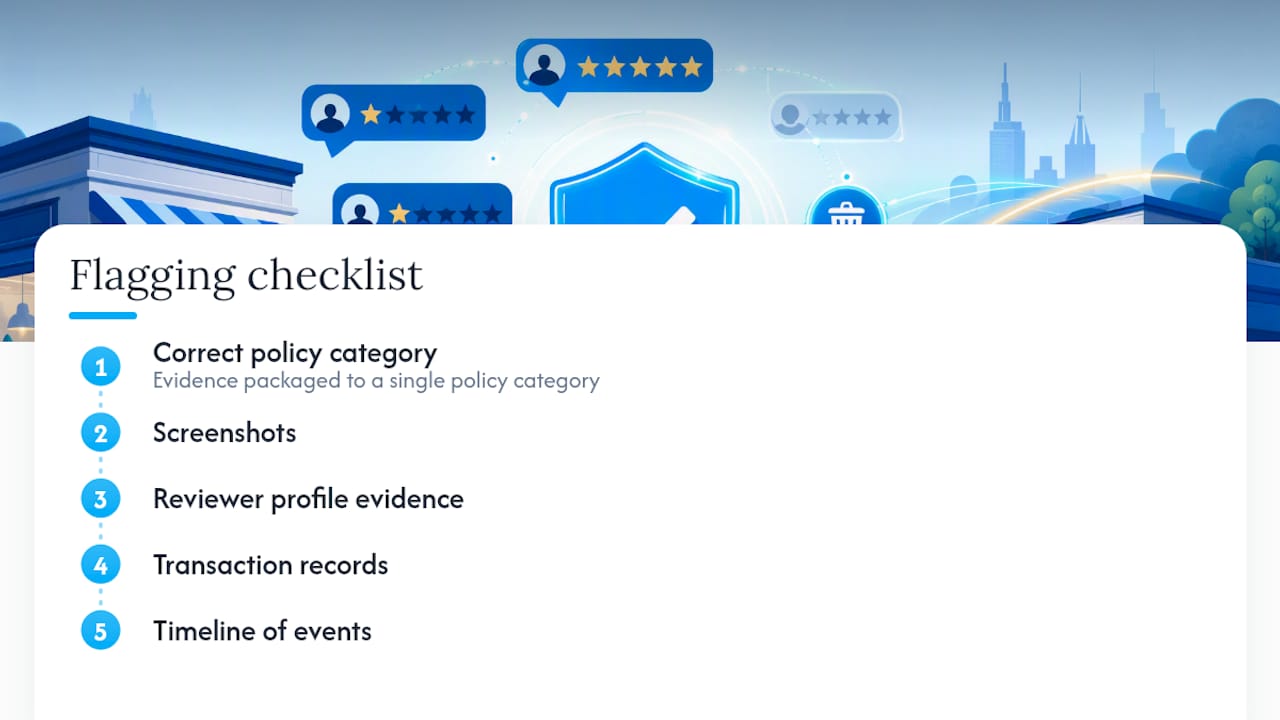
A note from the agency floor
We see the same pattern constantly: owners flag reviews under the wrong category and lose weeks waiting on a denial. Skip shady paid-removal services. Documented, policy-compliant evidence wins far more often than shortcuts do.
Get Professional Help Removing and Managing Bad Reviews
Wizerunekwsieci is the alternative to guesswork and shady removal promises for local businesses managing a damaged Google profile. Instead of vague “guaranteed removal” pitches that risk your entire profile getting suspended, our team builds documented evidence packages mapped to Google’s actual policy categories, sets up ongoing review monitoring, and pairs that work with Google Business Profile optimization so your real reviews carry more weight in local search results.

The difference shows up in the process, not just the outcome. Paid “removal guarantee” services often use tactics that violate Google’s terms and can backfire badly. Our approach is policy-compliant appeal prep, review-generation systems that follow FTC rules, and local SEO work that helps your profile recover its ranking once the noise settles. If you’re dealing with a review situation that feels stuck, request a review audit through our SEO services page and we’ll map out exactly which reviews qualify for removal and which need a reputation-repair strategy instead.
Sources
- Report inappropriate reviews on your Business Profile
- Federal Trade Commission announces final rule banning fake reviews, testimonials
Recommended
A Des Plaines, IL team helping local service businesses get found, get called and get booked since 2005: local SEO, Google Ads, conversion-focused websites and AI search optimization.
Meet the teamKeep reading
All articles
Google Reviews Strategy for Local Businesses: A Practical Plan
Build a Google reviews strategy that earns genuine reviews, stays within Google and FTC rules, and supports local SEO. Steps, scripts and metrics included.
Duplicate Google Listings: How to Find, Merge, and Remove Them
Duplicate Google listings split your reviews and confuse customers. Learn how to find them, merge or remove them, and stop them from coming back.
Win the Map Pack in 1–4 Weeks: 7 GBP Fixes for Local Businesses
Boost your Map Pack ranking in 1–4 weeks with seven GBP fixes, review timing advice, and rank checks tied to calls. Action first steps local businesses...