





The restaurant websites that convert visitors into paying customers share a short list of non-negotiable features: prominent order and reservation buttons, an HTML menu with real photos, direct online ordering, a mobile site that loads fast, visible contact information, and basic local SEO. Chowly’s research on restaurant website features that drive orders confirms that these elements work as a system, not a checklist. Build them in that order, and every other upgrade becomes easier. To prioritize search visibility alongside reservations and menu design, review our restaurant website SEO checklist.
TL;DR:
- Prioritize clear calls to action such as “Order Now” and “Reserve a Table” placed in the header or sticky mobile bars for maximum click-through rates.
- Build a fast-loading, HTML-based menu with categories, descriptions, dietary tags, and high-quality photos to improve usability and SEO.
- Integrate direct online ordering features that sync with your POS, support customer modifications, and include scheduled pickup or delivery options.
- Ensure mobile site speed stays below three seconds, with optimized images, deferred scripts, and regular performance testing to maximize conversions.
- Use real customer reviews, curated social media content, and simple loyalty programs to build trust, encourage repeat orders, and enhance user engagement.
Table of Contents
- What Restaurant Website Features Matter Most for Revenue?
- Where Should Ordering and Reservation Buttons Go?
- How Do You Build a Searchable Digital Menu?
- Is Direct Online Ordering Worth Adding?
- Does Site Speed Really Affect Mobile Conversions?
- What Makes a Reservation System Actually Work?
- Why Do Contact and Hours Pages Lose Customers?
- How Should Restaurants Use Photos and Video?
- What SEO and Analytics Should Every Restaurant Track?
- What Accessibility and Security Steps Actually Matter?
- How WWS Applies These Features for Local Restaurants
- How Do Loyalty Programs Fit Into a Restaurant Website?
- Why Do Reviews and Testimonials Belong on Your Website?
- Should Restaurant Sites Embed Social Media Feeds?
- Do Chatbots or Live Chat Improve Restaurant Websites?
- How Should Restaurants Use Email Newsletter Signups?
- Why Does Multilingual Support Matter for Restaurant Sites?
- An Agency Roadmap for Rolling Out These Features
- Ready to Turn Your Restaurant Website Into an Ordering Engine?
- Sources
- FAQ
What Restaurant Website Features Matter Most for Revenue?
Not every feature deserves equal attention in week one. Some directly move the needle on orders and reservations; others polish the experience once the basics work. The order below reflects impact, not alphabetical convenience.
Here’s the priority sequence and why it holds up:
- Calls to action first. If a visitor can’t find “Order Now” or “Reserve a Table” within three seconds, nothing else on the page matters.
- The menu comes next. Nearly 77% of diners check a restaurant’s website before they decide where to eat, according to Square’s research on restaurant website tips, and the menu is what they’re looking for.
- Direct ordering follows. Once someone wants to order, friction between that intent and checkout is where revenue leaks.
- Mobile speed and responsiveness underpin all of it. A slow phone experience kills the first three items before they get a chance to work.
For the first 72 hours, audit your homepage for CTA visibility, replace any PDF menu with an HTML version, and run your site through a mobile speed test. Everything else on this list builds from that foundation.
Where Should Ordering and Reservation Buttons Go?
Placement determines whether a call to action gets clicked or ignored. The hero section, the top navigation bar, and a sticky mobile bar are the three positions that consistently perform, and skipping any one of them costs conversions you won’t notice until you compare analytics.
Put “Order Online” and “Reserve a Table” in the header navigation on desktop, and make at least one of them visible without scrolling on mobile. A sticky bottom bar that follows the user down the page works especially well on phones, where thumb reach and screen space are both limited.
- Use verbs, not nouns: “Order Now” outperforms “Online Ordering” in most A/B tests because it reads as an instruction, not a menu label.
- Give ordering and reservation buttons visual contrast: a solid color against a neutral background, never the same shade as your secondary links.
- Link buttons directly to the ordering or booking flow. Never route through an extra landing page or a “coming soon” placeholder.
- Test button copy seasonally. “Reserve for the Holidays” can outperform generic wording during peak weeks.
The most common mistake is adding a CTA that requires two or three clicks to reach checkout. Every additional step is a chance for someone to reconsider.
Pro Tip: Duplicate your primary CTA at the bottom of the page too. Visitors who scroll through your whole menu before deciding are often your most ready-to-order customers, and they shouldn’t have to scroll back up to act.
How Do You Build a Searchable Digital Menu?
Build your menu directly in HTML, not as a scanned PDF. HTML menus load faster, display correctly on any screen size, and let Google index individual dishes, which PDFs simply can’t do. Restaurant Den’s essentials guide makes the same case: HTML menus are both an SEO tool and a usability upgrade in one move.
Structure the menu into clear categories such as starters, entrees, and desserts, with each item carrying a short, descriptive line rather than just a name and a price. “Applewood smoked bacon” sells better than “bacon.” Add dietary tags like gluten free or vegetarian directly next to the item name, since customers filtering for allergies won’t dig through a footnote to find them.
- Keep menu prices and descriptions synced with your point-of-sale system so nothing on the site is out of date by dinner service.
- Add one high-quality photo for your three or four best-selling dishes rather than photographing every item poorly.
- Use tags like “Chef’s Favorite” or “Most Popular” to nudge undecided visitors toward higher-margin dishes.
- Update seasonal items promptly. A stale “Summer Specials” section in January signals neglect.
Replacing a PDF with a structured HTML menu tends to reduce mobile bounce rates, since visitors no longer need to pinch and zoom to read it.
Is Direct Online Ordering Worth Adding?
Direct ordering is worth the setup cost for nearly every restaurant that currently relies solely on third-party delivery apps. A measurable share of consumers now prefer ordering through a restaurant’s own site or app rather than through a marketplace, and every order placed directly skips the 15 to 30% commission those platforms charge.
Direct ordering does more than protect margin. It hands you the customer’s email and phone number, data marketplaces never share, which is what makes future loyalty offers and win-back campaigns possible in the first place.
Before you sign with a vendor or greenlight a developer’s build, run through this integration checklist:
- POS synchronization. Orders placed online should route into your point-of-sale system automatically, not require manual re-entry.
- Payment security. Confirm PCI-compliant payment processing is built in, not bolted on as an afterthought.
- Modifier support. Customers need to customize orders (no onions, extra sauce) without calling the restaurant to clarify.
- Scheduled ordering. Let customers place orders for pickup or delivery later that day or the next.
- Kitchen routing. Confirm online orders print or display in the kitchen the same way phone and in-person orders do.
Pro Tip: Set a realistic pickup window and pad it by five minutes. Nothing frustrates a customer faster than arriving on time to a “we’re running behind” excuse, and consistently missed windows train customers to go back to third-party apps.
Operationally, this only works if the kitchen staff trusts the system. Restaurant Den notes that unmapped modifiers and prep times are the most common cause of misrouted orders after launch, so test the full order-to-kitchen flow with real staff before opening it to the public.
Does Site Speed Really Affect Mobile Conversions?
Yes, and the effect is larger than most owners expect. A site that takes longer than three seconds to load on a phone starts losing visitors before they’ve seen your menu, and most restaurant traffic today arrives on mobile, not desktop.
Fast load times and mobile-first patterns like sticky CTAs and large tap targets meaningfully reduce abandonment on restaurant websites, according to HubSpot’s restaurant website design research.
Design for thumbs, not cursors. Buttons need enough padding to tap accurately on a five-inch screen, and forms should ask for the minimum information required to complete an order or a reservation.
- Compress every image before upload; a single unoptimized hero photo can add a full second to load time.
- Serve images through a content delivery network so visitors load from a server near them.
- Defer any JavaScript that isn’t required for the first screen the visitor sees.
- Test regularly with Google Lighthouse or GTmetrix, and treat a mobile score below 70 as a fix, not a future project.
Speed isn’t a one-time project. New plugins, tracking scripts, and menu photos all add weight over time, so recheck performance quarterly.
What Makes a Reservation System Actually Work?
The best reservation widgets sit directly on your page rather than redirecting to a separate booking site, since every redirect is another chance for someone to abandon the process. Real-time availability matters more than a polished design; a widget that shows open tables instantly builds more trust than one that says “we’ll confirm within 24 hours.”
Deposits and automated reminders solve the two biggest problems in restaurant reservations: no-shows and last-minute cancellations. A small deposit for parties above a certain size, paired with a text reminder 24 hours before the reservation, cuts both significantly.
- Place the reservation widget inline on the homepage, not buried three clicks deep in a “Contact” submenu.
- Require only name, phone number, and party size at booking. Ask for special requests afterward, not upfront.
- Send a confirmation and a reminder by text or email, since email alone gets missed far more often.
- Log guest notes (allergies, anniversaries, preferred seating) in your CRM so returning customers feel remembered.
A reservation system that also tracks guest history quietly becomes a loyalty tool, even before you build a formal rewards program.
Why Do Contact and Hours Pages Lose Customers?
Missing or buried contact information is one of the fastest ways to lose a customer who was ready to visit. Chowly’s research found that 44% of customers will leave a website entirely if they can’t quickly find basic details like hours or a phone number.
Make your phone number clickable on mobile, list your full street address in plain text (not just inside an embedded map image), and post current hours including holiday exceptions. If parking is tricky or you’re near public transit, a single sentence saves confused first-time visitors.
- Embed a real Google Map, not a static image, so one tap opens turn-by-turn directions.
- Sync your hours and address with your Google Business Profile so the two never contradict each other.
- Track phone clicks and directions clicks in analytics. Both are strong signals of purchase intent.
How Should Restaurants Use Photos and Video?
Real photography of your actual food and dining room outperforms stock imagery every time, even when the stock photo is technically better lit. Customers can tell the difference, and authenticity builds more trust than polish.
Compress every photo and convert to modern formats like WebP so visual richness doesn’t come at the cost of load time. A gallery of ten beautiful, uncompressed images can quietly double your page weight.
- Photograph your five best dishes professionally; phone photos are fine for the rest if lighting is good.
- Use short video (10 to 15 seconds) sparingly, and lazy-load it so it doesn’t compete with initial page load.
- Embed only a curated set of social posts, not a live-scrolling feed, which tends to slow the page for minimal payoff.
- Update seasonal photography (patio dining in summer, cozy interiors in winter) to keep the site feeling current.
Pro Tip: Shoot photos at the same time of day you expect most orders. A sunny lunch photo undersells the cozy dinner mood diners are searching for at 7 PM.
What SEO and Analytics Should Every Restaurant Track?
Search visibility starts with structured data. Adding restaurant schema markup, including menu, review, and business-hours schema, helps Google understand and display your site directly in search results, sometimes as a rich snippet with hours and pricing already visible.
HTML menus play a direct role here too: Square’s guide notes that structured, text-based menus are far more discoverable in search than PDF menus, since Google can crawl and index individual dishes.
Keep your title tags and meta descriptions specific: “Wood-Fired Pizza in Skokie | Tony’s Trattoria” beats a generic “Home” or “Welcome” every time. Pair that with an optimized Google Business Profile and consistent name, address, and phone details across every directory listing.
Track these numbers monthly, not just once a quarter:
- Online orders completed versus orders started (your true conversion rate)
- Reservation completions versus reservation page visits
- Menu page views relative to total site traffic
- Mobile versus desktop conversion rate, since they often differ significantly
Run small experiments constantly. Swap one CTA color, test one headline, move one button. Restaurant sites that treat analytics as a monthly report rather than an ongoing feedback loop tend to plateau fast.
What Accessibility and Security Steps Actually Matter?
Basic accessibility isn’t just a compliance checkbox. Alt text on food photos, sufficient color contrast on menu text, and keyboard-navigable forms genuinely improve the experience for every visitor, not only those using assistive technology. Restaurant Den’s guidance treats accessibility as a usability upgrade, and that framing holds up in practice.
Security matters just as much once payments are involved. Every restaurant taking online orders needs SSL encryption and a PCI-compliant payment processor, along with regular backups and prompt software updates.
- Add descriptive alt text to every menu photo, not just decorative images.
- Test your color contrast; light gray text on a white background looks trendy but reads poorly for many users.
- Confirm your payment processor is PCI compliant before launch, not after your first chargeback dispute.
- Keep privacy notices short and collect only what’s needed to complete an order or reservation.
None of this requires a legal team. It requires a developer who builds these habits in from the start.
How WWS Applies These Features for Local Restaurants
Two recent projects show what happens when these features work together. Flambé Karma needed a full menu and ordering overhaul; after WWS – Web Development + SEO rebuilt the site around HTML menus and direct ordering, the restaurant saw a meaningful jump in online orders placed without third-party commissions. Kitchen and Bath Direct, a different type of local service business, saw a similar pattern after WWS restructured its contact and lead-capture flow: more calls, more form completions, less drop-off.
As a certified Google and Meta Partner with more than 200 local client partnerships, WWS – Web Development + SEO builds every one of these features in-house, from menu structure to local SEO to ongoing performance monitoring. If your current site is missing more than two or three items from this list, a full website design audit is the logical next step.
How Do Loyalty Programs Fit Into a Restaurant Website?
A loyalty program built into your website turns one-time visitors into repeat customers, and it works best when signup happens at the moment of highest intent, right after someone places an order or books a table. A simple points-per-dollar system, visible in the account dashboard, gives customers a reason to come back through your site instead of a marketplace app.
The features that matter most are simplicity and visibility. A loyalty widget buried in a footer link gets ignored; one offered as a checkbox during checkout (“Join and earn 50 points on this order”) gets used. Tie rewards to actions that matter to your margins: online orders, referrals, and off-peak visits, rather than just dollars spent.
Integration with your existing customer data makes the program more useful over time. When loyalty signups connect to the same system capturing emails from your reservation and ordering flows, you get a single view of each customer instead of three disconnected lists. That data becomes the foundation for targeted birthday offers, win-back campaigns for lapsed regulars, and early access to new menu items for your best customers.
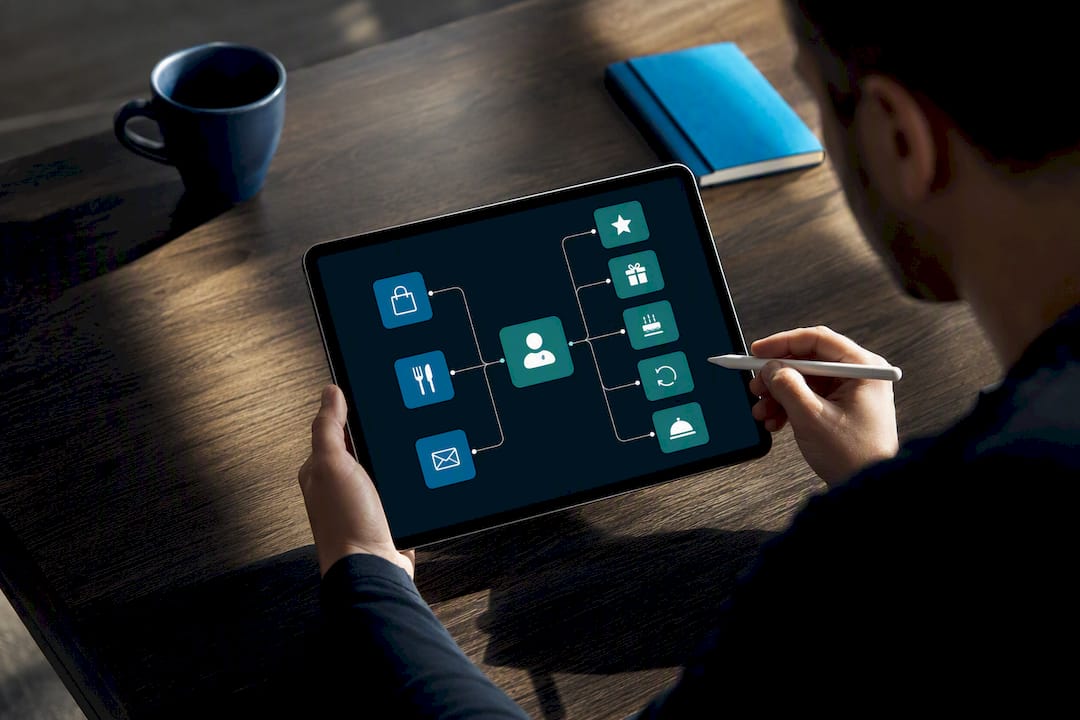
Keep the redemption process as simple as the signup. A customer who has to call the restaurant to redeem points earned online will rarely bother a second time. Whatever platform you choose, make sure points and rewards are visible and redeemable directly through the same ordering flow that earned them.
Why Do Reviews and Testimonials Belong on Your Website?
Reviews on your own website carry different weight than reviews scattered across Google or Yelp because you control the context. A testimonials section near your menu or ordering CTA reassures a hesitant first-time visitor at exactly the moment they’re deciding whether to order.
Pull genuine quotes from your Google Business Profile or direct customer feedback rather than writing generic praise yourself. Specificity sells: a review mentioning “the best carbonara in the neighborhood” does more work than “great food, great service.” Rotate a handful of recent reviews rather than freezing the same three quotes from three years ago.
Star ratings displayed near your name in search results also influence click-through before a visitor even reaches your site, which is part of why review volume and recency matter beyond the website itself. Encourage reviews through a short follow-up email or text after a completed order or reservation, timed while the experience is still fresh.
Don’t hide negative feedback entirely. A response to a critical review, handled professionally, often builds more trust than a suspiciously perfect five-star average. Visitors read reviews looking for honesty, not perfection.
Should Restaurant Sites Embed Social Media Feeds?
Link to your active social profiles, but be selective about embedding live feeds directly on your site. A live-scrolling Instagram feed sounds appealing, but it often pulls in third-party scripts that slow page load, working against the mobile speed priorities covered earlier.
The better approach is a curated grid of your best recent posts, updated manually every few weeks, paired with clear icon links to your live profiles. This gives visitors the social proof of an active, engaged restaurant without the performance cost of a real-time embed.
Prioritize the platforms where your actual customers spend time. For most restaurants, that means Instagram for food photography and Facebook for community engagement and event announcements. A social media strategy that feeds strong content back to your website creates a loop: social posts drive site visits, and the site’s ordering and reservation CTAs convert that traffic.
Place social links in your footer and header, not scattered throughout the page, so they’re consistent and easy to find without competing with your primary CTAs.
Do Chatbots or Live Chat Improve Restaurant Websites?
A chat widget answers the questions that would otherwise become a phone call during your busiest service hours: “Do you have gluten-free options?” “Is there parking nearby?” “Can I modify my order after submitting it?” Handling these through chat frees up staff during dinner rush.
A basic rules-based chatbot can cover common questions like hours, location, and menu highlights around the clock, escalating to a live staff member only when needed. For smaller restaurants without the staff to monitor live chat constantly, an FAQ-style chatbot with a fallback to phone or email often works better than an unanswered chat window, which looks worse than no chat feature at all.
Place the chat widget where it doesn’t obstruct your primary ordering or reservation CTAs, typically the bottom right corner, and make sure it doesn’t auto-launch and block the menu on mobile screens.
How Should Restaurants Use Email Newsletter Signups?
An email signup captures customers who aren’t ready to order today but might be next week. Position the signup where it doesn’t compete with your ordering CTA: a footer field, a post-order confirmation screen, or a modest banner rather than an aggressive popup that blocks the menu.
Offer a real incentive for signing up, a discount on the next order or early access to a new seasonal menu, rather than a vague “stay updated” prompt. Once captured, that email list becomes the channel for the kind of targeted campaigns that Mailchimp’s restaurant marketing guide recommends: event announcements, slow-night promotions, and loyalty milestones.
Keep the signup form to a single field, email address only, since every additional field reduces completion rates. Sync signups automatically with your ordering and reservation systems so you’re not managing three separate contact lists.
Why Does Multilingual Support Matter for Restaurant Sites?
Restaurants in diverse neighborhoods lose customers when the menu and ordering flow exist in only one language. Offering the site, particularly the menu and ordering steps, in the languages your actual customer base speaks removes a real barrier between a hungry visitor and a completed order.
Full translation of every page isn’t always necessary. Prioritize the menu, ordering flow, and reservation form first, since those are the pages where language confusion directly costs a sale. A simple language toggle in the header, rather than a fully separate translated site, covers most restaurants’ needs without doubling the maintenance workload.
Machine translation tools can get you started, but menu items deserve a human review, since literal translations of dish names often confuse more than they clarify. A neighborhood restaurant that serves a genuinely bilingual customer base will see this pay off in fewer phone calls asking “what is this dish” and more completed orders.
An Agency Roadmap for Rolling Out These Features
If you’re planning upgrades on a schedule rather than all at once, sequence them by urgency. Month one is triage: fix broken or missing CTAs, replace any PDF menu with HTML, and confirm your phone number and hours are accurate everywhere they appear.
Months two and three focus on integration: connect direct ordering to your POS, add a real-time reservation widget, and invest in professional photography for your best-selling dishes. This is also when local SEO work, schema markup, and Google Business Profile optimization start compounding.
Longer term, build the loyalty program, set up recurring email campaigns, and treat conversion rate optimization as an ongoing habit rather than a one-time project. Restaurants that revisit their analytics quarterly and test one change at a time consistently outperform those that rebuild the whole site every three years and then ignore it.
— Online Marketing Experts
Ready to Turn Your Restaurant Website Into an Ordering Engine?
Every feature covered here, from sticky CTAs to HTML menus to local SEO, is something WWS – Web Development + SEO builds in-house for Chicago-area restaurants, with no outsourced developers and no disconnected vendors handling half the project. As an official Google and Meta Partner with more than 200 successful local client partnerships, our certified team designs, builds, and optimizes restaurant sites that convert visitors into direct orders instead of losing them to third-party marketplaces.

If your current site is missing a real online ordering system, a mobile-friendly menu, or basic local SEO, that’s revenue walking out the door every week it stays that way. Our website design team handles the full build, ordering integrations included, while our local SEO specialists make sure your restaurant actually shows up when nearby diners search for a place to eat. Request a free site audit from WWS – Web Development + SEO in Des Plaines and find out exactly which of these features your restaurant is missing.
Sources
- Essential Restaurant Website Features That Drive Online Orders | Chowly
- Top 7 restaurant website features | Square
- Statista — share of U.S. consumers that prefer a restaurant’s app or website for delivery
- Restaurant website design best practices | HubSpot
- Restaurant website essentials for 2026 | Restaurant Den
FAQ
What Is the 30/30/30 Rule for Restaurants?
The 30/30/30 rule generally refers to targeting roughly 30% food cost, 30% labor cost, and 30% overhead as a rough profitability benchmark. It’s a financial guideline for running the restaurant, not a website design principle.
What Are the 7 C’s of a Website?
Definitions vary across sources, but the concept commonly points to context, content, community, customization, communication, connection, and commerce as the pillars of an effective site. For a restaurant, commerce (ordering) and content (your menu) matter most.
What Are the Five Golden Rules of a Website?
Common versions of this guideline emphasize clarity, fast loading, mobile responsiveness, easy navigation, and clear calls to action, all of which map directly onto the restaurant website features covered above.
What Are the Key Features of a Good Restaurant Website?
The key features are prominent ordering and reservation CTAs, an HTML-based menu with photos, direct online ordering, fast mobile performance, visible contact information, and basic local SEO signals like schema markup and an optimized Google Business Profile.
Can WWS Help Add These Features to an Existing Restaurant Site?
Yes. WWS – Web Development + SEO builds and upgrades restaurant websites in-house, including online ordering integrations, HTML menus, and local SEO, for restaurants across the greater Chicago Area.