





Start with a scoped MVP: choose SaaS or low-code if your workflows are standard, and build custom only when you need deep ERP or CRM integration or unique multi-user account structures. The reason is simple: integration depth and time-to-value determine cost far more than feature count does. Your next move is a one-hour discovery session to map those two variables before anyone writes a line of code.
TL;DR:
- Most customer portals should start with a simple SaaS or low-code solution, focusing on core features to reduce costs and deployment time.
- The MVP must include authentication, a task-focused dashboard, document and ticket management, and basic administrative tools to prevent scope creep.
- Off-the-shelf platforms are suitable if integration needs are standard; custom builds are necessary for proprietary systems, specialized workflows, or high scalability.
- Successful adoption hinges on designing the first-visit flow around one key task and providing at least 50 support articles before launch.
- Ongoing costs derive mainly from hosting, maintenance, and content updates, so plans must account for long-term resource commitments.
Table of Contents
- What Customer Portal Development Actually Delivers
- Core Portal Features To Ship First (And What Can Wait)
- Build vs Buy: A Five-Minute Decision Framework
- How Do You Build a Customer Portal Step by Step?
- Integrations, Data Ownership, And Security Essentials
- What Makes Customers Actually Use Their Portal?
- What Does Customer Portal Development Cost?
- Proof It Works: Real Portal And Web App Outcomes
- Where Client Portal Projects Go Wrong (An Agency View)
- Ready To Scope Your Portal? Here’s Where WWS Fits In
- Sources
- FAQ
What Customer Portal Development Actually Delivers
Customer portal development means building a secure, authenticated web application where your customers can self-serve, tracking orders, paying invoices, managing account details, and opening support tickets without picking up the phone. That is the standard industry term for what most people search for as “client portal solutions” or “customer portal software.” The two use cases differ: B2B portals usually center on multi-user company accounts and order history, while B2C portals lean toward billing, appointment scheduling, and account settings.
The business case rests on measurable outcomes, not novelty. A well-built portal can cut customer support costs by 25 to 40 percent by shifting routine requests to self-service and reducing manual data lookups. It also affects retention: customers who can find answers themselves tend to stick around longer, and most now expect that option as a baseline, not a bonus, according to Statista’s research on self-service expectations.
Before committing budget, weigh a portal against simply upgrading your existing support tooling. A portal makes sense when:
- Support volume is dominated by repetitive, answerable-by-self-service requests
- Customers routinely ask for documents, invoices, or order status your team currently emails manually
- You need account-level visibility for B2B clients with multiple users under one company
If none of those apply yet, a better ticketing system might solve the problem faster.
Core Portal Features To Ship First (And What Can Wait)
Scope creep kills more portal projects than bad code does. The fix is a disciplined MVP that ships four categories of functionality and defers the rest.
- Authentication and access control. Multi-user company accounts, role-based access control (RBAC), single sign-on (SSO), and multi-factor authentication (MFA) are not optional extras. For B2B portals especially, skipping role hierarchies forces manual account management later, which undermines the automation you built the portal to achieve, per ScaleKit’s analysis of B2B authentication.
- A dashboard built around 2 to 3 primary tasks. Resist the urge to surface everything. Pick the two or three actions your customers do most (check order status, pay an invoice, open a ticket) and design the landing page around those.
- Documents, tickets, and account management. Invoice and document access, a ticketing interface, and basic profile management round out the functional core.
- Notifications, audit logs, and an admin interface. Your internal team needs visibility into who changed what, and customers need to know when something changes on their account.
Everything else, custom reporting, public APIs, advanced mobile optimizations, and multi-step approval workflows, belongs in a version 2 roadmap. Ship the MVP, measure usage, then build what the data tells you customers actually want, a sequence Hunchbite’s implementation guide also recommends.
Pro Tip: Write your v1 feature list on one page. If it doesn’t fit, you’re building v2 before v1 ships.
Build vs Buy: A Five-Minute Decision Framework
The build-vs-buy question usually collapses into one variable: how deep does this need to integrate with your ERP or CRM? Off-the-shelf SaaS handles standard workflows cheaply and quickly. Custom development earns its cost when you need proprietary integrations, unique multi-step approval logic, or scale that generic platforms can’t absorb without heavy customization, a pattern Enablix’s build-vs-buy research confirms across industries.
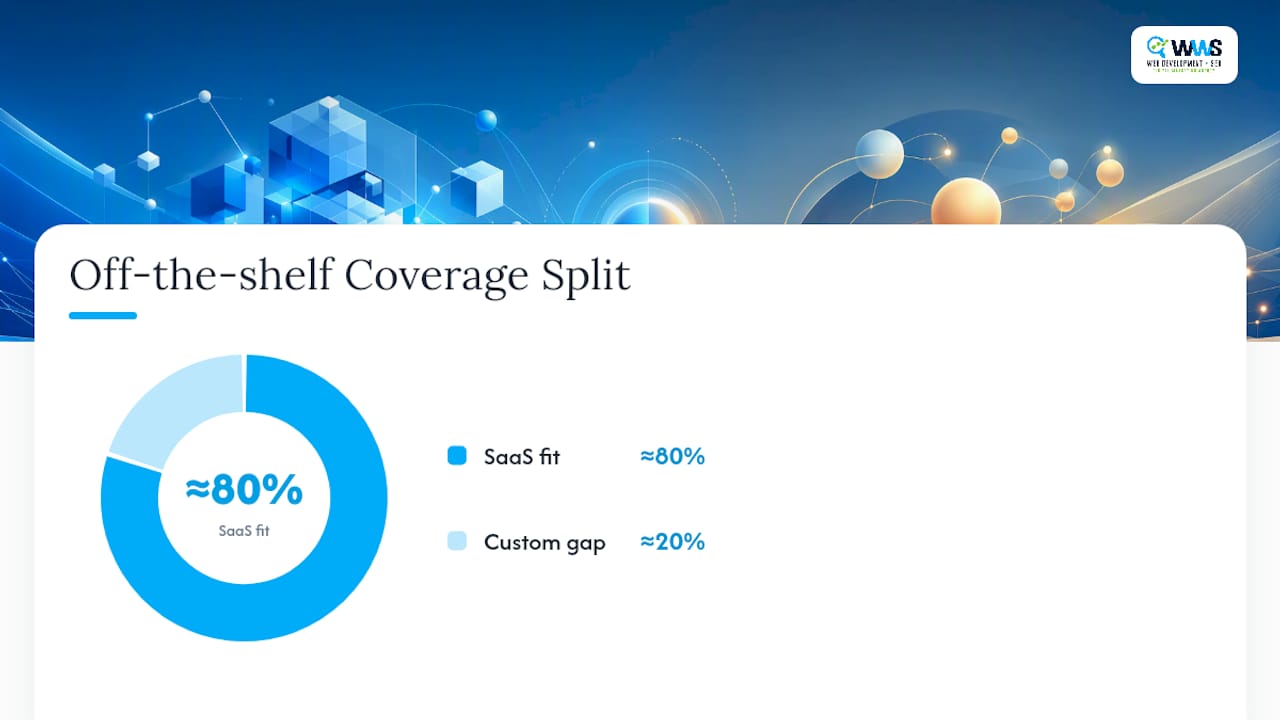
A practical rule of thumb: if an off-the-shelf product covers roughly 80% of your requirements and your integrations are standard (Stripe for billing, Salesforce for CRM), buy. Custom becomes the right call once you’re bending a SaaS tool into shapes it wasn’t designed for.
Four axes decide the answer:
- Integration depth: Are you connecting to a common platform, or a proprietary internal system with no public API?
- Workflow uniqueness: Do your approval chains, pricing rules, or account hierarchies look like anyone else’s, or are they genuinely one-of-a-kind?
- Scale and total cost of ownership: Will seat-based SaaS pricing balloon past custom development costs within two years?
- Regulatory constraints: Does your industry require data residency, audit trails, or access controls that off-the-shelf tools don’t support natively?
If the answer is yes across the board, you likely don’t need a custom build.
How Do You Build a Customer Portal Step by Step?
A phased roadmap keeps the project honest and gives every stakeholder a clear gate to sign off on before money moves forward.
- Discovery (1 to 2 weeks). Map the actual customer journey, not the internal org chart. Output three deliverables: a journey map, a KPI target sheet (ticket deflection rate, time-to-resolution), and a locked MVP scope document. Skipping this step is the single most common reason portals get built for internal convenience instead of real customer needs, a failure pattern HBS Online’s journey-mapping guide documents in detail.
- MVP definition. Write acceptance criteria for each MVP feature before development starts. “Customer can view and download the last 12 months of invoices” is testable; “improve billing experience” is not.
- Architecture decisions. Choose your deployment model (cloud SaaS, hybrid low-code, or fully custom) based on the build-vs-buy framework above. Decide now whether the portal will be API-first, a decision that pays off in security and flexibility later.
- Pilot rollout. Launch to a small customer segment first, measure adoption and support-ticket deflection for 2 to 4 weeks, then expand.
- Iterate on a fixed cadence. Review usage data monthly for the first quarter, then shift to quarterly roadmap reviews once the portal stabilizes.
Assign clear ownership: a product or IT lead owns scope decisions, a customer success or support lead owns content and adoption metrics, and a technical lead owns architecture and security sign-off.
Pro Tip: Treat the portal as a living product, not a project with an end date. Vtiger’s research on low-code platforms notes that teams who plan quarterly roadmap reviews catch feature drift before it becomes technical debt.
Integrations, Data Ownership, And Security Essentials
How data moves between your portal and your core systems determines whether the project succeeds or turns into a maintenance headache. Three patterns dominate: API-first connections, middleware layers, or periodic batch sync. API-first is generally the strongest choice because it lets the portal act as a controlled facade over your ERP or CRM, enabling caching and safer data exposure without touching core systems directly, according to Hunchbite’s architecture guidance.
Before writing integration code, settle one question in writing: which system is the source of truth for each data field? Customer address, for instance, might live in your CRM, while invoice status lives in your billing platform. Undefined ownership creates sync conflicts that surface as customer-facing bugs.
Portals that skip a written source-of-truth policy see support-ticket volume rise instead of fall, because customers now see two different answers for the same question depending on which system last synced.
Security is not a checklist you complete once. Non-negotiables include:
- TLS encryption on every connection, no exceptions
- MFA for all user accounts, and SAML or SSO for enterprise B2B clients
- Row-level security so one customer account can never query another’s data
- Signed URLs for document access rather than static, guessable links
- Audit logging on every access and change event
OutSystems’ customer portal development guidance recommends exactly this combination: API-first architecture, row-level security, and signed URLs for document sharing. If your portal touches health records or payment card data, plan for HIPAA or PCI compliance triggers from day one. Retrofitting compliance after launch costs far more than designing for it up front.
What Makes Customers Actually Use Their Portal?
A portal nobody logs into is a shelf project with a login screen. Adoption depends on what happens in the first five minutes and the first thirty days.
- Design the first-visit flow around one task. Don’t greet new users with an empty dashboard. Walk them through completing their most common action, viewing an invoice or checking order status, on the first login.
- Populate the knowledge base before launch, not after. Aim for at least 50 starter articles covering your most common support questions, a benchmark CentricDXB’s implementation research ties directly to stronger first-wave adoption and ticket deflection.
- Set a notification policy and stick to it. Customers who get flooded with alerts turn notifications off entirely, then miss the ones that matter. Default to essential-only, opt-in for the rest.
- Track four metrics from week one: daily and monthly active users (DAU/MAU), ticket deflection rate, Net Promoter Score, and time-to-resolution.
- Train your support team before you train customers. Internal change management often gets skipped, and support staff who don’t understand the portal will quietly steer customers back to the phone.
Pro Tip: Ask your support team to log every question a customer could have answered themselves in the portal. That list becomes your next 20 knowledge-base articles.
What Does Customer Portal Development Cost?
Budget ranges vary widely by approach, and the timeline gap matters as much as the dollar gap.
- SaaS platforms: Lowest entry cost, typically priced per seat or feature tier. Launch timeline runs days to a few weeks since most configuration is point-and-click.
- Low-code or hybrid platforms: Mid-range cost with faster iteration once live. Timelines run weeks to a couple of months, and Retool’s customer portal use cases show concept-to-production builds happening in weeks using prebuilt components and native connectors.
- Fully custom builds: Highest upfront investment. A lean MVP might run 6 to 12 weeks; a full-featured portal with deep integrations can stretch 16 to 24-plus weeks.
The biggest total cost of ownership drivers aren’t the initial build. They’re ongoing hosting, monitoring, content upkeep for the knowledge base, and whatever engineering retainer you need for continued feature work. Compare any vendor quote against a broader view of website development pricing so you’re benchmarking against realistic market ranges rather than a single proposal in isolation.
Proof It Works: Real Portal And Web App Outcomes
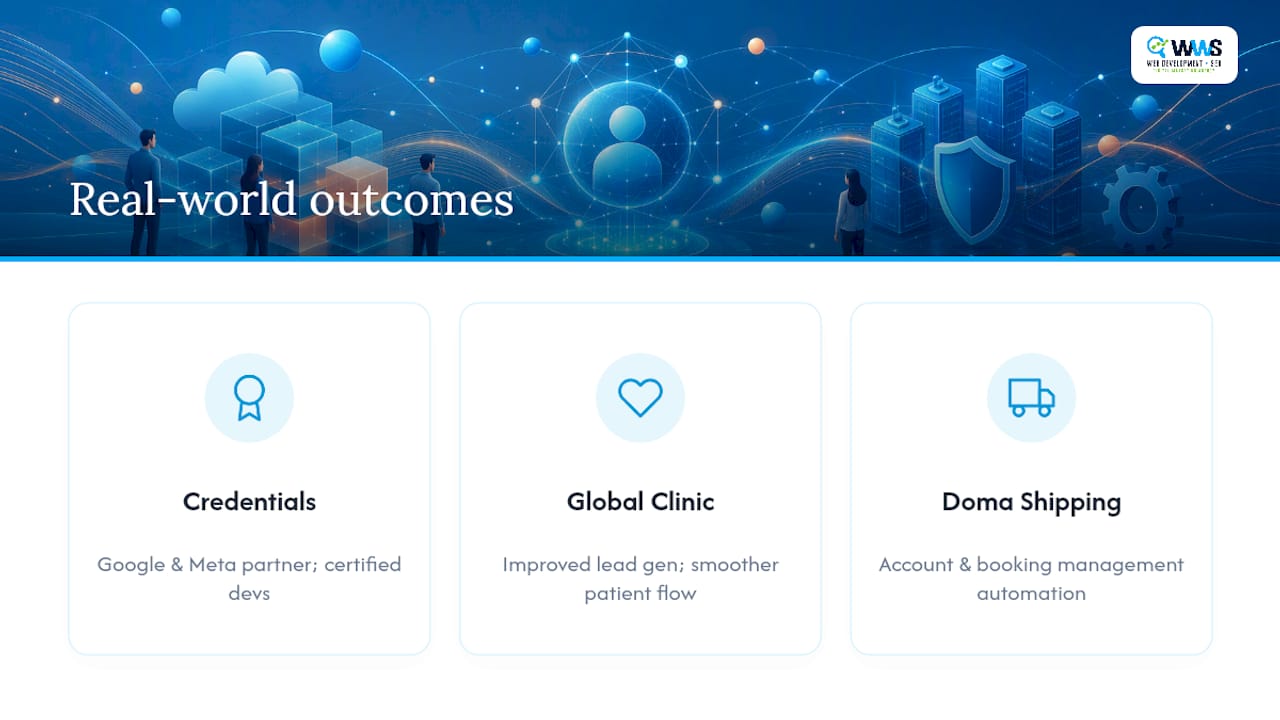
Numbers on a slide mean little without a track record behind them. WWS – Web Development + SEO is an official Google and Meta Partner, and every developer on the team holds current Google and Facebook certifications and is not a subcontracted freelancer in the mix.
Two engagements show what a scoped, outcome-focused build looks like in practice. The Global Clinic case study demonstrates how a custom web solution improved lead generation and streamlined the customer experience for a healthcare provider juggling appointment requests and patient communication. The Doma Shipping and Travel case study shows a tailored web application solving account and booking management for a logistics and travel business with its own operational quirks.
If either scenario sounds familiar, the next step is a make-or-buy discovery session, followed by a scoped MVP proposal built around your actual integration requirements, not a generic template.
Where Client Portal Projects Go Wrong (An Agency View)
The three mistakes we see most often are over-scoping the MVP, chasing the wrong KPI (login counts instead of ticket deflection or resolution time), and under-investing in knowledge-base content before launch. Each one is preventable with the same discipline: lock a one-page MVP scope, tie success metrics to support-cost reduction, and write your first 50 help articles before the launch date, not after it.
One client came to us wanting a portal with 40 features. We shipped 6, measured usage for a month, and built the next round based on what customers actually clicked. That sequence, not the feature count, is what determines whether a portal earns its budget.
— Online Marketing Experts
Ready To Scope Your Portal? Here’s Where WWS Fits In
WWS – Web Development + SEO is is the alternative to guessing your way through a portal build. Where generic templates force you into someone else’s workflow, our in-house developers scope your MVP around your actual ERP, CRM, and customer journey, then build it without outsourcing a single piece to a subcontractor.

We handle the discovery session, the architecture decision, the integration work, and the security setup under one roof, so nothing gets lost in translation between a design agency and a development shop. Every developer on staff holds active Google and Facebook certifications, and our track record spans over 200 completed client partnerships across the Chicago area, from contractors to healthcare providers to logistics companies. If you’re weighing SaaS against a custom build, our team can run that discovery meeting with you and hand you a scoped proposal within days, not weeks. Start by requesting a quote through our website design services page or find a local web developer to get the conversation moving.
Sources
The support-cost figures and self-service adoption trends cited above come from eDesk’s research on reducing support costs and Statista’s self-service expectation data. The build-vs-buy framework draws on Enablix’s decision analysis, while architecture and security recommendations come from OutSystems and Hunchbite’s implementation guide. Adoption tactics reference HBS Online’s journey-mapping research.
FAQ
What Does a Customer Portal Do?
A customer portal gives customers secure, self-service access to their account information, order history, invoices, and support tickets without requiring a phone call or email to your team. It reduces manual support workload while giving customers faster answers.
What Is the Difference Between a Customer Portal and a Client Portal?
The terms are functionally interchangeable in most contexts; “client portal” tends to appear more in professional services (law, accounting, consulting) while “customer portal” is common in retail, SaaS, and logistics. Both describe the same core concept: a secure, authenticated self-service interface.
What Are the Four Phases of Customer Development?
Definitions vary by source, but the version most commonly applied to portal projects covers discovery, MVP build, pilot rollout, and iteration, the same phased roadmap outlined earlier in this guide.
What Is the Best Practice for a Customer Portal?
Ship a focused MVP covering authentication, a task-oriented dashboard, documents, and ticketing, then populate at least 50 knowledge-base articles before launch and iterate based on measured usage rather than assumptions.
Should I Build or Buy My Customer Portal?
Buy or use low-code when your workflows are standard and integrations are common (Stripe, Salesforce); build custom when you need deep ERP integration, unique multi-user workflows, or scale that off-the-shelf platforms can’t handle cost-effectively.