





How to Build a Mobile-Friendly Accountant Website
Start with the tasks clients need to finish on their phones: understand your services, call or book a consultation, and securely send documents. Use a responsive layout, short service summaries, readable text, large tap targets, and a clear contact button. Test every form and client portal on real phones before launch.
You do not need a sprawling site to look professional. Clear headings can make tax and advisory services easier to scan, while a short, captioned video can introduce your firm without crowding the page. Keep sensitive files in a secure portal, not a standard contact form.
I’m Tomasz Lasota, founder of Wizerunek w Sieci / WWS — Web Development + SEO in Des Plaines. Over 22 years in digital development, I’ve helped small businesses improve their websites and search presence; here, I’ll apply that experience to building a mobile friendly accountant website that makes it easier for clients to take the next step.
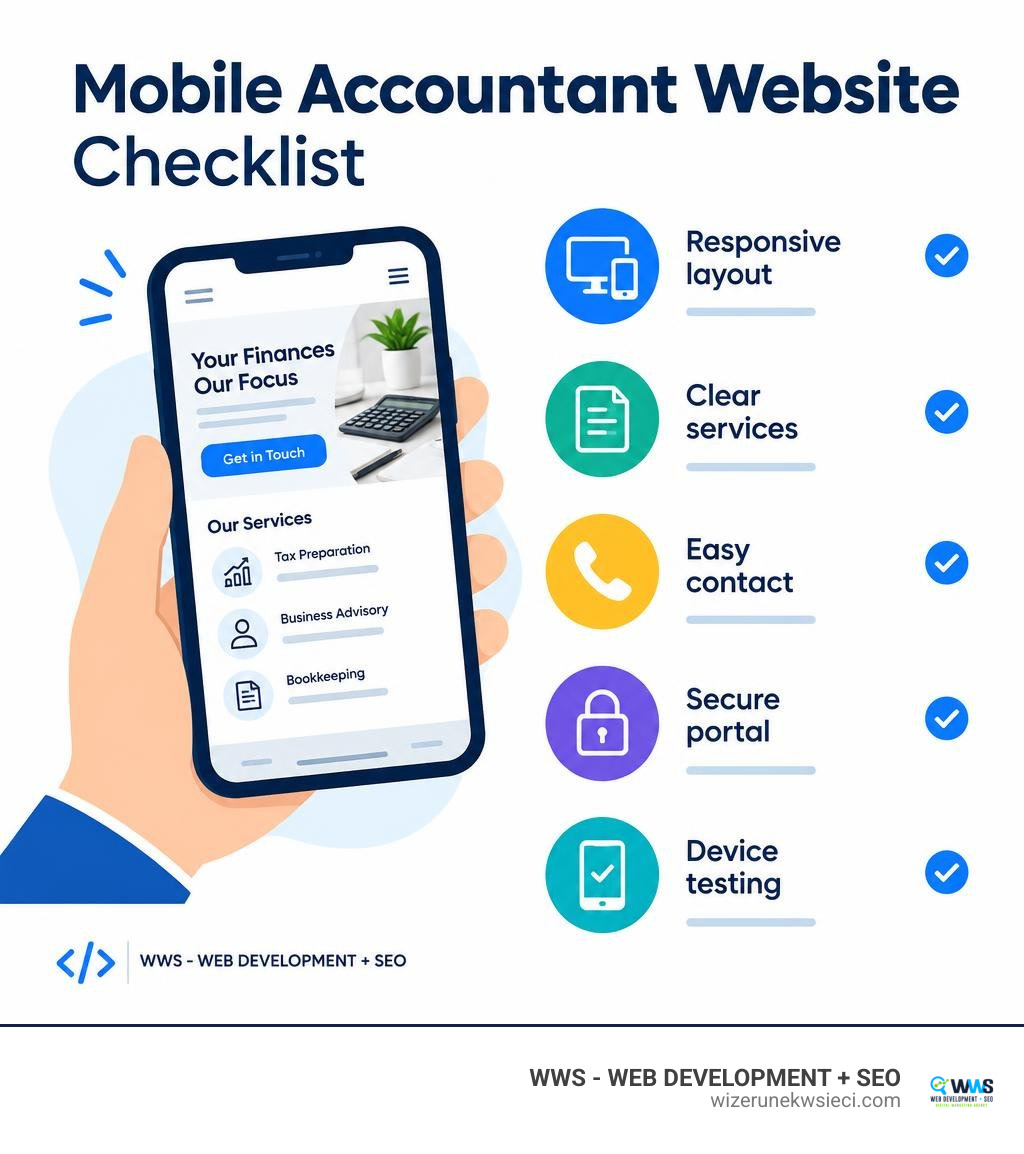
Mobile friendly accountant website vocab to learn:
Why Every CPA Needs a Mobile Friendly Accountant Website in 2026
Modern business owners and individual tax filers no longer wait until they sit at an office desk to find financial guidance. Today, over 70% of small-business founders research professional services directly on handheld devices before reaching out. If your accounting firm relies on a desktop-centric layout, potential clients are likely bouncing back to Google within seconds of tapping your link.
Search engines evaluate your site through mobile-first indexing, meaning Google crawls and ranks your platform based on how effectively it functions on small screens. For practices competing in local markets—from Cook County and Lake County to businesses exploring 2026’s Best Accounting Firms in Elk Grove Village, Illinois—a mobile-responsive structure paired with solid SEO Web Design directly dictates whether your firm appears in local map packs and high-intent organic searches.
Shifting Client Search Habits and Mobile-First Indexing
The demographics of business ownership have changed rapidly. Today’s entrepreneurs, independent contractors, and corporate managers operate their businesses from smartphones while moving between client meetings and job sites. When they encounter unexpected cash-flow hurdles or need corporate tax planning, they perform quick, hyper-local voice and text searches such as “CPA near me” or “business bookkeeping Chicago.”
If your pages load with tiny text, unclickable navigation links, or horizontal scrolling issues, your firm immediately projects an outdated image. A refined mobile interface signals that your practice is organized, modern, and ready to handle high-level financial data efficiently.
Core Web Vitals and On-the-Go Conversion Rates
User experience on handheld devices is measured by technical stability and speed. Google’s Core Web Vitals benchmark how quickly your main content loads (Largest Contentful Paint), how fast your site reacts when someone taps a menu (Interaction to Next Paint), and whether buttons shift unexpectedly as images load (Cumulative Layout Shift).
Implementing professional Core Web Vitals Optimization keeps mobile page weights minimal—ideally under 150 KB for critical landing pages—so your site loads in under a second even over variable 4G networks. When busy entrepreneurs experience zero delay, conversion rates for consult bookings rise significantly.
Essential Architectural Features for Financial Web Platforms
A successful mobile presence requires more than shrinking desktop assets; it demands a purpose-built technical structure. When reviewing Responsive Website Development Agencies, accounting practices should look for structural elements that prioritize user security, rapid document accessibility, and effortless touch navigation.
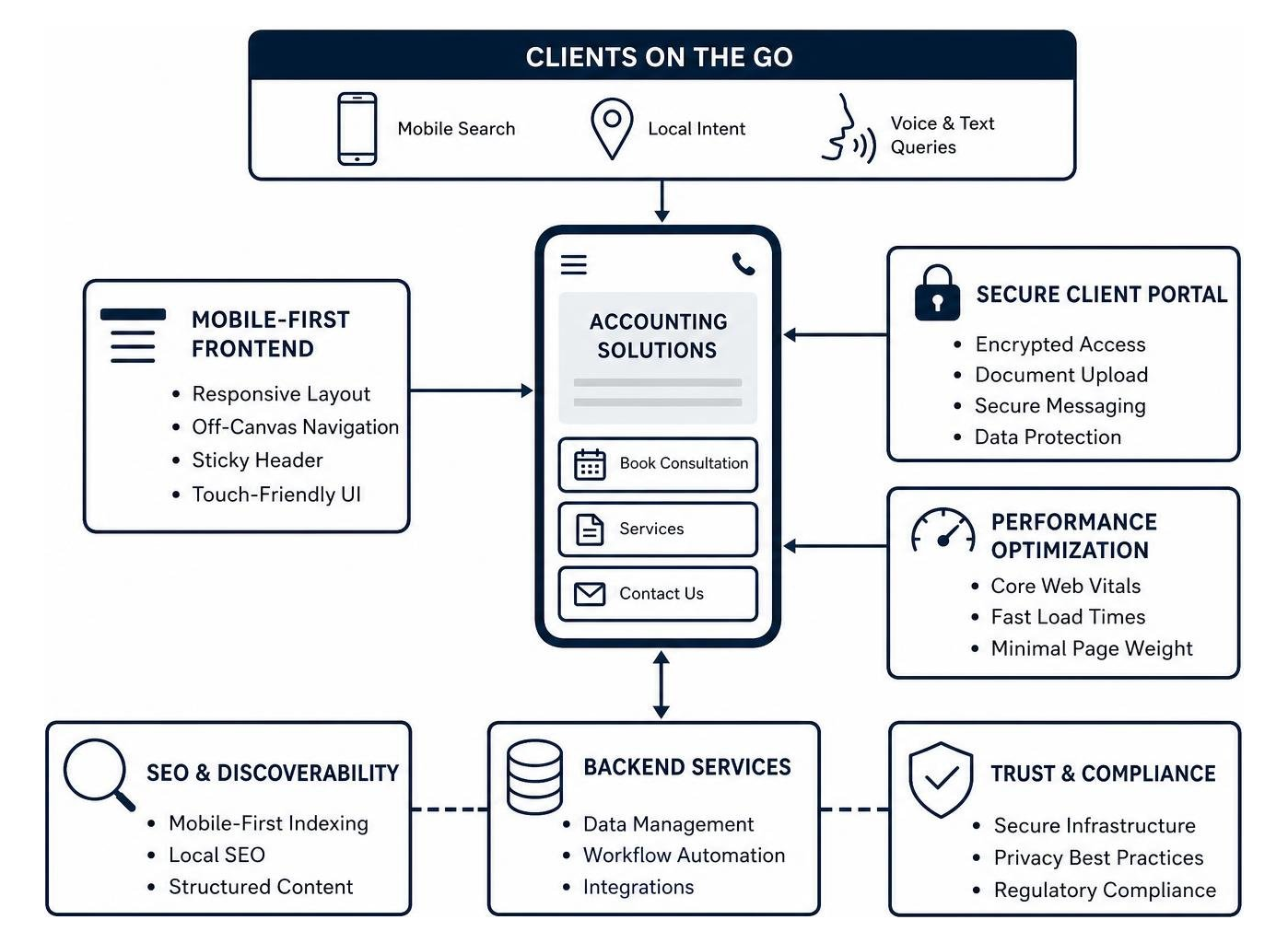
Building a Mobile Friendly Accountant Website Architecture
Mobile accounting websites require streamlined navigation menus. Rather than cluttering the screen with dense dropdown lists of twelve distinct tax sub-services, an effective mobile build uses an off-canvas drawer navigation system paired with a persistent sticky header.
Key architectural components include:
- Sticky Contact Bar: A persistent top or bottom bar displaying a tap-to-call phone number and a direct link to book a discovery call.
- Finger-Friendly Tap Targets: Buttons and navigation links designed with a minimum size of 48×48 pixels and ample padding to eliminate accidental taps.
- Logical Visual Hierarchy: Clean H2 and H3 subheadings that allow visitors to skim through your accounting specialties in seconds.
- Lightweight Frameworks: Clean, standards-compliant coding without unnecessary scripts that drain smartphone batteries and slow down rendering.
Secure Document Sharing and Touch-Optimized Client Portals
Financial services require strict adherence to data protection standards. Chasing clients across unsecured email threads for W-2s, 1099s, and profit-and-loss statements wastes administrative time and exposes sensitive data. Modern practices integrate dedicated Customer Portal Development that enables clients to snap photos of receipts or tax forms and upload them securely directly from their phones.
| Feature | Legacy Desktop Web Portals | Modern Touch-Optimized Portals |
|---|---|---|
| Document Ingestion | Requires external desktop scanner | Native mobile camera scan & upload |
| Authentication | Basic single-layer password | Biometric login (FaceID/Fingerprint) & SMS 2FA |
| Signature Collection | Print, sign, scan, and re-attach | Touch-screen e-signatures in one tap |
| Task Management | Complex multi-tab desktop view | Clean mobile checklists with push/SMS reminders |
| Security Standards | Standard SSL encryption | End-to-end 256-bit encryption & SOC-2 compliance |
Many accounting platforms now offer mobile-friendly client portals, and WWS can help your firm evaluate and integrate the right solution for your workflow. This ensures clients can manage paperwork without workflow bottlenecks while keeping sensitive financial data protected.
Simplifying Complex Financial Information for Smartphone Screens

Accounting and advisory services encompass intricate tax codes, compliance rules, and strategic projections. Translating comprehensive financial packages onto a 6-inch smartphone display without overwhelming the reader requires disciplined content hierarchy and modern UX patterns.
Modernizing Tax and Advisory Content Structure
Instead of presenting walls of text explaining the nuances of corporate entity selection or fractional CFO workflows, structure your content into bite-sized, digestible modules. Applying strategic Service Page Design allows you to present tiered service packages (such as Essential Compliance, Growth Advisory, and Strategic CFO Leadership) using expandable accordion menus.
This progressive disclosure approach lets visitors view clear high-level summaries and expand detailed deliverable lists only when interested. Keeping ample white space and high-contrast typography ensures readability for business owners reviewing your offerings on the go.
Integrating Video Storytelling on a Mobile Friendly Accountant Website
Financial advisory is built on personal trust. A short, professionally produced 60-second introduction video embedded near the top of your mobile homepage establishes immediate credibility. Visitors can quickly see the leadership behind the firm, understand your communication philosophy, and get a clear sense of your client-first approach.
Furthermore, concise video assets can be repurposed across social media channels and email campaigns to reinforce your brand. Ensure all mobile video elements feature responsive sizing, lightweight compression, and open captions so viewers can consume your message even with their audio turned off during busy workdays.
Step-by-Step Implementation Framework for Accounting Firms
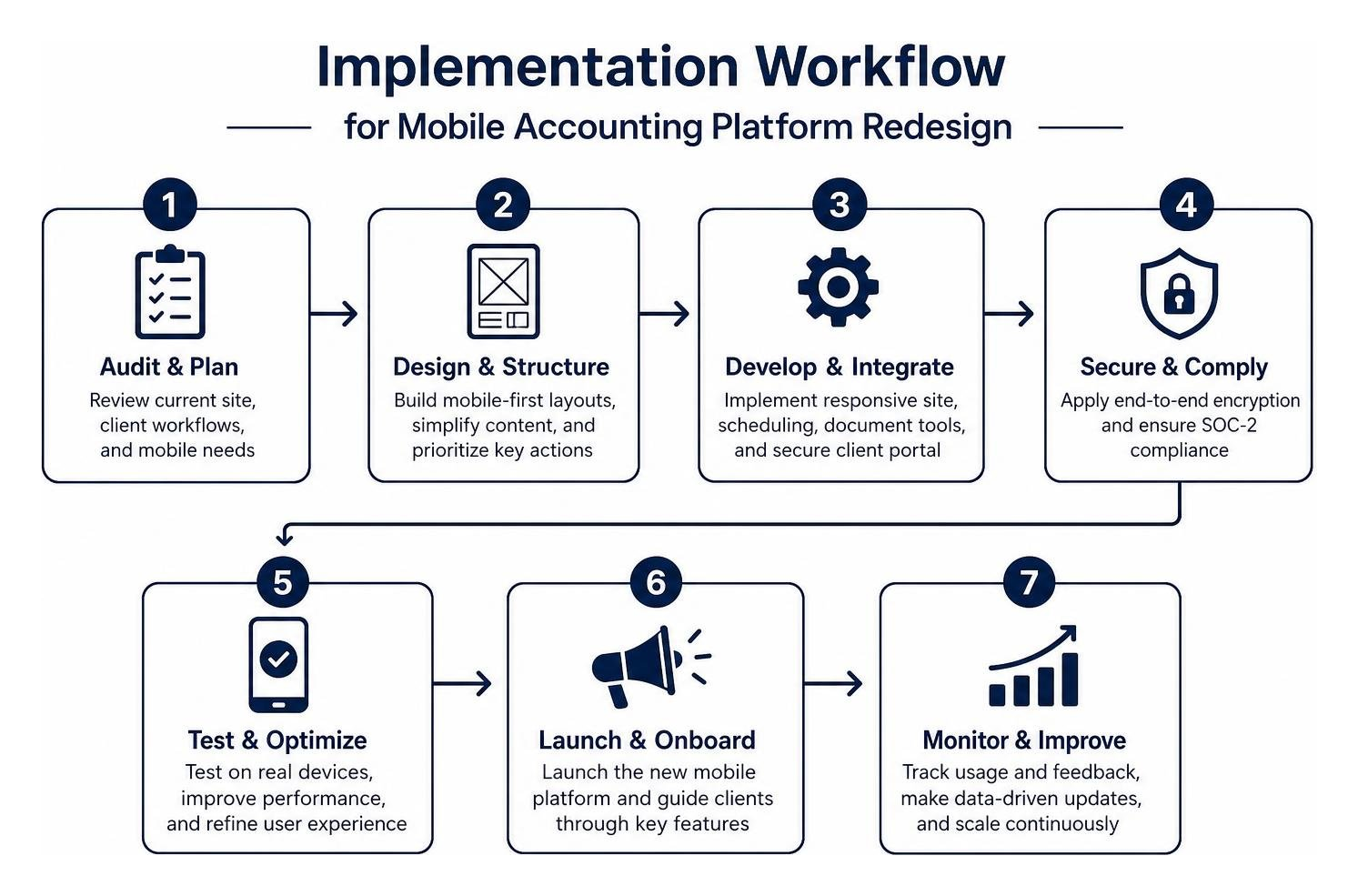
Transitioning an established accounting practice to a modern mobile architecture requires a structured, multi-phase plan. Following a proven Local Business Website Design Guide ensures your firm preserves its existing search engine authority while dramatically improving client onboarding.
Streamlining Mobile Scheduling and Lead Capture
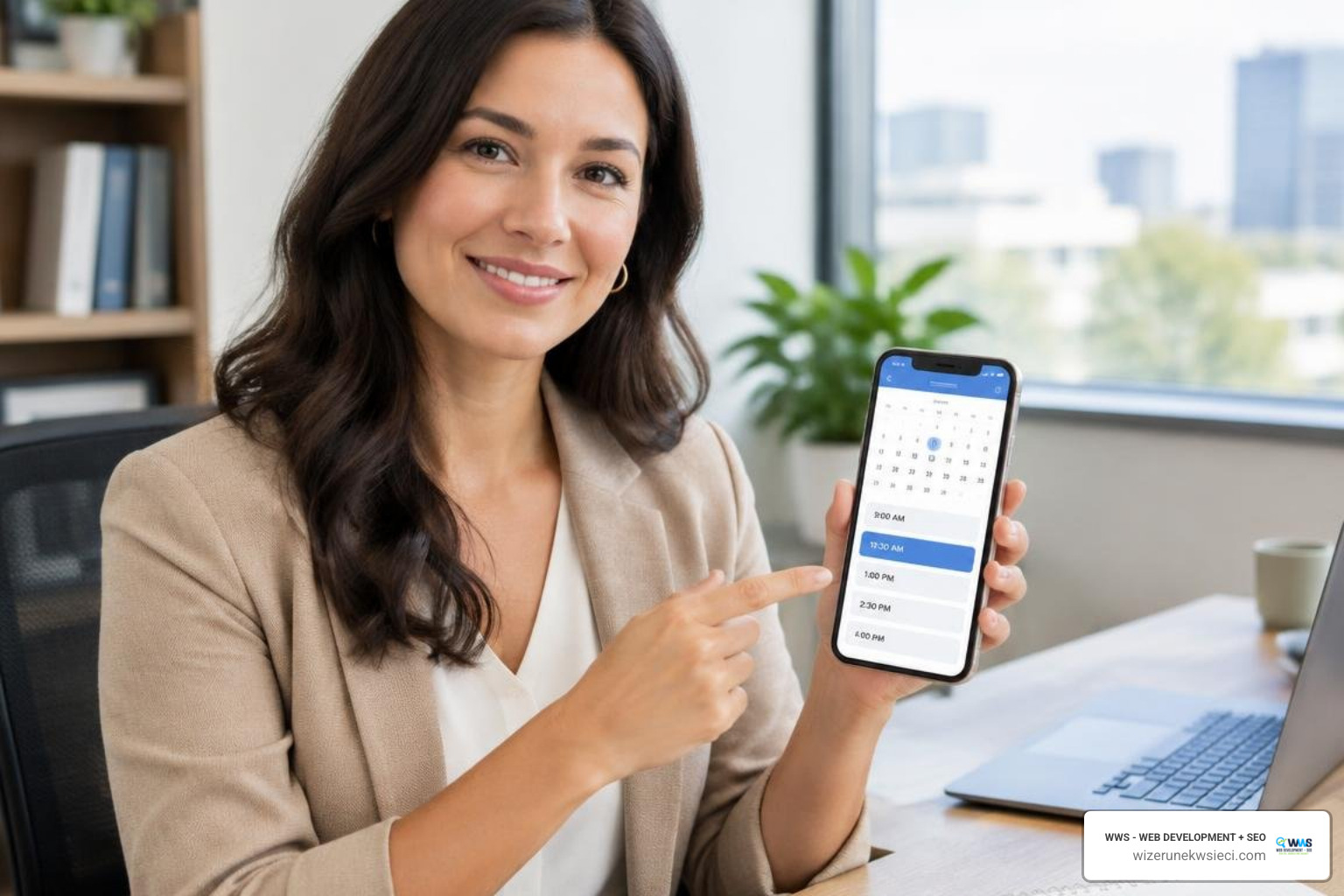
The primary goal of your mobile site is converting casual visitors into scheduled consultations. Lengthy contact forms with ten required fields lead to high abandonment rates on smartphones. Instead, implement frictionless Website Booking Integration that syncs directly with your practice calendar.
Keep your initial intake form focused on the essentials:
- Client Name & Email
- Direct Phone Number
- Primary Service Needed (e.g., Small Business Tax, Bookkeeping, CFO Advisory)
- Preferred Consultation Time Slot
Once submitted, the system should immediately deliver an automated SMS and email confirmation with calendar invites, minimizing no-shows and establishing a smooth communication channel from day one.
Performance Testing and Multi-Screen Layout Optimization
Before launching your mobile platform, conduct comprehensive testing across multiple screen resolutions, spanning viewports from 320px on compact smartphones up to 1440px on large displays.
Your quality assurance checklist should confirm:
- Touch Usability: Every navigation link, portal login field, and booking button is easily tappable without zooming.
- Dynamic Font Scaling: Headings and body copy scale smoothly across viewport sizes without breaking lines awkwardly.
- Image & Script Compression: Assets are served in modern WebP formats with deferred JavaScript loading to protect Core Web Vitals.
- Cross-Browser Verification: The site performs identically across mobile Safari, Chrome, Edge, and Samsung Internet browsers.
Frequently Asked Questions About Mobile Accounting Websites
Why is a mobile-friendly site critical for modern accounting practices?
Business owners frequently search for CPAs and financial advisors while away from their desks. A mobile-friendly website guarantees your firm ranks prominently in local search results, delivers an intuitive user experience, and allows prospective clients to call or book appointments instantly from any device.
How can accounting firms simplify complex service lists for mobile users?
Firms can use structured visual hierarchy, concise summary cards, and interactive accordion menus. This allows prospective clients to review core service categories quickly without scrolling through lengthy paragraphs, maintaining a professional presentation while keeping load times fast.
What security features are required for mobile client portals?
Mobile client portals must incorporate 256-bit SSL encryption, multi-factor authentication (MFA), role-based document access controls, and compliance with data privacy regulations. Secure portals prevent sensitive tax documents and financial records from being transmitted across unencrypted email channels.
Conclusion
Building a responsive, high-performing digital presence is essential for modern accounting practices looking to expand their client base. By combining touch-optimized navigation, secure document workflows, and clear service presentation, your firm can convert mobile traffic into long-term advisory relationships.
At WWS (Wizerunek w Sieci), we serve as the dedicated digital partner for small businesses, CPAs, and professional service providers across the Chicago metropolitan area—including Des Plaines, Schaumburg, Arlington Heights, Naperville, and the wider Polonia community—as well as growing practices across the United States. Our bilingual English and Polish team combines the technical expertise and resources of an established agency with the personalized service, attention to detail, and local market insight your firm deserves.
Ready to elevate your online presence? Explore our comprehensive Website Design Services or contact Tomasz Lasota and the WWS team today to schedule your free website audit.