


Internal Linking Strategy: A Practical Guide for Local Sites
Learn how to plan an internal linking strategy: site structure, anchor text, hub pages, audits and tools, with examples for local service businesses.
 By WWS Team
13 min read
In this article17 sections
- TL;DR
- What an internal linking strategy is
- Why internal links matter for a local business
- The types of internal links
- Step 1: Map your site structure
- Step 2: Pick the pages that deserve links
- Step 3: Write anchor text that works
- Step 4: Add contextual links, with an example
- Step 5: Audit your existing links
- Internal linking tools
- Common mistakes to avoid
- Our perspective
- Let us build the structure for you
- A 30-day starter plan
- FAQ
- Sources
- Recommended
An internal linking strategy is a deliberate plan for how the pages of your website link to one another, so that visitors and search engines can find your most important pages and understand how your content fits together. For a local service business, that means your service pages, location pages and blog posts support each other instead of sitting alone. This guide shows you how to plan the structure, write the anchor text, audit what you have and keep it working.
TL;DR
- Internal links connect pages on your own domain. They help people navigate and help Google discover pages and understand how they relate.
- Group pages by topic: a main service page (the hub) links to supporting pages, and those pages link back.
- Write anchor text that describes the destination. Skip “click here” and “read more.”
- Keep important pages within a few clicks of the homepage, and audit regularly for orphan pages and broken links.
- Start with your money pages, the ones that earn calls, and build links toward them.
What an internal linking strategy is
Internal links point from one page to another page on the same website. External links point to a different domain. Semrush describes an internal linking strategy as the way a site organizes those links to guide users and search engines through its content.
Google’s own documentation explains the practical value: links help Google find pages, and the words inside a link help Google understand what the destination is about, according to Google Search Central’s guidance on links. Google engineer Maile Ohye made the same point years ago in a post on link architecture: the way your pages are linked matters both for Googlebot finding pages and for visitors moving around the site.
A strategy differs from a handful of random links. It answers three questions:
- Which pages matter most to the business?
- Which other pages should send visitors and authority to them?
- What words should those links use?
Why internal links matter for a local business
External links are hard to earn. Internal links are entirely in your control, which makes them the cheapest lever on most small business sites.
According to Semrush’s guide, internal links keep users engaged by pointing them to more information, and they help search engines understand relationships between pages and distribute link authority. That also helps less prominent pages gain visibility.
For a contractor, dentist or med spa, the practical effects look like this:
- A visitor reading a blog post about roof leaks can reach your roof repair page in one click and call.
- A new service page you just published gets discovered quickly because an established page links to it.
- Your homepage’s authority flows toward the pages you want to rank, not just toward your contact page.
If your website is new or was built without SEO in mind, our guide to making a website SEO-friendly covers the wider foundation internal links sit on.
The types of internal links
It helps to classify links, because each type has a different job.
| Type | Where it lives | Job |
|---|---|---|
| Navigation | Main menu, header | Gives every visitor a route to your core service pages |
| Footer | Bottom of every page | Reaches utility pages, service areas, contact details |
| Contextual | Inside body copy | Passes topical meaning and moves readers to a related page |
| Breadcrumbs | Above the page title | Shows where a page sits in the hierarchy |
| Related content | End of a post or page | Keeps readers moving to the next relevant page |
Contextual links are usually the most valuable, because the surrounding sentence tells Google why the two pages are related. Navigation links are the most visible but also the most repeated, so they carry less specific meaning.
Step 1: Map your site structure
Before adding a single link, decide how your content is organized. Semrush recommends a logical, hierarchical structure, such as a silo or hub-and-spoke model, where pillar pages act as hubs linking to supporting cluster pages and critical pages stay reachable within a few clicks (source).
In plain terms, a silo groups pages by topic and keeps the links mostly inside that group. For a Chicago roofing company, it might look like this:
- Hub: Roof replacement (service page)
- Spoke: Asphalt shingle vs. metal roofing
- Spoke: How roof replacement is priced
- Spoke: Roofing for Naperville homes
- Spoke: Storm damage and insurance claims
- Hub: Roof repair (service page)
- Spoke: Signs of a leaking roof
- Spoke: Flashing and chimney leaks
The hub links down to every spoke. Each spoke links back up to the hub, and to a sibling spoke when it genuinely helps the reader. Cross-links between different silos are fine when the connection is real, for example a roofing page pointing to a gutter page.
A strict silo is a guide, not a law. Google does not require any particular structure. What it needs is that your pages are reachable by crawlable links and that the relationships make sense to a person.
Keep important pages shallow
A page buried five or six clicks deep tends to be found late and treated as less important. Aim to have every service page reachable from the homepage in one or two clicks. Clean paths help too: see our piece on URL structure for SEO for how shallow URLs and shallow link depth work together.
Plan for multiple locations
If you serve several suburbs, a common pattern is a service page that links to each city page, and each city page that links back to the service and to nearby cities. Keep it useful rather than mechanical. Our article on multi-location SEO explains how to build that system without thin, copy-pasted pages.
Step 2: Pick the pages that deserve links
Not every page needs the same attention. Rank your pages by business value:
- Money pages: service pages and booking or quote pages that produce calls and form fills.
- Supporting pages: location pages, FAQs, project galleries, pricing explainers.
- Content pages: blog posts that answer questions customers ask before they hire.
The goal is that most of your internal links flow toward group 1. A blog post that earns traffic should send readers to the relevant service page, not just to other blog posts. Our service page SEO framework shows how to make those destination pages convert once visitors arrive.
Step 3: Write anchor text that works
Anchor text is the clickable words of a link. Google’s documentation advises writing text that is descriptive and concise, and that gives people and search engines an idea of what the linked page is about (Google Search Central). Generic phrases like “click here” or “read more” give no information.
Examples of weak and strong anchors
| Weak | Strong | Why |
|---|---|---|
| Click here for details | See our roof replacement process | Describes the destination |
| Learn more | Compare options in our guide to window replacement | Sets expectations |
| Our services page | Our kitchen remodeling services in Chicago | Names the service and place |
| https://example.com/page | The full dental implant cost breakdown | Readable by people |
A few rules of thumb:
- Be natural. If the anchor reads awkwardly in the sentence, rewrite the sentence.
- Vary the wording. Linking to your HVAC page ten times with the identical phrase looks mechanical. Use “HVAC installation,” “furnace replacement” and “our heating and cooling services” where each fits.
- Keep it short. Two to six words is usually enough.
- Do not stuff keywords. The anchor should describe the page, not squeeze in every term you want to rank for.
- Image links need alt text. When an image is the link, Google uses the alt attribute as the anchor text, so describe the destination in it (source).
Also make sure links are real links. Google’s documentation explains that crawlable links are standard anchor elements with a destination address. Buttons that rely on scripts and have no real link behind them can hide pages from crawlers. If your site was built on a heavy script framework or a page builder, this is worth a technical check.
Step 4: Add contextual links, with an example
Here is what a good contextual internal link looks like in practice. This is an illustration, not a real client page.
Most homeowners notice water stains on the ceiling before they see missing shingles. If the roof is more than 20 years old, a full roof replacement often costs less over time than repeated repairs, and the cost of tear-off and disposal is worth asking about before you sign.
Notice what makes it work:
- The link sits inside a sentence that a reader would actually follow.
- The anchor describes the destination.
- The first link goes to a money page; the second goes to a supporting page that answers an obvious follow-up question.
- There are two links, not ten.
To add one, open the page you are editing, highlight the words that describe the destination, and attach the URL to them. In WordPress and most other content systems, that is a link button in the editor. The skill is in the decision: which sentence, which page, which words.
A workable routine for every new post:
- Link to 2 to 4 relevant existing pages from the new post.
- Find 2 to 4 older pages where the new post is a natural next read, and add a link from them to it.
- Link the post to the single most relevant service page.
- Check that the post is also reachable from a category, hub or related-content block.
Step 2 is the one most people skip. Without it, a new page has links going out but none coming in.
Step 5: Audit your existing links
If your site already has dozens of pages, begin with an audit. According to Semrush, you should first understand your current internal linking structure, and an internal link audit is the way to do that (source).
Look for these problems:
- Orphan pages: pages with no internal links pointing to them. Crawlers and visitors rarely reach them.
- Broken links: links that lead to 404 errors, usually after a page was deleted or renamed.
- Redirect chains: links pointing at URLs that redirect, which wastes crawl effort. Link directly to the final address.
- Deep pages: important pages that need many clicks to reach.
- Over-linked low-value pages: a privacy policy that gets more internal links than your top service.
- Messy parameters: query-string URLs that multiply versions of the same page and clutter the structure. Google’s own help forum has threads about spammy query parameters appearing after a site hack, which is one reason to crawl your site periodically.
On nofollow: Semrush advises that internal links should be followed by default, with nofollow reserved for low-value utility pages such as login or cart pages (source).
Internal linking tools
You do not need software for a 15-page site. Past 50 pages, a crawler saves hours. Tools fall into a few types:
| Tool type | What it shows | Best for |
|---|---|---|
| Desktop crawlers | Broken links, crawl depth, orphan candidates, link counts per page | Technical audits |
| All-in-one SEO platforms | Site audit reports, internal link issues, suggestions | Ongoing monitoring |
| Search Console | Which pages Google sees as most linked, per its Links report | Free, first-party check |
| CMS plugins | Link suggestions while you write | Day-to-day content work |
Search Engine Land’s guide to internal linking notes that crawlers and SEO suites can surface technical issues, orphan pages and broken links, and show crawl depth and link structure. For the free option, this walkthrough of the Search Console Links report explains how to read the internal links data.
Tools find candidates. They do not decide relevance. An automated suggestion to link a post about window glass to a post about patio furniture is still wrong, even if the keywords overlap.
Common mistakes to avoid
- Linking everything to everything. When every page links to every other page, no page stands out.
- Only linking from the footer or menu. Those links are sitewide and say little about specific relationships.
- Exact-match anchors on every link. It reads as forced.
- Letting old posts rot. Links to deleted pages and outdated offers accumulate.
- Forgetting mobile. If your mobile menu hides pages that the desktop menu shows, you have changed your structure.
- Treating it as one-and-done. Your site changes, so your links must too.
Our perspective
We build websites and run local SEO for service businesses, and internal linking is one of the first things we look at on a new project. Most sites we see have a decent homepage and a few good service pages, but the pages are disconnected: a blog full of useful posts that never mention the services the business actually sells, or service pages that no other page points to.
Our view is simple. Internal linking should be designed together with the website, not patched in later. When design, programming and SEO are handled under one roof, the navigation, URL paths and contextual links are planned as a single system, and the structure matches how customers actually search: by service, then by city, then by question. That is the reason we handle everything in-house.
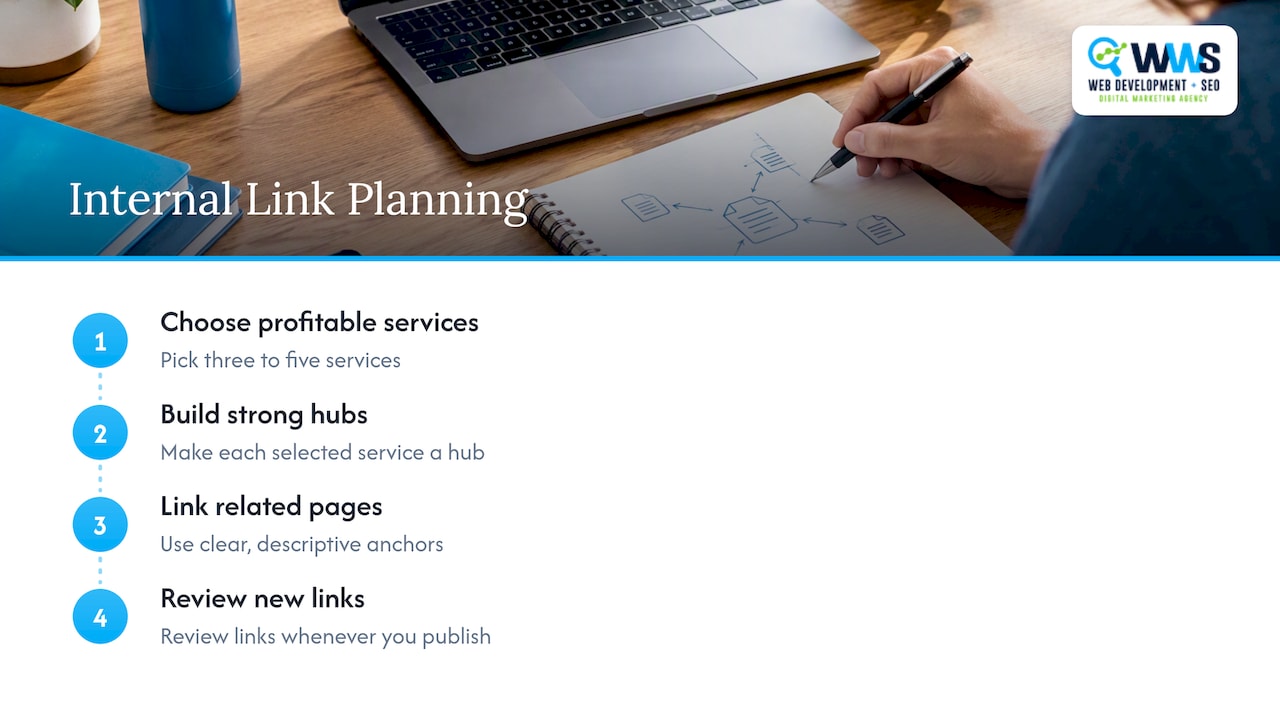
For a Chicago-area contractor, the highest-leverage move is usually modest. Pick your three to five most profitable services, make each a strong hub, and make sure every related page links to it with a clear, descriptive anchor. Then review the links whenever you publish.
— Online Marketing Experts
Let us build the structure for you
If you would rather not audit crawl reports yourself, our team can plan your site architecture, build the pages and keep your links healthy as you grow. Our Website SEO service covers the on-page and technical work, and Website Design builds the structure in from the start. If you want Chicago-area map visibility on top of that, see our Local SEO service. Pricing is scoped per project, so contact us to talk through your site.
For the wider picture, our SEO strategy guide shows where internal links sit among the other parts of a plan.
A 30-day starter plan
| Week | Task |
|---|---|
| 1 | List all pages. Mark your top five money pages. Crawl the site and export orphan pages and broken links. |
| 2 | Fix broken links and redirect chains. Check navigation and footer for your top service pages. |
| 3 | For each money page, add 3 to 5 contextual links from relevant posts and pages, using descriptive anchors. |
| 4 | Add related-content blocks and breadcrumbs. Set a routine: every new page gets links in and links out. |
FAQ
What is an internal linking strategy?
It is a plan for how the pages of your website link to each other. The aim is to help visitors reach what they need and help search engines find pages and understand their relationships. A good plan prioritizes your most valuable pages and uses descriptive anchor text.
What is an example of internal linking?
A blog post about signs of a failing furnace that links the words “furnace replacement” to your furnace replacement service page is an internal link. The post and the service page are on the same domain, and the anchor describes the destination. Navigation menus, breadcrumbs and related-post blocks are also internal links.
How many internal links should a page have?
There is no official number. Add as many as are useful to a reader, and no more. For a typical 1,000-word article, a handful of contextual links to closely related pages is normal. If a link would not help the reader, leave it out.
Do I need a silo structure?
Not strictly. Grouping pages by topic with a hub page linking to supporting pages is a clear way to organize a site, and it works well for service businesses. What matters most is that related pages link to each other logically and that important pages are easy to reach.
How often should I review my internal links?
Check whenever you publish, delete or rename a page, and run a full crawl audit at least a couple of times a year. Larger sites with frequent changes benefit from monthly checks for broken links and orphan pages.
Sources
- Internal links: ultimate guide + strategies
- SEO Link Best Practices for Google
- Importance of link architecture
- Internal Linking for SEO: Types, Strategies & Tools
- How to Use the Google Search Console Links Report
- Spammy query parameters thread, Google Search Central Help
Recommended
A Des Plaines, IL team helping local service businesses get found, get called and get booked since 2005: local SEO, Google Ads, conversion-focused websites and AI search optimization.
Meet the teamKeep reading
All articles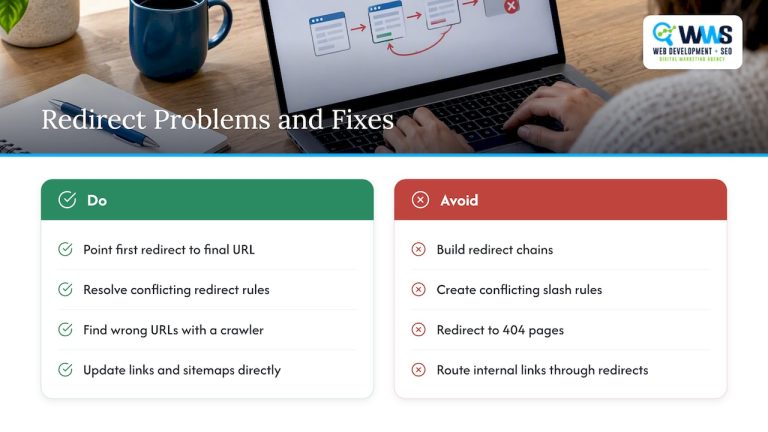
Redirect Strategy for SEO: 301, 302 and Canonical Rules
A practical redirect strategy for SEO: when to use 301 vs 302, when a canonical tag is better, how to avoid chains and loops, and how to verify the result.
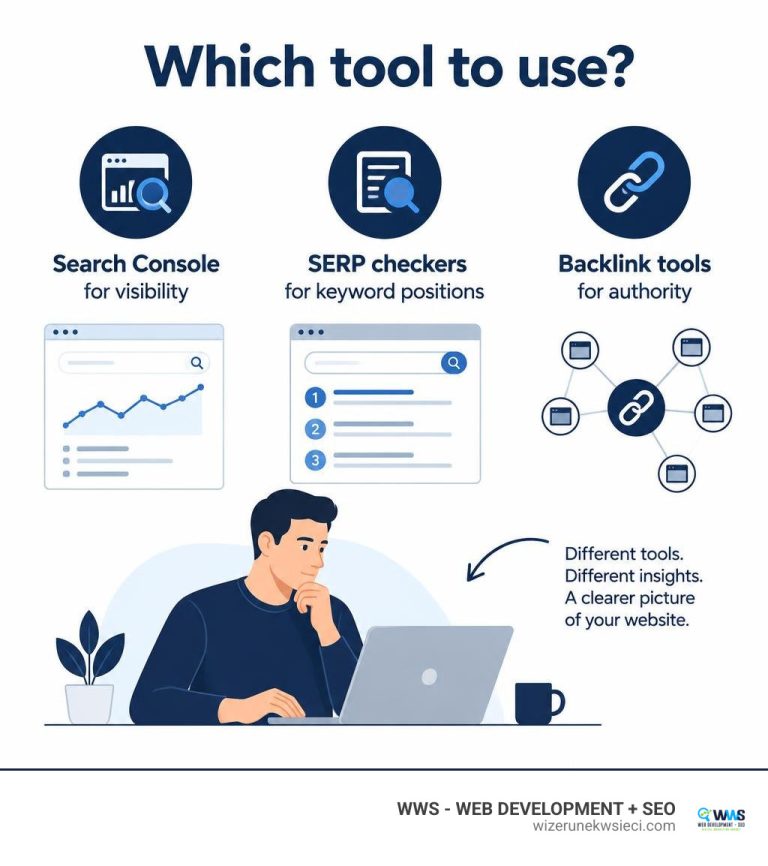
The Best Page Rank Checker Online Tools for Modern SEOs
Use a page rank checker online to audit link equity, track SERP positions, and boost organic visibility with modern SEO authority metrics.
The Best Page Rank Checker Online Tools for Modern SEOs
Use a page rank checker online to audit link equity, track SERP positions, and boost organic visibility with modern SEO authority metrics.