


Duplicate Google Listings: How to Find, Merge, and Remove Them
Duplicate Google listings split your reviews and confuse customers. Learn how to find them, merge or remove them, and stop them from coming back.
 By WWS Team
12 min read
In this article14 sections
- TL;DR
- What counts as a duplicate Google listing
- Why duplicates cost you customers
- How to find duplicate listings
- Merge, remove, or report: which path fits
- How to merge duplicate Business Profiles
- How to remove or report a listing that should not exist
- When you cannot access the duplicate
- How to keep duplicates from coming back
- Our perspective: clean up first, then optimize
- Get the cleanup handled for you
- FAQ
- Sources
- Recommended
If your business shows up twice on Google Maps, you have a duplicate listing, and the fix depends on which kind. When both profiles represent the same business at the same place, you ask Google to merge them. When one is a leftover for a business that no longer exists, you report it for removal. When someone else controls the extra profile, you request ownership first. This guide walks through each path, what happens to your reviews, and how to keep duplicates from returning.
We work with Chicago-area contractors, restaurants, and medical providers, and duplicates are one of the most common problems we find when we audit a Google Business Profile. They are usually easy to fix once you know which path applies.
TL;DR
- Google allows one Business Profile per business. Extra profiles for the same business can mislead customers and break Google’s policies.
- Find duplicates in your Business Profile Manager by switching the view filter from “All” to “Duplicate.”
- To merge, report the extra listing through Google Maps. Reviews generally combine, but replies to reviews may be lost.
- If you cannot access the duplicate, request ownership. The current owner has 3 days to respond.
- Prevent repeats by owning your profile yourself and never creating a new one when you move.
What counts as a duplicate Google listing
A duplicate exists when more than one profile represents the same business. Google’s own guidance says profiles may be marked as duplicates when a verified profile already exists for the same business, when several profiles share one address, or when the same business has separate profiles for different services.
In practice, duplicates in the Chicago area tend to come from a handful of situations:
- A move. You relocated from Schaumburg to Elgin and created a new profile instead of updating the old one.
- A name change or rebrand. The old name still lives on Maps with its own reviews.
- A former employee or agency. Someone set up a profile years ago, and you set up another without knowing.
- Service lines split into separate profiles. A roofing company creates one profile for “roof repair” and another for “roof replacement” at the same address.
- Auto-generated listings. Google or a third party creates a listing from data it found online, and it sits unclaimed beside your real one.
Not every pair of similar listings is a duplicate. Two distinct, eligible businesses that share a building, such as two practices in one medical office, are separate entities. Google notes that businesses that have gone through a significant rebrand or that operate as separate entities are not eligible for merging. If Google wrongly flags yours as a duplicate, you can appeal, which we cover below.
Why duplicates cost you customers
The damage is practical rather than mysterious. Customers see two listings and may call the wrong phone number, drive to the old address, or leave a review on the profile you do not watch. Your reviews split across two profiles, so neither shows the full count and rating that a single profile would. And because Google states that multiple profiles for one business may mislead customers and violate its policies, leaving them in place is a risk, not just a cosmetic issue.
For a business that depends on map pack visibility, the review count and accuracy of the one profile that matters are central. Our guide to ranking in the Google Business Profile map pack explains why consolidating signals on a single profile is the right starting point.
How to find duplicate listings
Start inside your account, then check Google Maps the way a customer would.
Check the Business Profile Manager
If you manage several profiles, open the Manager and use the filter. Google’s instructions say you can find duplicates by changing the view from “All” to “Duplicate” in the list of businesses. Profiles marked there are the ones Google already believes overlap with another.
Search like a customer
Google’s filter only catches what Google has already flagged. Run these searches in a private browser window, ideally on your phone, where most local searches happen:
- Search your exact business name plus your city.
- Search your name with each former address.
- Search your phone number, including any old numbers, in quotation marks.
- Search your old business name, if you ever changed it.
- Search your category plus your town, for example “roof replacement Naperville,” and scan the map results for your name.
Write down the name, address, phone number, and link of every listing that shows up. You will need that record for the merge request, and it helps you decide which profile to keep.
Merge, remove, or report: which path fits
The right move depends on what the extra listing actually is. Here is how the options compare.
| Situation | Best path | What happens to reviews |
|---|---|---|
| Same business, same location, both profiles real | Merge through a Maps report | Reviews generally combine; replies may be lost |
| Old listing for a business that no longer exists | Mark it as closed or nonexistent and request removal from Maps | Listing is removed from Maps |
| You own both profiles and want one gone | Suggest an edit instead of deleting the profile from your account | Deleting from your account loses reviews, photos, and posts |
| Someone else controls the duplicate | Request ownership, then merge | Depends on the final merge |
| Google flagged two separate businesses as duplicates | Appeal with evidence such as signage | Profiles stay separate |
The row about deleting deserves emphasis. Google states that removing a profile from your account loses its reviews, photos, and posts, and that you can suggest an edit instead. If the duplicate holds reviews you want to keep, do not remove it from your account. Merge it.
How to merge duplicate Business Profiles
Merging is meant for the case where the same business appears twice at the same location. Before you begin, decide which profile to keep. Usually that is the verified one with the longest history, the most reviews, and the correct information.
Before you start
- Confirm you can sign in to the profile you are keeping and that it is verified.
- Make sure the name, address, phone number, and website on that profile are correct today.
- Save screenshots of both listings, including review counts, in case something looks different afterward.
- Do not edit the name or address of either profile in the middle of the process. Changes made while a request is open can confuse the review.
The steps
- Search for the listing you want to eliminate on Google Maps.
- Open it and choose the option to suggest an edit or report a problem.
- Indicate that it is a duplicate of another place, and point to the profile you are keeping.
- If Google asks for it, provide the unique Business Profile IDs. Some merge requests require the IDs found in the Advanced settings of the dashboard, so copy the ID for each profile ahead of time.
- Submit the request and wait. Google reviews these and the timing varies, so do not resubmit repeatedly.
You can check your request status in your account. If the request is declined, review the reason, correct what Google flagged (often a mismatch in address or category), and try again with clearer information. Be explicit about which profile is the real one, because ambiguous requests are the ones that stall.
What happens to reviews and information
Google says that reviews from both profiles are generally combined, but replies to those reviews may be lost. After the merge, open your profile and check your owner replies. If any are missing, reply again so customers see that you respond. Also confirm that the hours, phone number, categories, and photos on the surviving profile are the ones you want.
One separate case: if you moved, Google may automatically transfer reviews for businesses that relocate and keep the same name, but this does not apply to all categories. Do not rely on it. Update your existing profile’s address instead of creating a new profile, which is exactly what Google recommends when you move.
How to remove or report a listing that should not exist
Some duplicates are not another version of your business. They are a ghost: an old location, a closed branch, or a listing created for a business that never existed at that address.
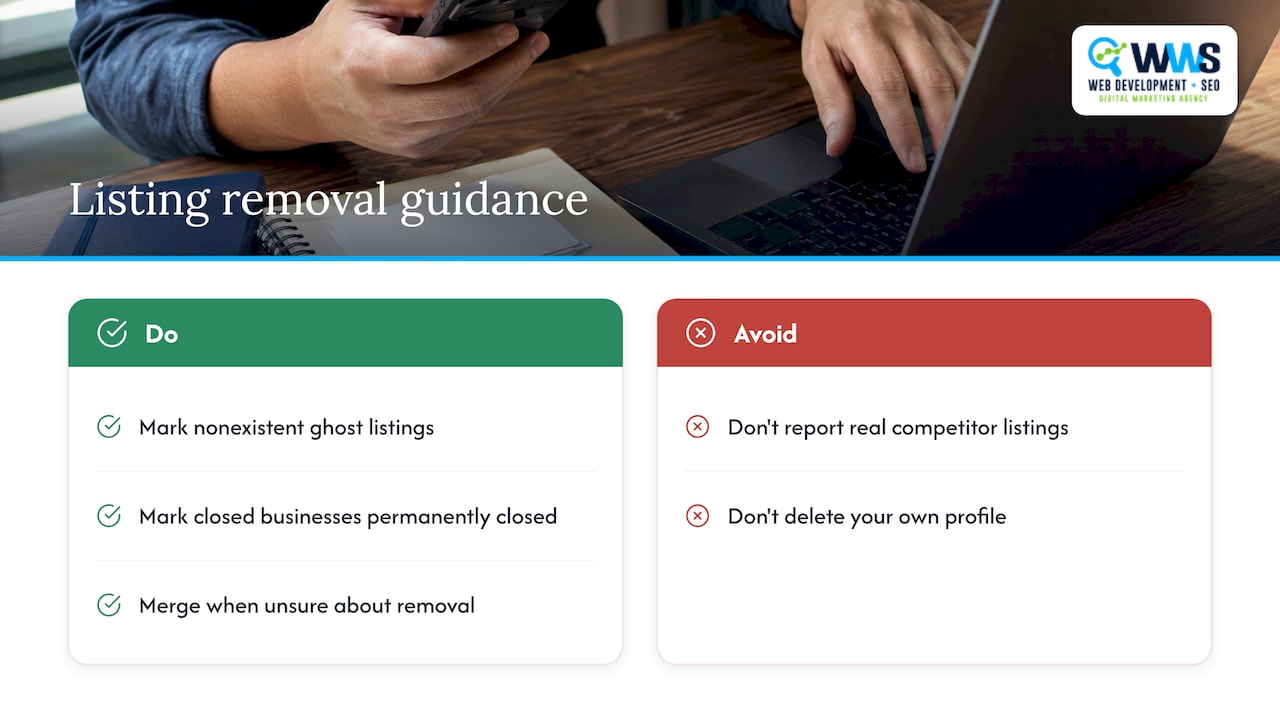
In that case, you can mark the business as nonexistent when suggesting an edit on Maps, which asks Google to remove it. If you own the profile and the business has closed, mark it as permanently closed rather than deleting it, so the history stays accurate for customers who search.
Use removal carefully. Reporting a competitor’s real listing as nonexistent is a policy violation, and removing your own profile from your account permanently loses its reviews, photos, and posts. When in doubt between merge and remove, merge.
When you cannot access the duplicate
This is where most owners get stuck. The duplicate is verified, but by someone you do not know: a former employee, a previous agency, or a prior owner of the building.
Request ownership
If you cannot access a verified profile, request ownership through Google. The current owner then has 3 days to respond, and if they do not, you may have the option to claim it. Once it is yours, you can proceed with the merge as normal.
A few details that matter:
- New owners and managers face a 7-day restriction before they can perform sensitive actions such as transferring primary ownership or deleting the profile. Plan your timeline around it.
- Google can also revoke ownership if a user has not signed in recently, if the business confirms they are no longer authorized, or if Google cannot reach the representative by email. That is another route when a former agency still holds the keys.
When Google gets it wrong
Sometimes a legitimate profile is flagged as a duplicate because it shares an address with another business. To fix an incorrect duplicate status where two distinct, eligible businesses were combined, contact Google Business Profile support to appeal and provide evidence such as photos of your signage. Clear photos of your storefront showing your business name help most.
How to keep duplicates from coming back
Prevention is mostly about ownership and discipline.
- Own the profile yourself. Google’s guidelines say that whenever possible, the business owner should own the profile and add authorized representatives as managers. An agency or employee should be a manager on your profile, not the owner of a profile created under their login.
- Require consent. Representatives should never claim a profile without the owner’s express consent, and per the same guidelines, they must transfer ownership to the owner immediately upon request. Put that in your contract with any marketing vendor.
- Update, do not recreate. When you move, do not create a new Business Profile. Edit the address on the existing one.
- Keep one record of truth. Use the same name, address, and phone format everywhere, and keep a simple log of who holds each login.
- Audit twice a year. Repeat the customer-style searches above. Duplicates often appear after Google ingests new third-party data.
- Choose categories deliberately. Mismatched categories make a profile look like a different business. Our guide to Google Business categories explains how to set one primary and a few secondary ones.
If you serve customers at their homes rather than at a storefront, also review how service area settings work. Creating a separate profile for each suburb you serve is a common source of duplicates and is not the way to cover a service area.
Our perspective: clean up first, then optimize
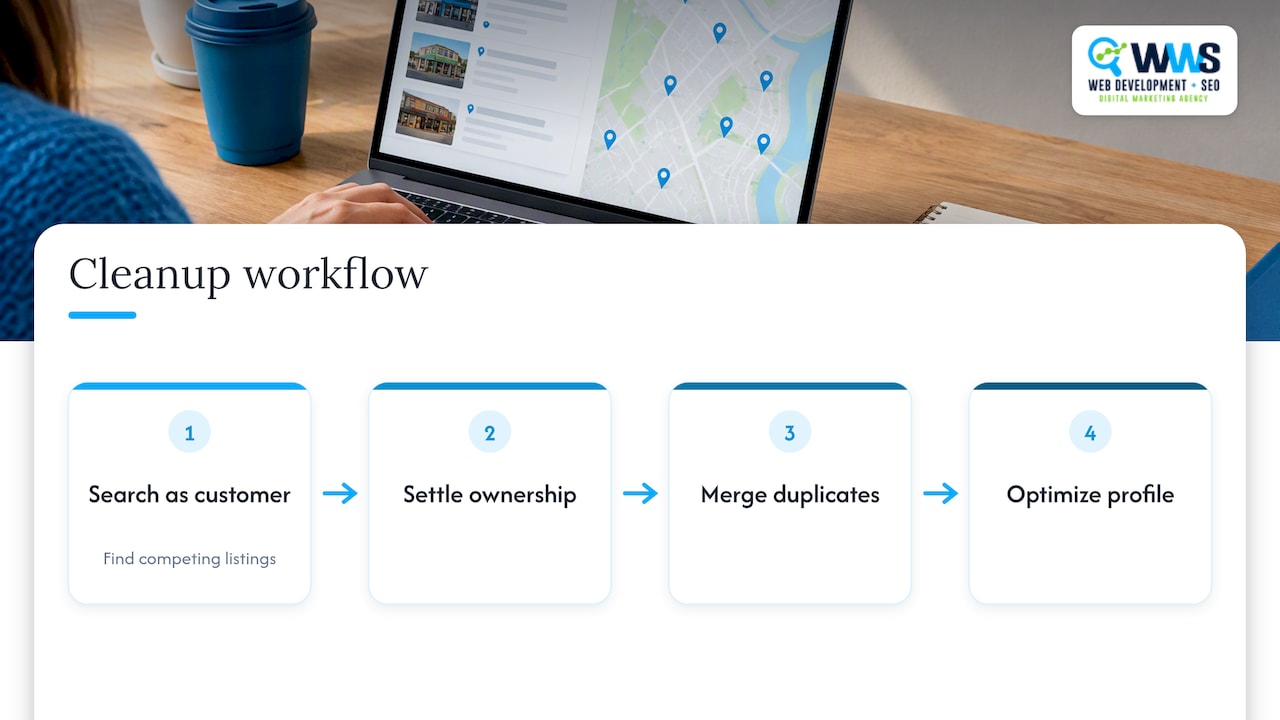
When a contractor or restaurant owner asks us why their phone is not ringing, the first thing we do is search their business the way a customer would. More often than you would expect, we find two or three profiles competing with each other: an old address, a misspelled name, an unclaimed listing from a previous vendor.
We handle every part of this in-house. The same certified Google and Meta team that audits your profile also builds your website and manages your local SEO, so the name, address, and phone number on your site, your profile, and your citations all match. That consistency matters because duplicates are rarely a one-time accident. They are a symptom of profiles being created by different people with no single owner.
Our advice is simple. Settle ownership first, merge before you remove, and only then invest in ranking work. Optimizing a profile that is splitting its reviews with a ghost listing means paying twice for half the result. After the cleanup, a strong profile is the foundation for everything else, which is why we treat Google Business Profile optimization and the broader local SEO checklist as one connected job.
— Online Marketing Experts
Get the cleanup handled for you
Merge requests are not hard, but they take attention: finding every duplicate, tracking ownership, filing clean requests, and re-checking reviews afterward. If you would rather spend that time on customers, our Local SEO service covers profile audits, duplicate cleanup, citation consistency, and ongoing ranking management for Chicago-area service businesses. Contact us and we will check how your business appears today.
FAQ
Will I lose my reviews if I merge duplicate profiles?
Generally no. Google says reviews from the two profiles are combined during a merge. Replies to reviews may be lost, so check your profile afterward and respond again where needed. Avoid deleting a profile from your account as a shortcut, because that does lose its reviews, photos, and posts.
How long does a duplicate merge take?
Google does not publish a guaranteed timeline, and it varies by request. Submit one clear request that names the profile you are keeping, then check its status instead of filing repeated reports. Repeat submissions can slow things down.
Can I merge two locations of the same business?
No. Merging is for the same business appearing twice at the same location. Separate branches at different addresses are separate entities, and each should keep its own profile. Businesses that have rebranded significantly or operate as distinct entities are also not eligible.
What if the duplicate belongs to a former employee or agency?
Request ownership of the profile. The current owner has 3 days to respond, and if they do not, you may be able to claim it. Once you control it, you can merge it into your main profile. In future, own the profile yourself and add vendors as managers.
Do duplicate Google listings affect my rankings?
Google’s guidance focuses on customer confusion and policy violations rather than a named ranking penalty. Still, split reviews and inconsistent business details weaken the one profile you want customers to find, so consolidating is worth doing.
Sources
- Resolve duplicate profiles and ownership issues, Google Business Profile Help
- Merge duplicate Business Profiles, Google Business Profile Help
- How to fix: Duplicate Business Profile, Google Merchant Center Help
- Move your reviews across Business Profiles, Google Business Profile Help
- Business eligibility and ownership guidelines, Google Business Profile Help
- Request ownership of a Business Profile, Google Business Profile Help
- How to merge Google Business Profiles and keep all your reviews, Local Falcon
Recommended
A Des Plaines, IL team helping local service businesses get found, get called and get booked since 2005: local SEO, Google Ads, conversion-focused websites and AI search optimization.
Meet the teamKeep reading
All articles
Google Reviews Strategy for Local Businesses: A Practical Plan
Build a Google reviews strategy that earns genuine reviews, stays within Google and FTC rules, and supports local SEO. Steps, scripts and metrics included.
Win the Map Pack in 1–4 Weeks: 7 GBP Fixes for Local Businesses
Boost your Map Pack ranking in 1–4 weeks with seven GBP fixes, review timing advice, and rank checks tied to calls. Action first steps local businesses...
Stop Missing Calls: Google Business Profile Setup for Service Areas
Claim, verify, and optimize your Google Business Profile for service areas: set the right service area, enable bookings, link GA4, and follow an agency...