


UTM Tagging Guide: Build, Name and Track Campaign Links
Learn how to build UTM tags, name them consistently and read the results in GA4, with examples for local ads, email, social and Google Business Profile links.
 By WWS Team
12 min read
In this article14 sections
- TL;DR
- What UTM tags are and what they do
- The five UTM parameters
- How to build a UTM-tagged URL
- A naming convention that holds up
- UTM parameter examples for common local campaigns
- UTM tracking for ads
- Where to see UTM data in GA4
- Common UTM tagging mistakes
- How we approach UTM tagging for local businesses
- Put your tracking to work
- FAQ
- Sources
- Recommended
A UTM tag is a short string of text added to the end of a link so Google Analytics can tell you which campaign sent each visit. Add utm_source, utm_medium and utm_campaign to every link you control, keep the names consistent, and test the link before you publish it. Do that and your reports will show which ads, emails and posts bring people to your site, instead of lumping them under “direct” or “(not set).”
This guide covers what each parameter does, how to build a tagged URL, a naming system you can hand to your team, examples for local service businesses, how to read the results in GA4, and the mistakes that quietly ruin the data.
TL;DR
- Always use three parameters:
utm_source(where the click came from),utm_medium(the type of channel) andutm_campaign(the promotion). Addutm_termandutm_contentwhen you need more detail. - Pick one naming convention, write it down and share it. GA4 treats “Meta” and “meta” as two different values.
- Build links with Google’s Campaign URL Builder or by hand, then test them in more than one browser before they go live.
- Find the results in GA4 under Reports > Acquisition > Traffic acquisition, or in the Manual report.
- Never put UTM tags on links inside your own website. They are for links that bring people in from outside.
What UTM tags are and what they do
UTM stands for Urchin Tracking Module, a name left over from the analytics product Google bought and built Analytics from. In practice you only need to know what they do. According to Google’s Analytics Help page on URL builders, UTM parameters added to destination URLs let you see which campaigns refer traffic. When someone clicks the link, the parameter values travel to Analytics and show up in the Traffic acquisition report.
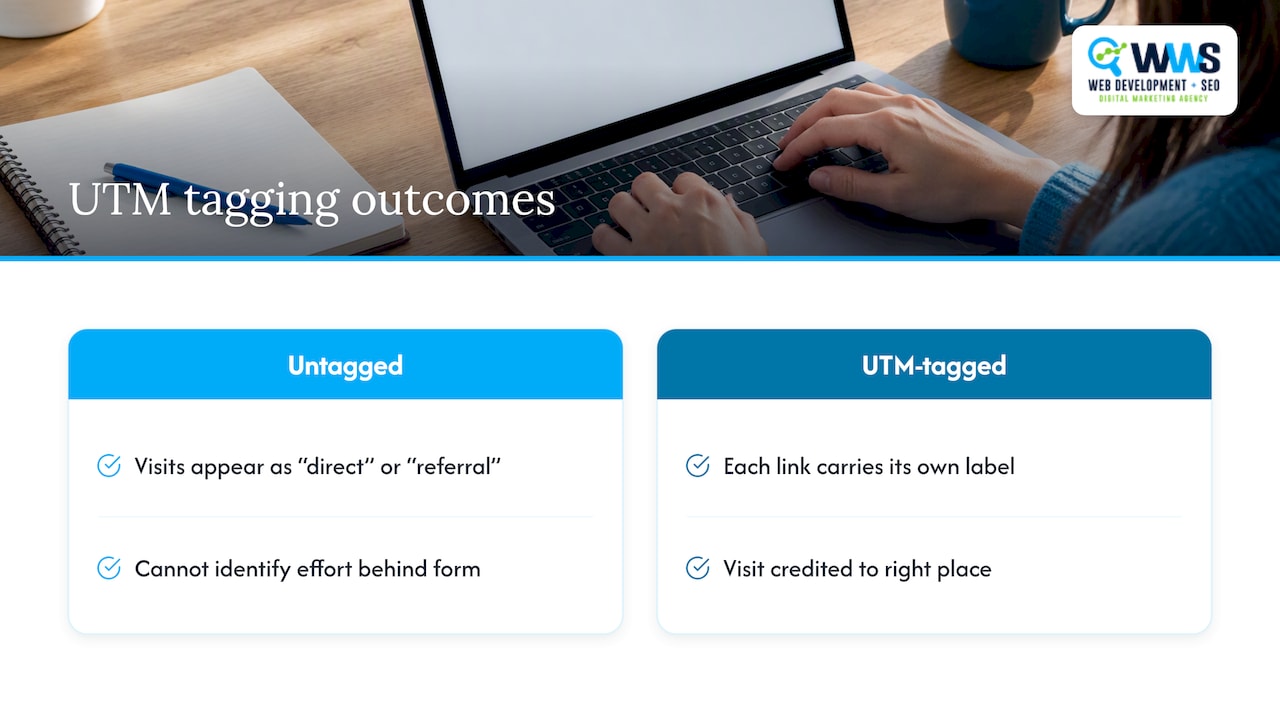
Here is why that matters for a local business. Say you run a postcard, a Google Business Profile post, a weekly email and a paid ad that all point to your “Request a Quote” page. Without tags, most of those visits arrive as “direct” or “referral,” and you cannot tell which effort produced the form submission. With tags, each link carries its own label and each visit is credited to the right place.
A tagged link looks like this:
https://www.example.com/roof-repair/?utm_source=newsletter&utm_medium=email&utm_campaign=fall-roof-check
Everything before the question mark is your normal page address. Everything after it is tracking information. Visitors still land on the same page.
The five UTM parameters
Google lists five parameters: utm_source, utm_medium, utm_campaign, utm_term and utm_content. It says to always use the first three, per the same URL builders page.
| Parameter | What it answers | Required? | Example value |
|---|---|---|---|
utm_source |
Who or what sent the visitor? | Yes | google, newsletter, facebook |
utm_medium |
What kind of channel was it? | Yes | cpc, email, social, qr |
utm_campaign |
Which promotion or initiative? | Yes | spring-tuneup |
utm_term |
Which paid keyword triggered the ad? | Optional | furnace-repair-chicago |
utm_content |
Which creative or link version? | Optional | green-button, footer-link |
Google also notes that if you set one UTM parameter, you should set all the relevant ones, especially utm_source, utm_medium, utm_campaign, utm_id and utm_source_platform. Missing parameters can produce “(not set)” values in your reports. The newer utm_id parameter carries a campaign ID, which is useful when you import cost data from an ad platform. Most small businesses can start with the first three and add the rest as their reporting grows.
Source versus medium
This is the pair people mix up. Source is the specific place: google, facebook, spring-mailer. Medium is the category: cpc for paid search, email, social, referral. A good test: you should be able to group many sources under one medium. If every source gets its own unique medium, your channel reports will fragment.
Term and content
Use utm_term mainly for paid keywords. Use utm_content to separate two versions of the same ad, or two links in the same email, so you can see which one got the click. If you only run one ad and one link per campaign, you can skip both.
How to build a UTM-tagged URL
There are two ways, and Google documents both.
Option 1: Use a URL builder
Google’s Campaign URL Builder asks for the website URL and the parameter values, then generates the finished link. Paste in your page address, fill in source, medium and campaign, and copy the result. This is the safest route for anyone who does not build links daily.
Option 2: Add the parameters by hand
Google’s manual-tagging rules are simple: a question mark separates the parameters from the URL, equals signs sit between names and values, and ampersands separate each pair. Google’s own example is https://www.example.com/?utm_source=google&utm_medium=cpc&utm_campaign=summersale, shown on its traffic-source dimensions page.
Step by step:
- Start with the exact page you want people to land on.
- Add
?after the address (if the URL already has a question mark, use&instead). - Add
utm_source=and your value. - Add
&utm_medium=and your value. - Add
&utm_campaign=and your value. - Add
&utm_content=or&utm_term=only if you need them. - Open the link and confirm the right page loads.
Avoid spaces and special characters in values. A space breaks the link or turns into %20, which looks messy in reports.
A naming convention that holds up
Tagging only works when everyone writes the same word the same way. Google states that its reporting treats differently capitalized values, such as “Meta” and “meta,” as distinct, so “Facebook” and “facebook” will show up as separate rows. Three people building links for one campaign can easily produce five spellings of one channel.
The conventions below are what we recommend to clients. They are a practical system, not a Google requirement.
- Lowercase everything. No exceptions, including campaign names.
- Use hyphens between words in campaign names.
fall-furnace-tuneup, notFall Furnace Tuneup. Some teams prefer underscores; the CDC’s campaign-link job aid recommends underscores between words, as noted in its link-tagging guide. Either works. What matters is choosing one. - Keep a fixed list of mediums. Five or six is enough for most local businesses:
cpc,email,social,sms,qr,referral. - Name campaigns by promotion and time.
spring-ac-tuneup-2027tells you what it was without opening a spreadsheet. - Skip personal data. Never put customer names, emails or phone numbers in a tag. URLs get logged, shared and stored in many places.
- Keep a log. Record every tagged URL in a shared spreadsheet, with the date, the owner and where the link was placed. The CDC job aid recommends the same habit.
A starter convention for a local service business
| Channel | utm_source | utm_medium | utm_campaign example |
|---|---|---|---|
| Google Ads | google |
cpc |
emergency-plumbing |
| Facebook or Instagram ad | facebook |
paid-social |
kitchen-remodel-offer |
| Organic social post | facebook |
social |
project-showcase |
| Email newsletter | newsletter |
email |
october-update |
| Text message blast | sms-list |
sms |
schedule-your-inspection |
| Direct mail QR code | postcard |
qr |
neighborhood-mailer |
| Google Business Profile post or button | gbp |
organic |
storefront-profile |
The last row is worth a note. Your Google Business Profile website button sends many local customers to your site, and without a tag that traffic blends into organic search. Tagging it lets you see how much of your local traffic actually comes from the profile. Keep the tag on the profile’s website link only, and leave your normal site address everywhere else.
UTM parameter examples for common local campaigns
For a small business, seeing real values is more useful than theory. These examples use a fictional Des Plaines HVAC company. Swap in your own pages and names.
Email newsletter
https://www.example.com/furnace-tuneup/?utm_source=newsletter&utm_medium=email&utm_campaign=fall-furnace-tuneup&utm_content=top-button
Paid social ad, version A and B
...?utm_source=facebook&utm_medium=paid-social&utm_campaign=fall-furnace-tuneup&utm_content=video-a
...?utm_source=facebook&utm_medium=paid-social&utm_campaign=fall-furnace-tuneup&utm_content=photo-b
Google Ads keyword link
...?utm_source=google&utm_medium=cpc&utm_campaign=furnace-repair&utm_term=furnace-repair-near-me
Text message
...?utm_source=sms-list&utm_medium=sms&utm_campaign=schedule-your-inspection
Marketplace-style local ad
OfferUp publishes an example for its Local Ads: utm_source=offerup, utm_medium=cpm, utm_campaign=summer-ad and utm_content=local_ad, as described in its guide to UTM codes for Local Ads. It also recommends using UTM codes to track those ads in Google Analytics. The pattern carries over to any platform that sends you traffic: name the platform as the source, the pricing or channel type as the medium, and the promotion as the campaign.
UTM tracking for ads
Paid campaigns are where tagging pays for itself fastest, because you are spending money and need to know which ad earned the lead. Google says to build each ad’s destination URL with utm_source, utm_medium and utm_campaign, and to add utm_id, utm_term and utm_content to identify campaigns, paid keywords and creatives.
Google Ads: auto-tagging versus manual tags
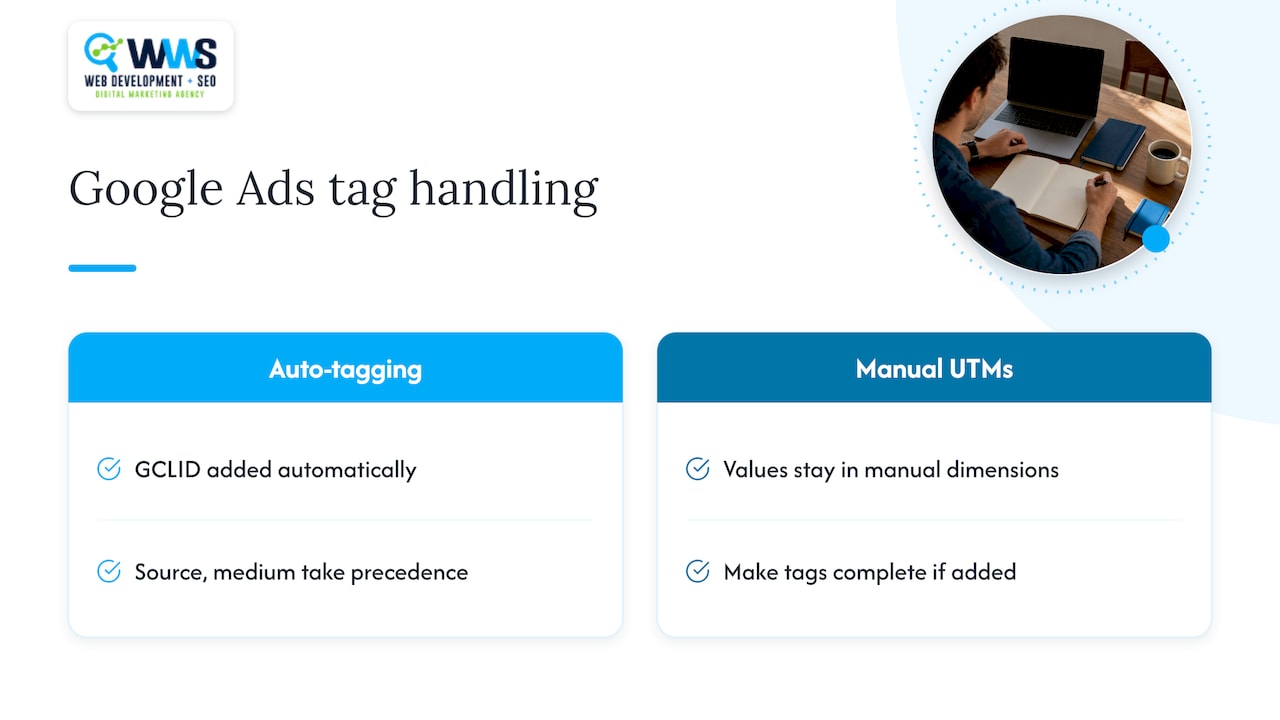
Google Ads can add its own click ID (the GCLID) to your links automatically, which is called auto-tagging. If you also add manual UTM tags, Google says the auto-tagged values take precedence for source, medium and other traffic-classification dimensions, while your manually supplied utm_term and utm_content stay available in their manual dimensions. Both details are on its traffic-source dimensions page.
That same page explains what happens when the click ID cannot be used as intended and any UTM parameter is present: Analytics builds the cross-channel traffic-source dimensions from the UTM values only. If those tags are incomplete, you get “(not set).” So for Google Ads, the practical rule is to leave auto-tagging on and, if you add manual tags, make them complete.
Meta, email and everything else
Non-Google platforms have no click ID that GA4 reads for them, so UTM tags are how GA4 learns the campaign. Most ad managers let you add a URL parameter string at the ad or campaign level, so you set it once instead of editing every link. If you manage paid campaigns yourself, check how your ad platform fills in the final URL, and test one live click before you scale the budget. Our paid campaigns team sets this up as part of every launch.
Where to see UTM data in GA4
Tagging only helps if you look at the results. Two places matter.
Traffic acquisition report. Google says to view Session source/medium, Session medium, Session source and Session campaign in Acquisition > Traffic acquisition. This report focuses on where sessions came from, whether the users are new or returning. The related User acquisition report is different: it explains how new users first found your site. For campaign results, Traffic acquisition is usually the right starting point. Google describes the difference in its User acquisition report help page.
Manual report. To see manually tagged campaigns, Google says to open Reports, go to Life cycle > Acquisition > Overview, then choose View Manual campaigns from the Sessions by Session manual source card. The Manual report page says it shows how effective your manually tagged campaigns were at driving traffic to a website or app.
Page views are not the goal. Mark your key events, such as form submissions and calls, as conversions, then read each campaign by its conversions and not just its visits. If you have not confirmed that GA4 is counting those events correctly, start with our guide to GA4 setup for small businesses. Phone calls often decide a service business’s results, so pair UTM tags with call tracking to connect a campaign to a ringing phone and not only a click.
Common UTM tagging mistakes
- Leaving out required parameters. A link with only
utm_sourceproduces “(not set)” values. Always supply the full set. - Inconsistent capitalization and spelling. “Email,” “email” and “e-mail” become three rows. Use your written convention.
- Tagging internal links. If a visitor clicks a tagged link on your own site, the session can be re-attributed to that tag and the original source is lost. Use UTM tags only on links that bring people to your site from elsewhere.
- Skipping the test. The CDC job aid recommends testing tagged links in multiple browsers to catch errors, redirects or dropped parameters. A redirect from
httptohttps, or from a non-www address to a www address, can strip the parameters if it is configured badly. Click each link once and check that the full tag survives in the address bar. - Tagging links you do not control. You cannot tag organic Google search results or links other sites give you for free. Do not try.
- Putting sensitive details in the tag. Anyone can read a URL.
- Letting the data go unmanaged. Without a log, tags from last year’s campaigns become unreadable. Use a spreadsheet and assign an owner.
- Using long, vague names.
utm_campaign=promo1tells you nothing in six months. Name the offer.
A five-minute pre-launch check
- Does the link open the right page?
- Are all three required parameters present and spelled per your convention?
- Are all values lowercase with no spaces?
- Is the link recorded in your spreadsheet?
- After the first real click, does the visit appear in GA4’s Realtime report with the right source and medium?
How we approach UTM tagging for local businesses
In our experience, local service businesses do not struggle with the mechanics of UTM tags. They struggle with discipline: one employee tags a link, another forgets, and six months later nobody trusts the report. We treat tagging as part of campaign setup and not an afterthought. Before a campaign goes live, we agree on the naming list, build the links, test them, and log them in one place the business owner can open.
Because all of our work is handled in-house, the people who build your website, run your ads and set up your analytics sit on the same team. That means the landing page, the tag and the conversion event are checked together, so a lead does not vanish between the ad and the report. We also tie tagged traffic to what matters to a contractor or clinic: calls, form fills and booked jobs. The goal is a report you can use to decide where next month’s budget goes.
— Online Marketing Experts
Put your tracking to work
If you want campaign data you can trust, but would rather not spend your evenings in spreadsheets, our marketing campaigns service builds tagging, landing pages and reporting into every launch for Chicago-area businesses. If your main goal is showing up when nearby customers search, see how our local SEO work connects your Google Business Profile, website and tracking.
For more on connecting profile activity to leads, read our guide to Google Business Profile call tracking.
FAQ
How many UTM parameters should I use?
Use at least three: source, medium and campaign. Google says to always include them. Add utm_content when you test two versions of the same ad or email, and utm_term for paid keywords. More parameters are only useful when you will actually read the extra detail.
How do I use UTM codes on a link?
Build the link with a URL builder or by hand, then paste it wherever the click will happen: an ad’s destination field, an email button, a text message or a QR code. Test it once, log it in your spreadsheet and look for the campaign in GA4’s Traffic acquisition report.
Should I use UTM tags on my own website’s internal links?
No. UTM tags are meant for links that bring visitors from outside sources. On internal links they can overwrite the visitor’s original source and make your reports less accurate. To track clicks on your own pages, use GA4 events instead.
Do I still need UTM tags if I use Google Ads auto-tagging?
For Google Ads clicks, auto-tagging handles most of the work, and Google says auto-tagged values take precedence over manual source and medium. You still need UTM tags for every other channel: email, text messages, social posts, Meta ads, QR codes and partner links.
Why do I see “(not set)” in my campaign reports?
The usual cause is a tagged link missing one or more parameters. Google notes that missing relevant parameters can produce “(not set)” values. Check the link for all three required parameters, then confirm that no redirect strips them.
Sources
- URL builders: Collect campaign data with custom URLs (Google Analytics Help)
- Traffic-source dimensions, manual tagging, and auto-tagging (Google Analytics Help)
- Manual report (Google Analytics Help)
- User acquisition report (Google Analytics Help)
- Tracking Website Engagement Using Campaign Links (CDC job aid)
- UTM Codes for OfferUp Local Ads
Recommended
A Des Plaines, IL team helping local service businesses get found, get called and get booked since 2005: local SEO, Google Ads, conversion-focused websites and AI search optimization.
Meet the teamKeep reading
All articles
How to Track Phone Call Conversions for Local Businesses
Learn how to track phone call conversions from ads, your website and your CRM, set a sensible call length, and stay within Illinois recording rules.
Call Tracking Setup for Marketers: Track Calls, Not Clicks
Set up call tracking across site tags, Google Ads conversions, dynamic number insertion, and CRM imports, then test real calls to confirm attribution works.
GA4 Setup: Small Businesses Can Catch Tracking Errors Early
Set up GA4 for a small business with gtag.js, Google Tag Manager, or a CMS plugin. Track starter conversions, validate events, or ask WWS for local help.