


Win Nearby High-Intent Shoppers with Google Maps Local Search Ads
Drive high-intent local shoppers to your store with Google Maps local search ads. Learn setup, optimization, and tracking from WWS in Chicago.
 By WWS Team
9 min read
In this article8 sections
- How to Reach Nearby Customers with Google Maps Local Search Ads
- What Are Google Maps Local Search Ads and How Do They Work?
- Google Maps Ads vs. Local Services Ads: Which Strategy Fits Your Business?
- Step-by-Step Implementation of Local Map Campaigns
- Tracking Performance and Measuring In-Store Conversions
- Troubleshooting Visibility and Ongoing Campaign Optimization
- Frequently Asked Questions About Google Maps Local Search Ads
- Turn Local Searches into Customers
How to Reach Nearby Customers with Google Maps Local Search Ads
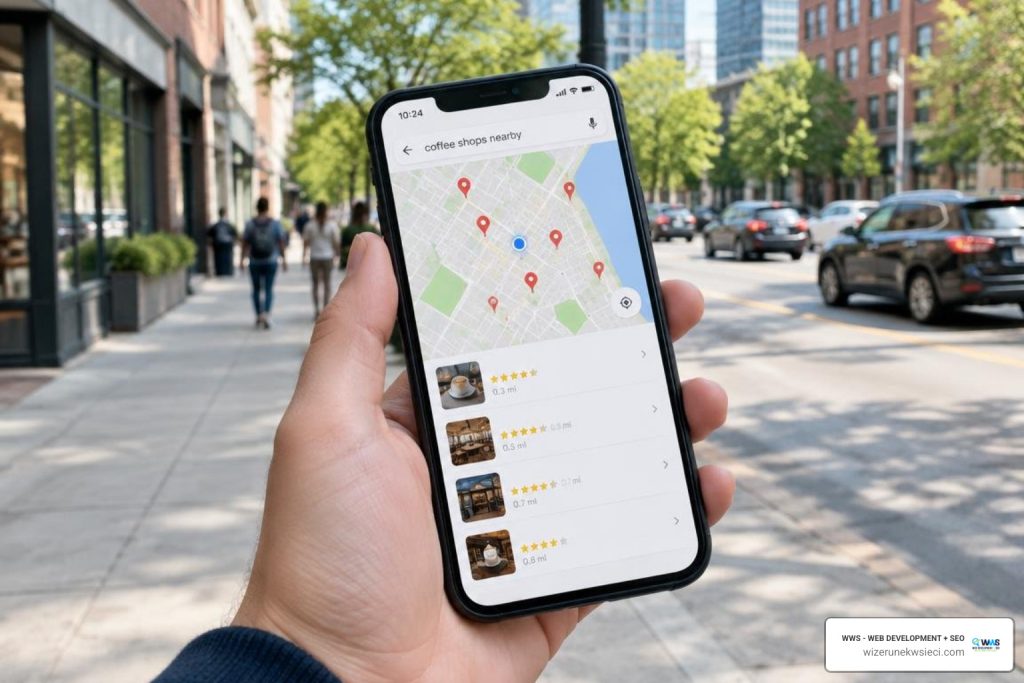
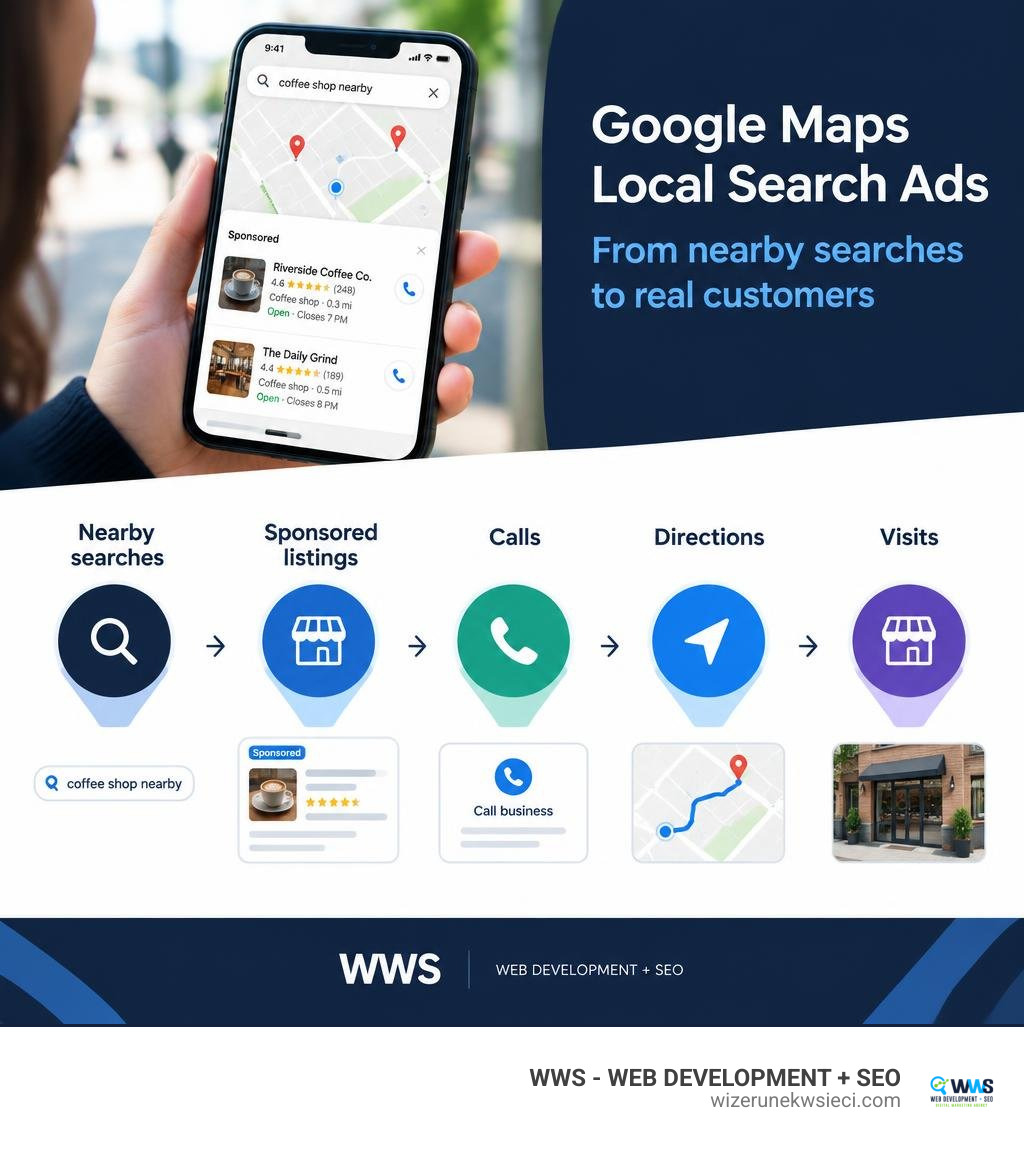
To run Google Maps local search ads, verify your Google Business Profile, link it to Google Ads, and enable location assets. Then create an eligible campaign, such as Performance Max for store goals, set your target area and daily spend, and track actions like calls and direction requests.
These ads can put your business in front of people already looking for a nearby place to visit or a local service to contact. The key is to measure what happens after they find you, not just how often your ad appears.
I’m Tomasz Lasota, founder of Wizerunek w Sieci / WWS — Web Development + SEO in Des Plaines, where I help Chicago-area businesses plan Google Maps local search ads alongside local SEO. With more than 22 years in digital development and marketing, I focus on turning local visibility into measurable calls and customers.
Key terms for google maps local search ads:
What Are Google Maps Local Search Ads and How Do They Work?
When consumers need immediate solutions—whether finding an emergency contractor, booking an appointment at a medical clinic, or locating a boutique—they open Google Maps. As the most downloaded navigation app with over two billion monthly active users globally, Maps serves as the digital front door for modern brick-and-mortar storefronts and service providers. In fact, location-related searches have grown 50% faster than overall mobile queries, and Google guides consumers to 1.5 billion destinations every year.
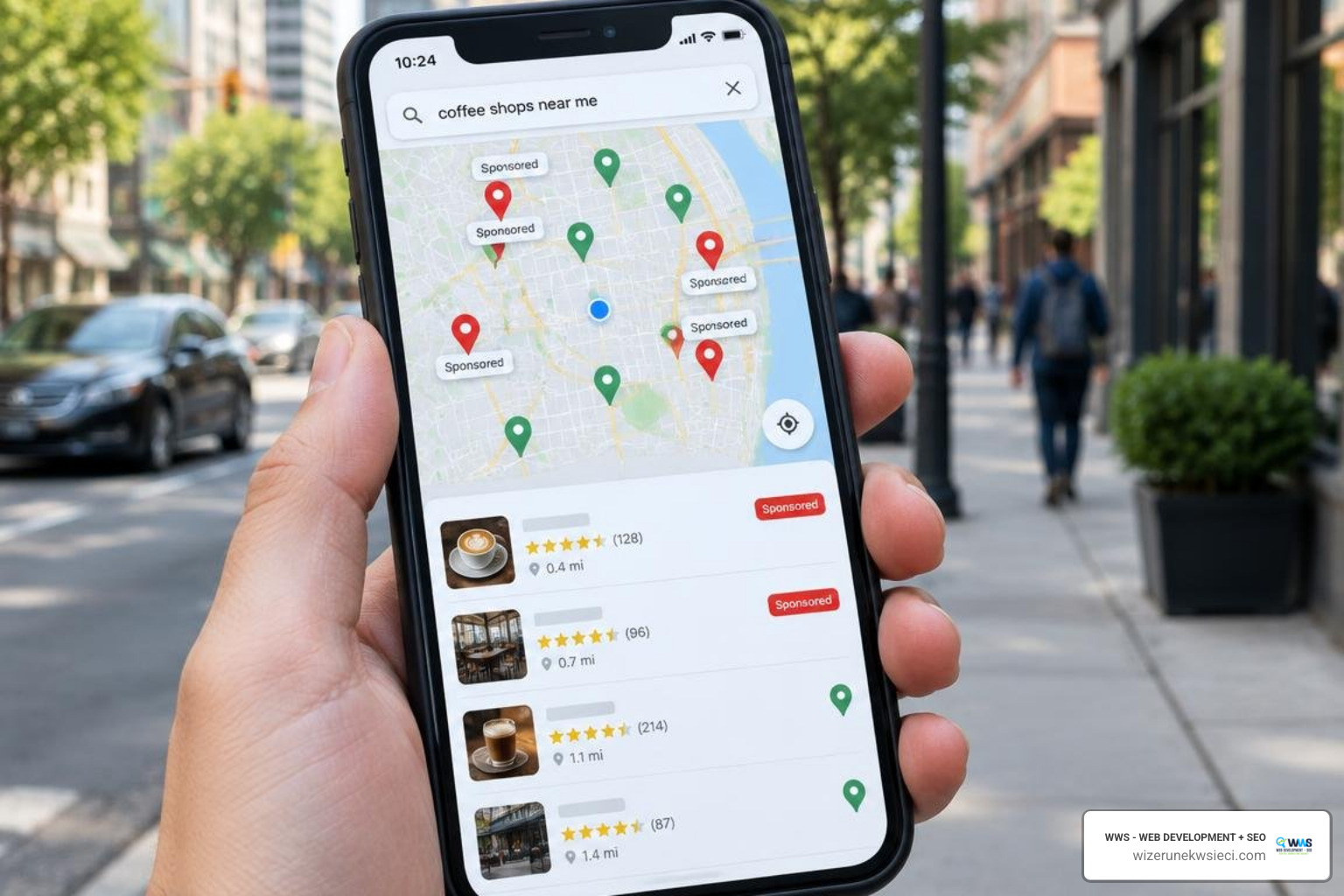
Google Maps ads allow businesses to claim premium visibility directly within the map feed, search results list, and navigation view. Unlike traditional organic map results, which depend strictly on organic positioning algorithms, paid map listings feature prominent visual markers, such as colored pins, customized promotional copy, and direct call or direction triggers.
While strong map pack ranking remains vital for sustainable visibility, paid map placements bridge the gap, ensuring immediate placement at the very top of local queries. According to official documentation on how to show local search ads on Google Maps, activating location assets within your advertising account allows your business listing to appear whenever nearby users express high local purchase intent.
Core Formats of Google Maps Local Search Ads
Google Maps serves distinct ad formats across desktop and mobile devices depending on the user’s journey and search context:
- Promoted Pins: Branded square or circular pins that display your company logo or a custom icon directly on the map viewport. These pins stand out as users browse a geographic neighborhood or navigate along driving routes.
- Map Search Ads: Featured text listings pinned to the top of Google Maps search result queries (e.g., “plumber near Des Plaines” or “bakery open now”). These listings display star ratings, open hours, and instant call or direction buttons.
- Map Suggest Autocomplete Ads: High-intent sponsored recommendations that appear as a user types a query into the Google Maps mobile search box, capturing foot traffic before the user even finishes typing.
- Placesheet Ads: Sponsored modules integrated into place detail cards, allowing businesses to highlight specific service menus, inventory availability, or special booking modules.
| Ad Format | Primary Placements | Supported Campaign Types | Primary Call-to-Action |
|---|---|---|---|
| Promoted Pins | Map viewport, Driving navigation | Performance Max for store goals, Smart | Route directions, View business profile |
| Map Search Ads | Top of Maps search query results | Search (with Location Assets), Performance Max | Click-to-call, Request directions |
| Map Suggest Ads | Autocomplete dropdown on mobile Maps | Performance Max, Smart, Search | Select suggested business profile |
| Placesheet Ads | Business detail pages, Related places | Performance Max, Travel campaigns | In-store booking, Browse inventory |
Auction Dynamics, Ad Rank, and Billing Models
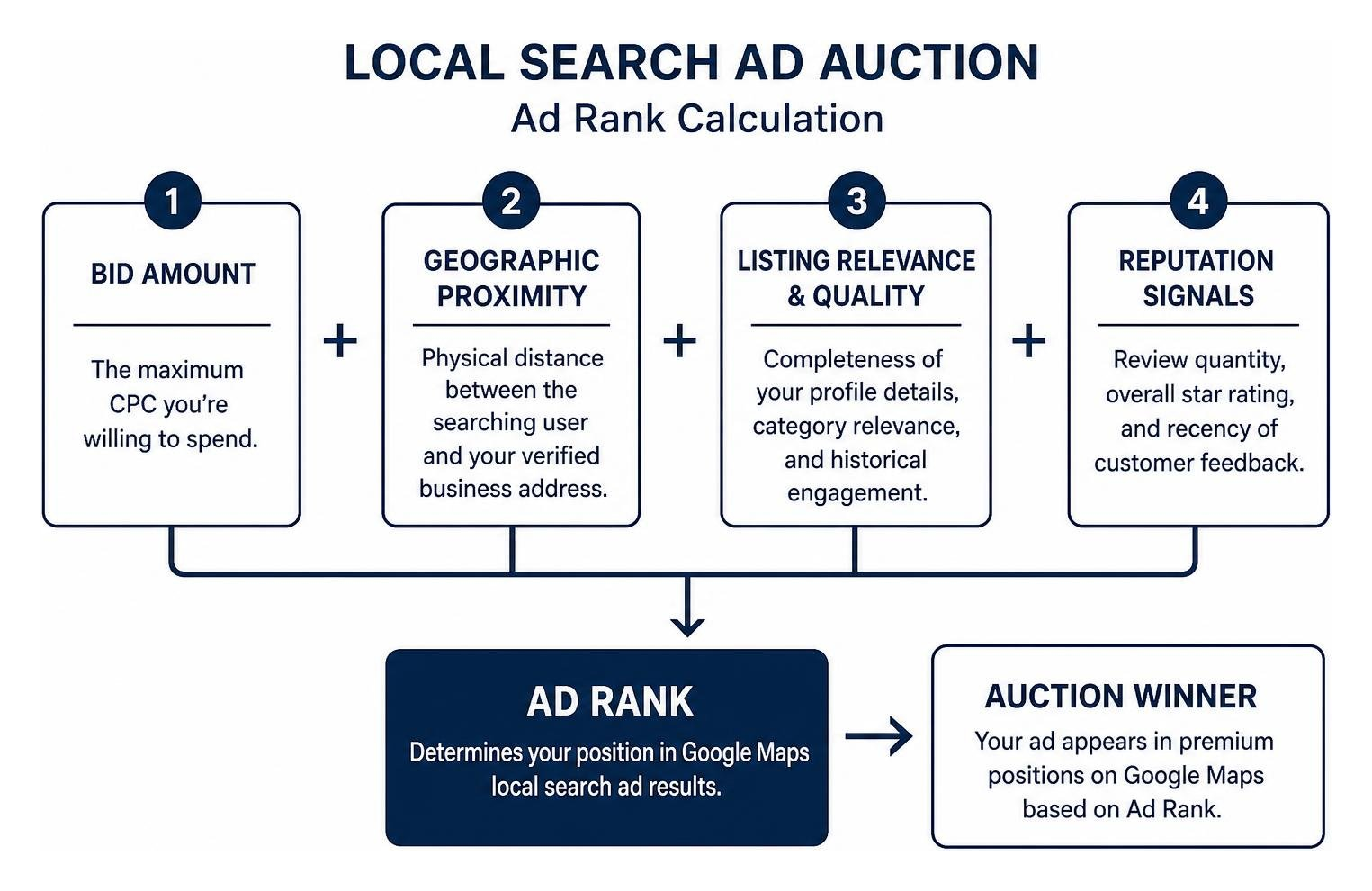
Google Maps local search ads operate within Google’s automated auction system, but the calculation of Ad Rank includes unique geographic factors. Instead of evaluating purely maximum bids and expected click-through rate, the Maps ad auction combines:
- Bid Amount: The maximum cost-per-click (CPC) or target cost you are willing to spend.
- Geographic Proximity: Physical distance between the searching user and your verified business address.
- Listing Relevance & Quality: Completeness of your profile details, category relevance, and historical engagement.
- Reputation Signals: Review quantity, overall star rating, and recency of customer feedback.
Billing primarily follows a cost-per-click (CPC) model. You are charged when a user engages with your listing through measurable actions, including clicking to view location details, requesting driving directions, or tapping a mobile click-to-call extension.
Across all search verticals, the average search CPC sits around $2.69, while local map interactions frequently offer high conversion efficiency because nearly 75% of local mobile searchers visit a physical location within 24 hours. For service companies seeking a quick foothold, reviewing a quick start guide to google ads for local businesses helps align bid caps with realistic customer acquisition targets.
Google Maps Ads vs. Local Services Ads: Which Strategy Fits Your Business?
Many small business owners struggle to differentiate between Google Maps local search ads and Google Local Services Ads (LSAs). Both target neighborhood customers, but their fee structures, screening requirements, and search real estate differ significantly.
| Feature / Dimension | Google Maps Local Search Ads | Google Local Services Ads (LSAs) |
|---|---|---|
| Billing Model | Pay-Per-Click (CPC) or Impressions (CPM) | Pay-Per-Lead (Pay per call, message, or booking) |
| Trust Badges | Featured reviews, custom business attributes | Google Guaranteed or Google Screened badge |
| Placements | Google Maps app, Map Pack, navigation view | Very top of Google Search (above text ads & map) |
| Targeting Controls | Keywords, radii, audience themes, bid adjustments | Service categories and designated zip codes |
| Verification Process | Standard Google Business Profile verification | Advanced background checks, licenses, and insurance |
| Ideal For | Retailers, restaurants, clinics, local service pros | Urgent home services, legal, medical, trade pros |
Choosing between the two depends on your business model. If you operate a retail storefront, restaurant, or multi-location facility reliant on in-person visits, Google Maps ads are essential.
If you are a contractor, electrician, or emergency service provider, pairing map ads with the Google Guaranteed badge through qualified neighborhood leads using google local services ads creates complete coverage across both search results and mapping apps.
Step-by-Step Implementation of Local Map Campaigns

To launch local search ads on Google Maps, ensure your account infrastructure meets Google’s prerequisites. Neglecting profile integrity will lead to disapproved assets or wasted advertising spend.
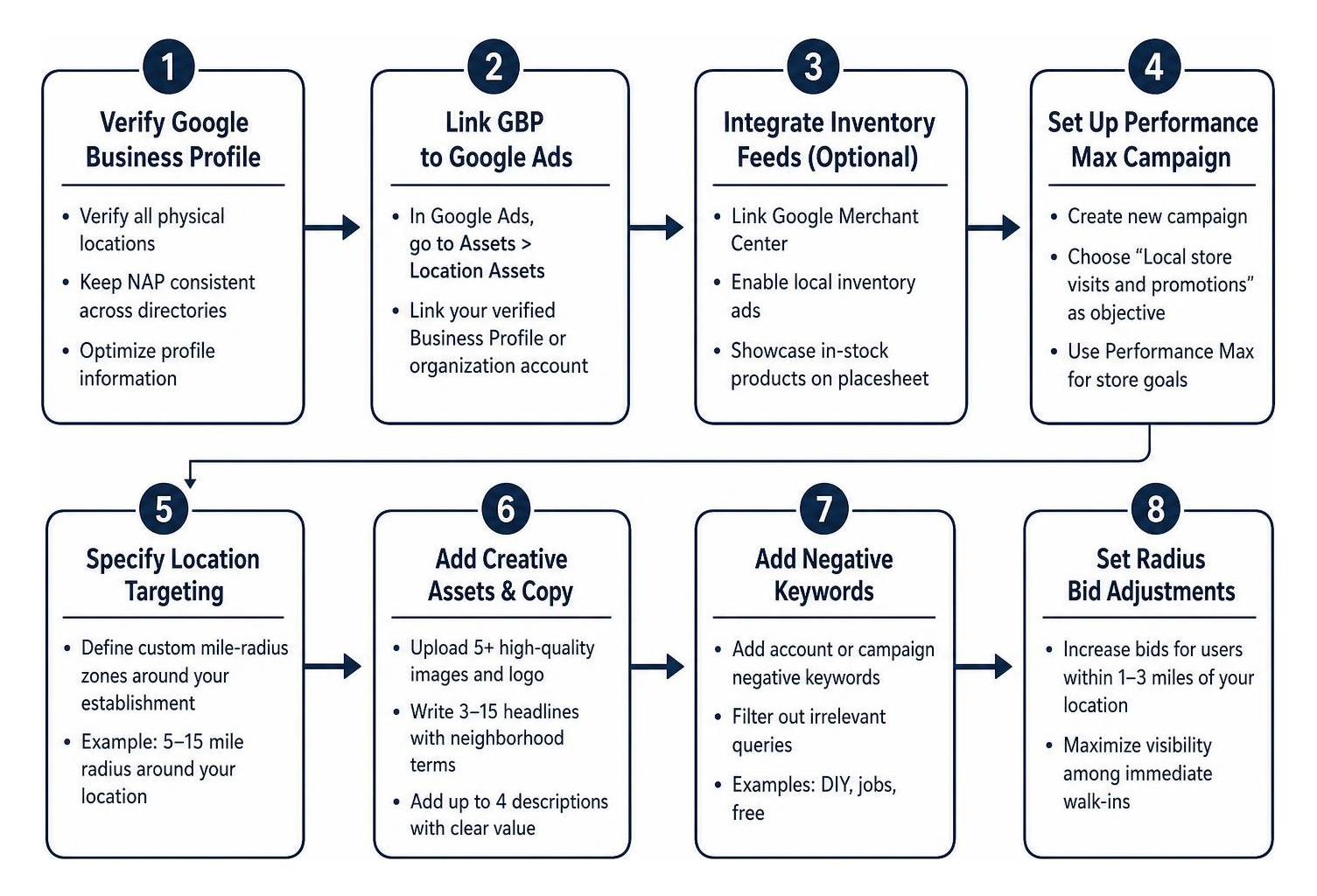
- Verify Your Google Business Profile: Complete rigorous verification for all physical locations. Ensure google business profile optimization by keeping your Name, Address, and Phone number (NAP) identical across every directory.
- Link GBP to Google Ads: Within your Google Ads dashboard, navigate to Assets > Location Assets and link your verified Business Profile or organization account.
- Integrate Inventory Feeds (Optional for Retailers): If you sell physical products, link Google Merchant Center to enable local inventory ads, which showcase products in stock directly on your pin placesheet, aligning with recommendations from Google’s retail marketing guide on driving foot traffic.
Launching Google Maps Local Search Ads with Performance Max
Performance Max for store goals serves as Google’s automated campaign framework designed to drive physical foot traffic across Maps, Search, YouTube, and the Display Network.
- Set Store Visit Goals: Create a new campaign without guidance or select “Local store visits and promotions” as your primary objective.
- Specify Location Targeting: Define custom mile-radius zones around your establishment (for instance, a 5-to-15 mile radius around Des Plaines, Rosemont, or Park Ridge) rather than broad state-wide targeting.
- Upload Compelling Creative Assets: Supply at least 5 high-resolution landscape and square images of your storefront, team, and interior, alongside your vector logo.
- Draft Location-Specific Headlines: Write 3 to 15 headlines (under 30 characters) and up to 4 descriptions (under 90 characters) featuring neighborhood terms and clear value propositions.
- Implement Campaign Negative Keywords: Apply account-level or campaign-level negative keyword lists to filter out irrelevant queries (e.g., “DIY,” “jobs,” or “free”).
- Set Radius Bid Adjustments: Increase bids for users searching within 1 to 3 miles of your front door to maximize visibility among immediate walk-ins.
Tracking Performance and Measuring In-Store Conversions
Running local search campaigns requires looking beyond website pageviews. Success on Google Maps is measured by real-world physical and conversational interactions.
Within your Google Ads reporting dashboard, click the Segment icon and choose Click Type to analyze specific map engagement metrics:
- Get Location Details: Tracks how many users clicked to expand your profile, view business hours, or read verified reviews.
- Get Directions: Measures users who tapped to generate turn-by-turn driving or walking directions to your store.
- Mobile Clicks-to-Call: Captures direct phone calls placed to your staff from the map interface. For advanced attribution, pairing this data with a proper call tracking setup ensures call durations and booked appointments are tied directly to ad spend.
- Store Visits Reporting: For eligible accounts with sufficient traffic volume, Google utilizes anonymized, aggregated location history data to estimate actual physical foot traffic generated by your ads.
- Store Visit Values: By assigning an estimated lifetime value or average checkout total to each visit, you can measure offline return on ad spend (ROAS) using offline conversion import pipelines.
Troubleshooting Visibility and Ongoing Campaign Optimization
If your promoted pins or sponsored search listings fail to display on Google Maps, review these standard diagnostic factors:
- Map Zoom Level Restrictions: Google Maps suppresses promoted pins when the viewport is zoomed out too far to prevent screen clutter. Zoom into your specific neighborhood radius to confirm rendering.
- Location Asset Approval: Check whether your linked Google Business Profile assets are pending review, disapproved, or unlinked inside Google Ads asset manager.
- Radius and Daily Budget Depletion: If your daily budget cap is set too low for your target geographic zone, your ad delivery will throttle early in the day.
- Gemini AI Review Summaries: Google’s AI models analyze review sentiment to determine ad relevance. Unresolved negative reviews or sparse profile descriptions can degrade your Ad Rank. Ensure you implement proven methods outlined in the ultimate local seo best practices guide for small businesses.
Frequently Asked Questions About Google Maps Local Search Ads
Can you run ads exclusively on Google Maps without appearing across other Google networks?
No. Google does not offer an isolated campaign setting that delivers impressions solely on Google Maps. Map ads are powered via Performance Max for store goals, Smart Campaigns, or Search campaigns with Location Assets enabled. While ads prioritize local map inventory, Google’s algorithm also serves impressions across Search, YouTube, and the Display Network to support cross-channel discovery.
Why are my local search ads not showing up on Google Maps?
The most common causes include unverified Google Business Profiles, unlinked location assets within Google Ads, restrictive geo-fencing, or low ad rank caused by intense local auction competition. Furthermore, ads only render at relevant map zoom levels when user search intent matches your primary business categories.
How much budget is needed to see results from Google Maps advertising?
While there are no mandatory minimum spends, small-to-medium businesses typically achieve dependable local testing data with an initial budget of $500 to $1,500 per month. This allows the Smart Bidding algorithm to gather the required 30 to 50 local conversion actions (calls, direction requests, and clicks) over a 30-day learning phase.
Turn Local Searches into Customers
Dominating Google Maps requires a unified marketing strategy that pairs organic local optimization with strategic paid promotion. When nearby shoppers search for immediate help, having your business prominently marked with a promoted pin and high star rating drives qualified walk-ins and phone inquiries before competitors even get noticed.
At Wizerunek w Sieci / WWS — Web Development + SEO, we act as the dedicated digital marketing partner for small and medium-sized businesses across Chicago, Des Plaines, Cook County, and the greater Chicagoland area. We combine the professional expertise, advanced tools, and strategic resources you would expect from a large national agency with the personal attention, local knowledge, and responsive service of a neighborhood partner. That middle ground means you get high-level campaign management without feeling like just another account number.
Headquartered at 636 S River Rd #218 in Des Plaines, IL, our bilingual team (English & Polish / Polonia Chicago) delivers customized attention, clean technical execution, and strategic management across SEO, web development, and paid campaigns.
Whether you manage an automotive shop, dental clinic, specialty trade, or retail storefront, we build high-return campaigns that transform online searches into real revenue.
Ready to capture high-intent local customers? Visit wizerunekwsieci.com to request your free local marketing audit and strategy consultation.
A Des Plaines, IL team helping local service businesses get found, get called and get booked since 2005: local SEO, Google Ads, conversion-focused websites and AI search optimization.
Meet the teamKeep reading
All articles
Finding a Local Google Ads Partner That Actually Delivers Leads
Hire a local Google Ads expert to generate qualified leads for your neighborhood business. Get strategic paid campaigns with proven results.

How to Set Profitable Google Ads Budgets for Small Businesses
Master Google Ads budget management for small businesses with proven strategies on daily spend caps, campaign pacing, and scaling for profitable ROI.

A Studio Owner’s Practical Guide to High-Converting Search Campaigns
Discover how Google Ads for dance studios turn local searches into trial signups with geo-targeting, smart bidding, and high-converting landing pages.